










Employee Productivity Monitoring That Shows Productive Time by Role
Employee productivity monitoring software shows how work time is actually spent. DeskTrack tracks apps, websites, idle time and focus sessions automatically, then scores each person against the tools their role uses. A developer is measured on code tools, a salesperson on CRM and calls. See where productive work happens, not just how long someone is online.
 G2
G2
 Capterra
 Trustpilot
 SSuggest
Companies registered
Users
146 verified reviews
building workforce software
Clients in the US, India, UAE, Qatar, UK and Bangladesh
Trusted by 8K+ Companies Worldwide with DeskTrack


DESKY · THE DESKTRACK AI AGENT
Productivity monitoring with a conversational AI agent
Ask Desky why productivity moved, not just what it was. It compares productive time with scheduled office hours by person, team and department, checks the trend over weeks and sends a scheduled summary before your review.
One conversational AI agent across office, remote and field data.
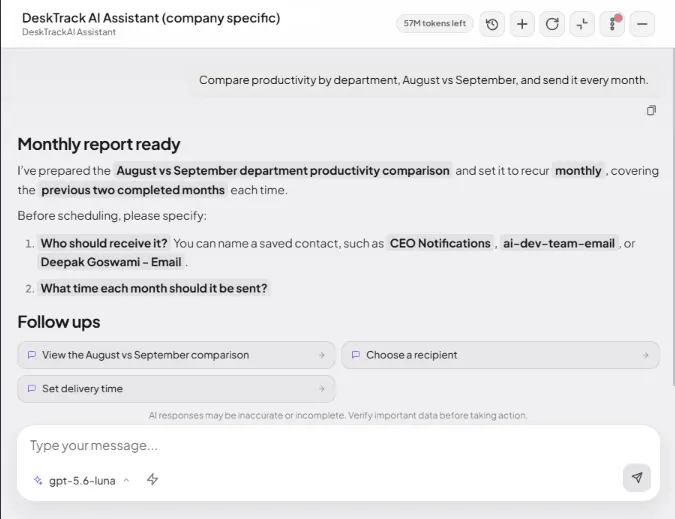
Ask or schedule
Type a question, or start from suggested questions for CEO, HR and team leads.
Analyses across data
Combines attendance, activity, calls and field time, and compares with benchmarks.
Answers on schedule
Scheduled questions and saved scorecards arrive before your meetings.
Humans stay in charge
Desky won't rate or recommend action on a person from activity data alone.
Why hours alone don't tell you how work is being done
Most teams judge productivity by who is online and for how long. But time at a desk is not work delivered.
Timesheets are self-reported
People round up, forget, or guess at the end of the week. Clients and projects get billed on estimates.
Online is not working
A green status dot says someone is logged in, not what they are doing.
One rule doesn't fit every role
A manager's work happens in calls and email. A designer's happens in Figma. Judge both by one rule and one always looks bad.
How does DeskTrack
measure employee productivity?
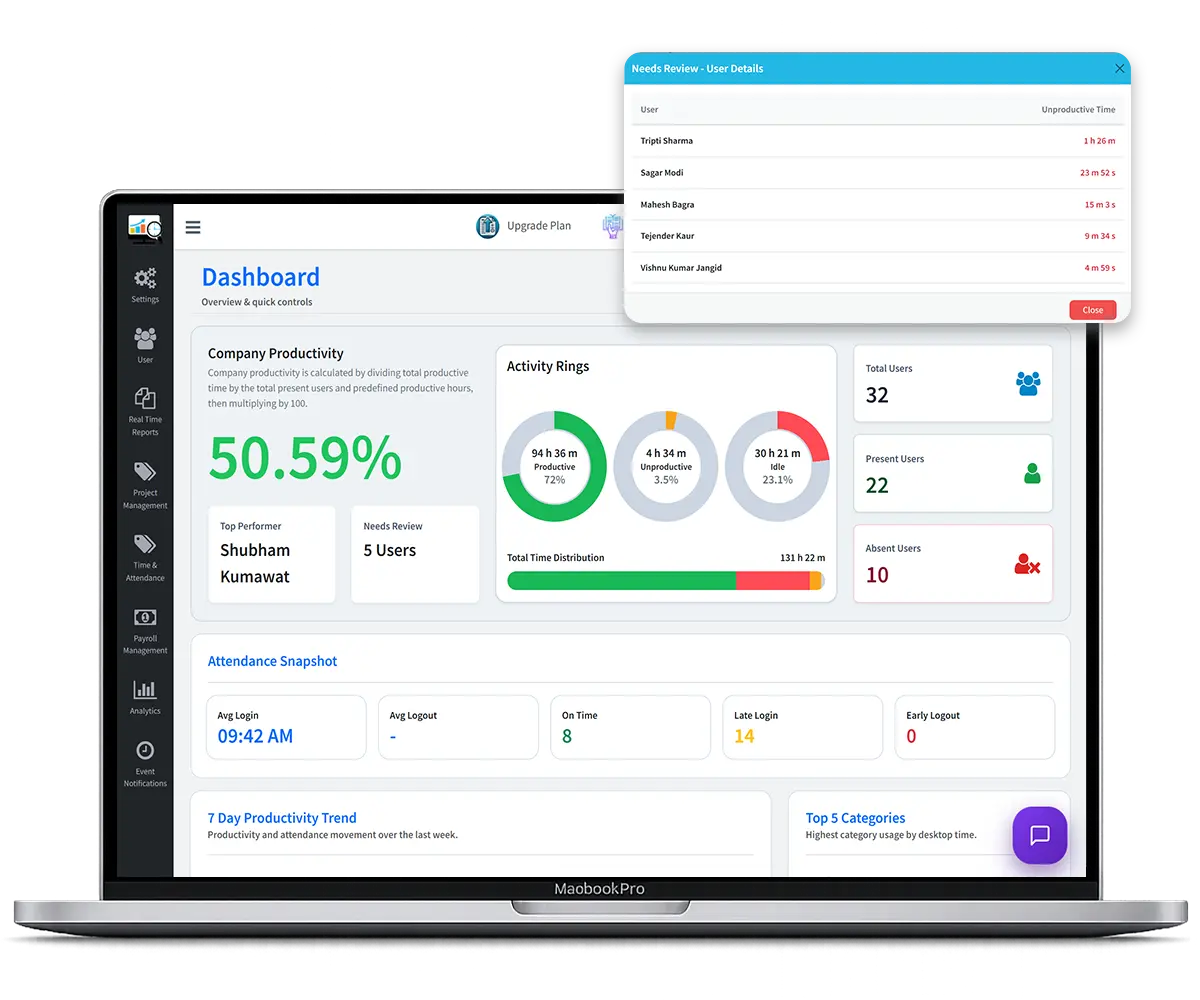
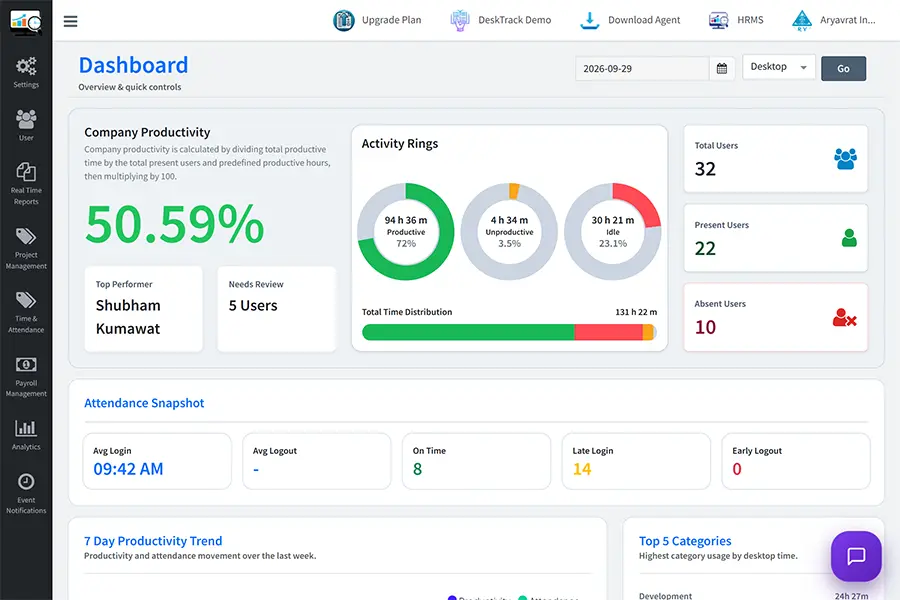
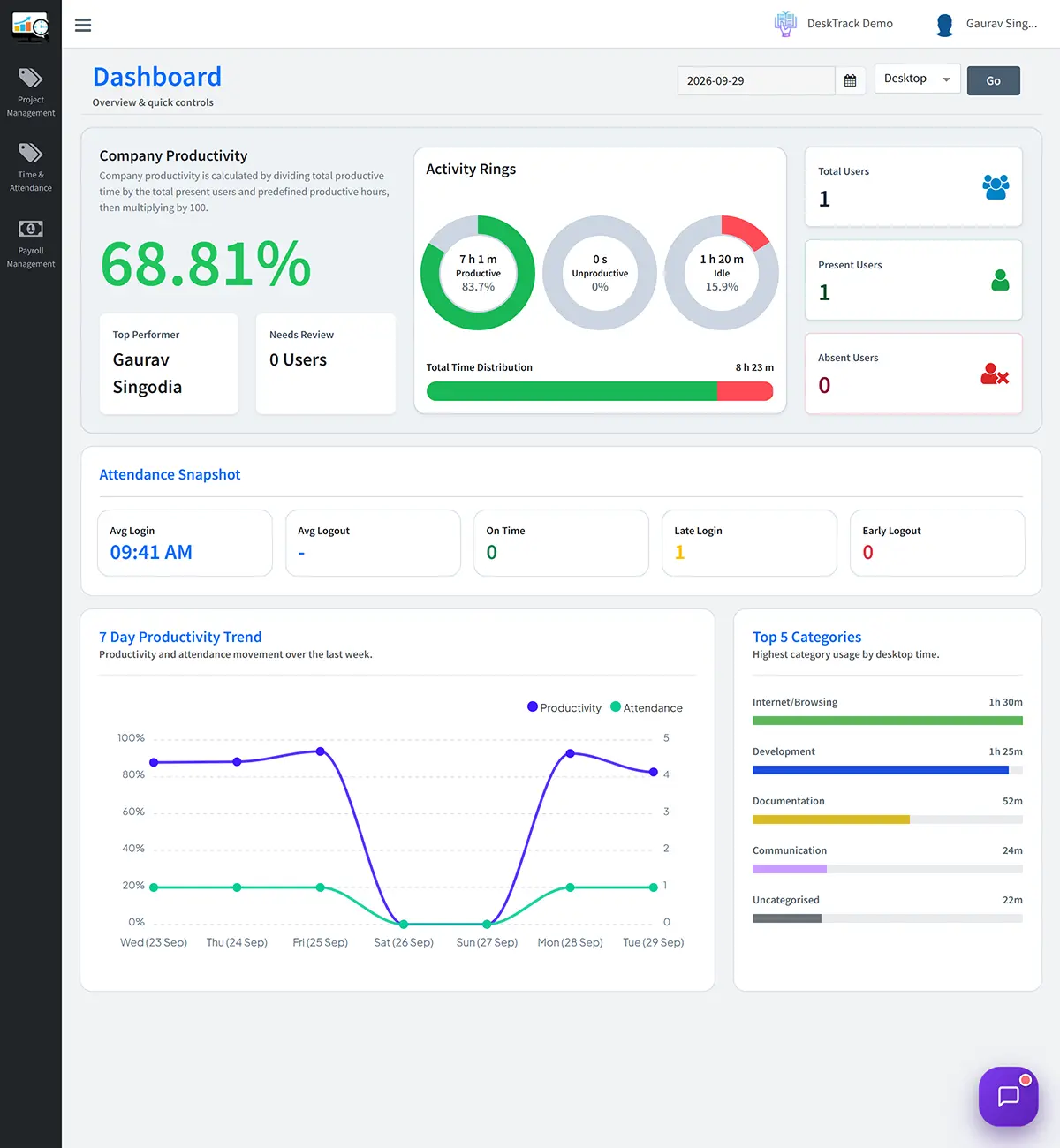
In DeskTrack, productivity = time spent on the apps and websites defined as productive for each role ÷ scheduled office hours. Above 100% means productive work went beyond office hours.
1. Define productive work. Choose the apps and websites that count as work for each role.
2. Track work activity. DeskTrack records app, website, active and idle time, and focus sessions.
3. Calculate productivity. Productive time ÷ scheduled office hours.
4. Review patterns. Compare teams, roles and weeks. One bad day means nothing; a 4-week trend does.
A productivity score is not a measure of a person's worth or effort. Different roles naturally work in different patterns.
How we measure: full methodology →
What does employee
productivity monitoring software
track?
Ask your productivity data
in plain language
Skip the report hunting. Save your best questions and schedule them, so answers arrive before your Monday meeting.
Here is your automated breakdown for Sept 22 – Sept 28:
We run DeskTrack on our own team. Here's what the data showed.
For the first five months of 2026, our productivity averaged 60.7%. It rose to 64.7% in June and reached 66.6% in September, our best month. Over the same period, idle share fell from 38.4% to 31.0%.
Our first calculation showed 71%. The hours-weighted figure was 67%.
Averaging daily percentages gave 71% for September. Recalculating with hours-weighted productivity and excluding holidays produced 67%. We now report our own numbers by hours worked.
Read the full story →DeskTrack team, productivity and idle share by month, 2026
Methodology: DeskTrack internal data from 32 employees, 4,721 employee-days, 1 Jan – 29 Sep 2026. Productivity = productive hours ÷ scheduled office hours. Holidays and weekly offs excluded.
Want to see the same patterns in your team?
DeskTrack shows how tracked work time is used across roles, teams and applications.
What patterns does productivity
monitoring reveal?
The 6-hour top performer
One developer spent 5.5 of 6 hours in code tools. A colleague logged 10 hours with 3 in code tools. Hours alone reward the wrong person.
Low score isn't always low effort
In our team, managers scored 41% and web designers 90%. Managers' calls and email weren't marked productive for their role. Fixing role rules fixed the score.
When work patterns change
When focus sessions shrink and late starts repeat for several weeks, it's time for a conversation, not a warning.
How does DeskTrack keep productivity monitoring transparent?
Visible by default. Silent mode only where local law and your policy allow it.
Employees see their own data. No hidden scores.
Role-based access. Managers see only their own teams.
You choose what to track. Screenshots, URLs and apps each switch on or off.
Never: Video recording, webcam photos, live screen streaming or reading text on screen.
ISO 27001:2022 certified. Access is by permission only.
Productivity monitoring without surveillance theatre
DeskTrack shows work patterns. It does not make assumptions about people.
It does not claim to
- Measure a person's worth or effort
- Directly measure business output
- Label anyone a "good" or "bad" employee
- Diagnose engagement or intent
- Replace a manager's judgment
What it does
Gives managers evidence about how tracked work time is used, so they can look into patterns, coach teams and make better decisions.
Productivity monitoring vs time tracking vs employee monitoring
| Time tracking | Employee monitoring | Productivity monitoring (DeskTrack) | |
|---|---|---|---|
| Answers | How many hours? | What is on screen? | How is tracked time being used? |
| Main data | Timers, timesheets | Screenshots, activity | Role-based app time, focus, idle |
| Best for | Billing, payroll | Security, compliance | Productive work, coaching, capacity |
| Risk if used alone | Hours without context | Feels like surveillance | Needs role rules set up |
DeskTrack does all three in one tool.
Compare DeskTrack with other tools →Productivity monitoring for how your industry works
Each industry defines productive work differently. DeskTrack lets you set the rules per role.


Start tracking in under 5 minutes
Create your workspace
Set up your account and choose productive apps for each role.
Install the agent
Windows, Mac or Linux. Company-wide: IT pushes the MSI package through ManageEngine or Active Directory.
See data the same day
Activity, app usage and idle time appear in the dashboard.
Review your first report
See where tracked work time goes, then coach and adjust weekly.
What happens after you sign up?
Install; setup help on WhatsApp
First weekly productivity pattern
Assessment call on your own data
Pick a plan or stop. No card, no charge.
What is lost productive
time costing you?
1. Sign up and set role rules. Choose productive apps per role.
2. Install the agent. Self-register and start tracking in under 5 minutes, on Windows, Mac or Linux.
3. See data the same day. Activity, idle and project hours.
4. Review weekly. Coach, recognise, adjust.
₹37.5 lakh a year at these inputs. Formula: team size × minutes lost ÷ working minutes × salary. An estimate based on your inputs; actual impact varies by team, role and working pattern.
Want to see where that time is going?
Get a free 20-minute productivity assessment built on your team's actual workflow.
Book my productivity assessmentTrusted by teams that need visibility into work

Patanjali Foods · Manufacturing
Teams across several locations needed accurate attendance. Managers now see daily who hasn't started their system.

Oswaal Books · Publishing
Management used task-time data to see where deadlines slipped and improved accountability.

Qatar Cool · District Cooling
Qatar Cool uses DeskTrack to gain better visibility into employee time, attendance, activity, and productivity.
Powerful Integrations That Fit Your Workflow
DeskTrack integrates with your existing tools to track productivity, manage work hours, and improve collaboration in one unified dashboard.


What are Our Clients Saying?
Don’t just take our word for it. Hear from our satisfied clients why DeskTrack’s productivity monitoring software is trusted by 8K+ organizations worldwide.
Frequently Asked Questions
From $1.99 per user per month, or ₹99 + GST in India.
Free trial, no credit card required.
See all plans →Stop managing hours. Start understanding productive work.
See where your team's time really goes, by role, in your first week.
No credit card · 15-day free trial · GST invoice for India
DeskTrack at a glance

Rashmi Singh
Founder & Product Lead, DeskTrack
Last updated: September 2026
About the founder →