Did you know that even a few minutes of inaccurate time tracking each day can cost businesses hundreds of productive hours every year?
Whether your employees work from the office, remotely, or in hybrid teams, keeping track of work hours has become more important than ever. Manual spreadsheets and paper timesheets often lead to calculation errors, inaccurate payroll, and limited visibility into employee productivity.
A modern work hour tracker eliminates these challenges by automatically tracking work time, recording attendance, generating reports, and helping businesses make informed workforce decisions. But with so many tools available, choosing the right solution isn’t always easy.
This guide explains everything you need to know about selecting the best employee work hours tracker, the essential features to look for, common mistakes to avoid, and how the right software can improve productivity without creating unnecessary complexity.
What is a Work Hour Tracker?
A work hour tracker is software that automatically records employee working hours, active work time, idle time, attendance, and productivity. Instead of relying on manual timesheets, businesses can accurately track employee hours while gaining valuable insights into how work is completed.“Most work hour trackers are built on top of an employee time clock app that handles the actual clock-in/out.”
Unlike traditional attendance systems, modern work tracking solutions provide real-time visibility into daily activities, project progress, and workforce utilization.
A reliable hours tracker helps organizations:
- Record accurate work hours
- Track employee time automatically
- Reduce payroll errors
- Monitor productivity trends
- Improve workforce planning
- Generate detailed reports
For growing businesses, automating tracking employee time reduces administrative work while ensuring accurate records for payroll and compliance.
Why Your Business Needs a Work Hour Tracker ?
Manual timesheets cause errors and wasted time. A work hour tracker automates time tracking, improves attendance, and boosts productivity.
Why is Tracking Employee Work Hours Important?
Many businesses only calculate total hours worked at the end of the month. However, this approach doesn’t reveal how time is actually spent throughout the day.
An effective work tracker helps managers understand:
| Business Challenge | How a Work Hour Tracker Helps |
| Manual timesheets | Automates work hour recording |
| Payroll errors | Provides accurate work hour reports |
| Poor productivity visibility | Shows productive and idle time |
| Project delays | Tracks time spent on each task |
| Attendance issues | Monitors employee check-in and check-out |
| Remote workforce management | Enables real-time work tracking |
Instead of guessing where time is going, businesses receive reliable data that supports better operational decisions.
Benefits of Using an Employee Work Hours Tracker
Choosing the right solution offers benefits that extend beyond simply recording work hours.
1. Accurate Employee Time Tracking
Automatic tracking employee hours removes manual errors and ensures every working minute is recorded correctly.
This is especially valuable for businesses managing multiple teams, shifts, or remote employees.
2. Better Productivity Insights
A modern work hours time tracker helps identify:
- Productive hours
- Idle time
- Focus time
- Application usage
- Website activity
- Daily work patterns
Instead of monitoring employees constantly, managers can focus on improving workflows using meaningful productivity data.
3. Simplified Payroll Processing
Incorrect work hour calculations often lead to payroll disputes.
A reliable timer for work hours automatically records:
- Regular hours
- Overtime
- Breaks
- Attendance
- Shift duration
These reports reduce manual calculations and improve payroll accuracy.
4. Improved Project Management
Knowing how long tasks actually take helps businesses:
- Allocate resources efficiently
- Estimate project timelines
- Improve budgeting
- Increase accountability
When teams consistently track employee time, project planning becomes significantly more accurate.
5. Better Remote Team Visibility
Remote and hybrid teams need transparency without unnecessary micromanagement.
A good work tracking solution provides managers with:
- Real-time activity
- Work hour reports
- Productivity summaries
- Attendance records
This creates accountability while allowing employees to work independently.
Signs Your Business Needs a Work Hour Tracker
Many organizations wait until payroll issues or productivity challenges become serious before investing in time tracking software.
You may need a work hour tracker if your business experiences:
- Employees submitting manual timesheets
- Frequent payroll corrections
- Difficulty calculating overtime
- Limited visibility into remote work
- Missed project deadlines
- Attendance inconsistencies
- Unclear productivity reports
- Challenges keeping track of work hours across teams
If any of these situations sound familiar, implementing automated tracking work time can significantly improve workforce management.
Essential Features to Look For in a Work Hour Tracker
A reliable work hours time tracker should simplify workforce management, improve transparency, and provide accurate insights into employee performance. Here are the key features to prioritize:
1. Automatic Time Tracking
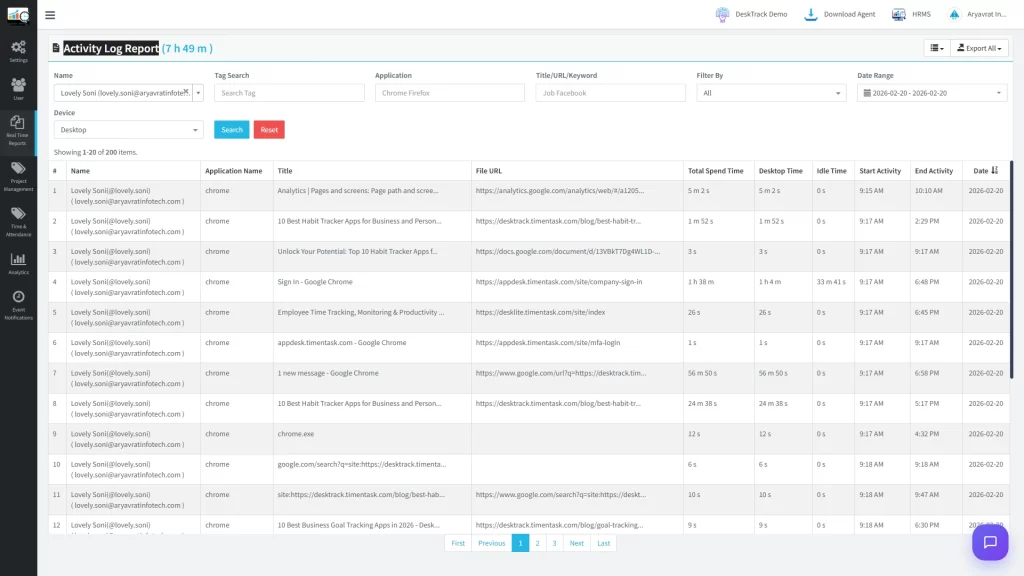
Manual timesheets are prone to mistakes, forgotten entries, and inaccurate reporting. Automatic time tracking eliminates these issues by recording work hours in real time.
Employees no longer need to start and stop timers manually or fill out spreadsheets at the end of the day. The software captures work activity automatically, ensuring accurate records while saving valuable time.
Benefits:
- Eliminates manual errors
- Saves administrative time
- Improves payroll accuracy
- Provides consistent work-hour records
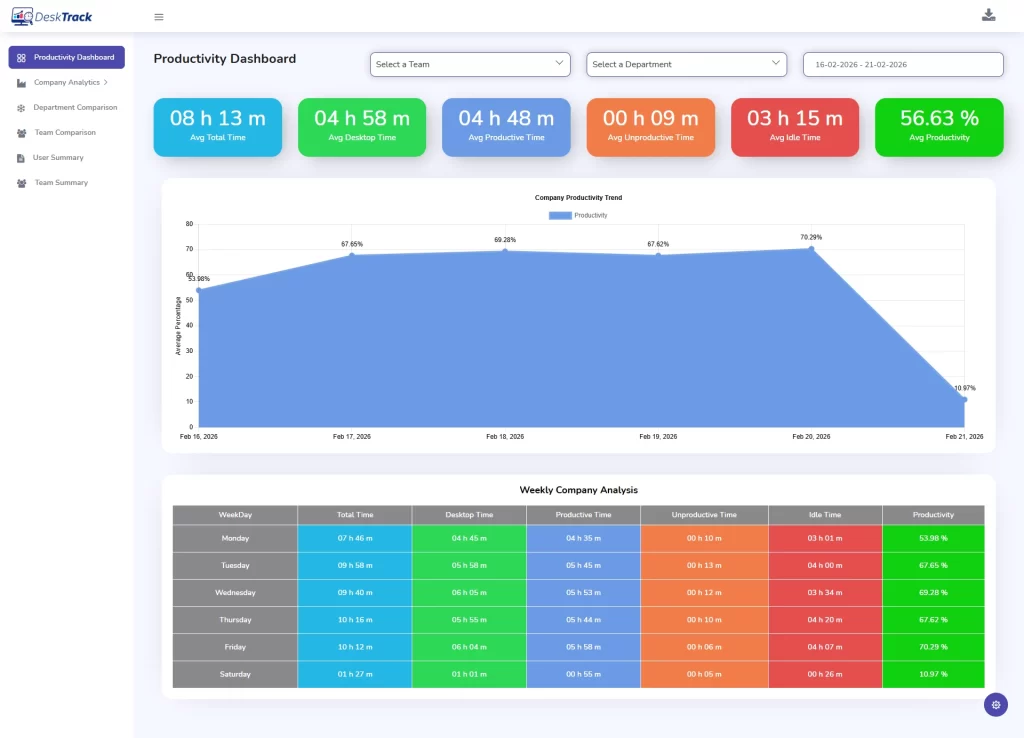
2. Real-Time Dashboard
A centralized dashboard gives managers an instant overview of workforce activity without waiting for end-of-day reports.
Instead of collecting updates from multiple employees, managers can view attendance, active work hours, project progress, and productivity metrics from a single location.
This enables faster decision-making and better workload management.
Benefits:
- Live employee visibility
- Faster operational decisions
- Improved workforce planning
- Better resource allocation
3. Detailed Reports and Analytics
Raw time data is valuable only when it can be turned into meaningful insights.
A comprehensive hours tracker should generate reports that help businesses understand employee performance, attendance trends, overtime, and project utilization.
Reports also make it easier to identify bottlenecks, optimize schedules, and improve overall operational efficiency.
Benefits:
- Simplifies reporting
- Supports data-driven decisions
- Identifies productivity trends
- Helps optimize business operations
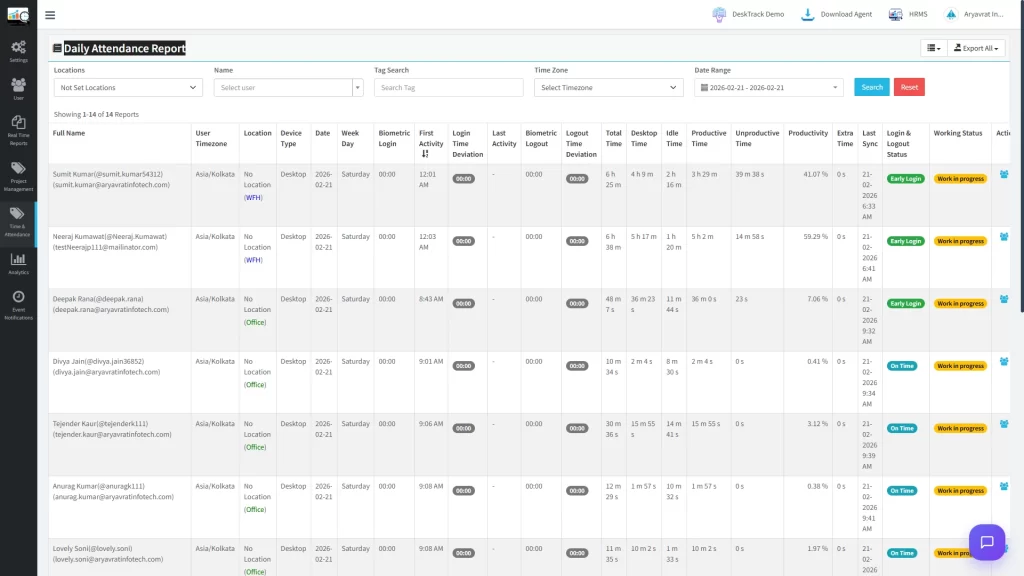
4. Attendance and Leave Tracking
Accurate attendance records are essential for payroll, compliance, and workforce planning.
An integrated attendance tracking system automatically records employee check-ins, check-outs, breaks, and working hours while reducing manual administrative work.
This creates a single source of truth for attendance management.
Benefits:
- Accurate attendance records
- Reduced payroll disputes
- Better shift management
- Easier compliance reporting
5. Project Time Tracking
Knowing how much time is spent on individual projects helps businesses estimate costs, allocate resources efficiently, and improve project planning.
Project time tracking allows managers to measure task completion time, compare estimated versus actual hours, and identify projects that require additional resources.
Benefits:
- Better project estimation
- Improved budgeting
- Increased accountability
- Higher project profitability
6. Productivity Monitoring
Time alone doesn’t reveal how efficiently employees work.
Productivity monitoring provides insights into productive hours, idle time, application usage, and work patterns. These insights help businesses improve workflows rather than simply measuring attendance.
The goal is not micromanagement but identifying opportunities to support employees and improve overall efficiency.
Benefits:
- Better productivity insights
- Improved workflow optimization
- Reduced time wastage
- Data-backed performance improvement
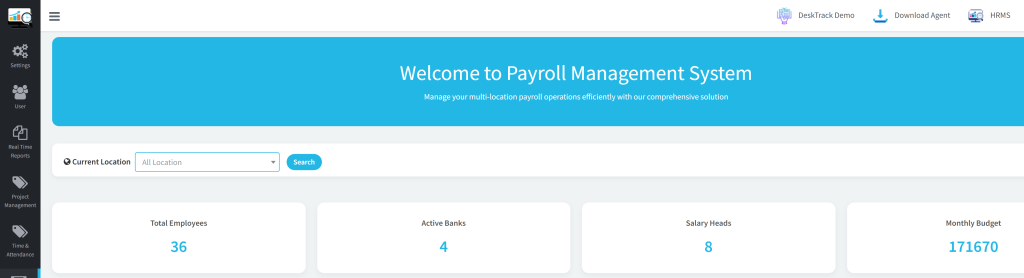
7. Payroll-Friendly Reports
Payroll becomes much easier when work-hour data is accurate.
Instead of manually calculating overtime, attendance, and regular hours, payroll-ready reports provide verified records that reduce calculation errors and save HR teams significant time every month.
Benefits:
- Faster payroll processing
- Fewer calculation errors
- Accurate overtime records
- Better compliance
8. Remote Workforce Support
As remote and hybrid work continue to grow, businesses need tools that provide visibility without disrupting employee flexibility.
A modern work tracker should allow managers to monitor work hours, attendance, and productivity regardless of employee location.
This ensures consistency across distributed teams while maintaining accountability.
Benefits:
- Supports hybrid teams
- Better remote collaboration
- Increased transparency
- Consistent performance tracking
How Automatic Work Tracking Improves Decision-Making
When businesses rely on manual records, they often make decisions based on assumptions rather than data.
Automated tracking employee time provides accurate insights into:
- Team productivity trends
- Resource utilization
- Project profitability
- Workforce efficiency
- Attendance patterns
These insights enable managers to optimize schedules, reduce bottlenecks, and improve operational performance.
Conclusion
Choosing the right employee work hours tracker is an investment in productivity, accuracy, and better workforce management. The best solution doesn’t just track employee hours it helps businesses understand how time is spent, streamline payroll, improve attendance management, and make smarter operational decisions.
Whether you manage a small team or a growing organization, selecting software with automation, detailed reporting, productivity insights, and remote workforce support can significantly reduce administrative effort while improving overall efficiency.
If you’re evaluating different solutions, focus on your business requirements rather than simply comparing features. A work hour tracker that aligns with your workflow today should also be capable of supporting your organization’s future growth.
For businesses looking to automate tracking employee time, improve workforce visibility, and simplify day-to-day operations, solutions like DeskTrack combine automatic time tracking, productivity monitoring, attendance management, and detailed reporting in a single platform helping teams work smarter while providing managers with actionable insights.
Frequently Asked Questions (FAQ)
Ans. A work hour tracker is software that automatically records employee working hours, attendance, and productivity. It helps businesses accurately track employee time, simplify payroll, and improve workforce management. Ans. Businesses use a work hour tracker to reduce manual errors, improve payroll accuracy, monitor attendance, track project hours, and gain better visibility into employee productivity. Ans. Look for automatic time tracking, attendance management, productivity monitoring, detailed reporting, project time tracking, payroll-friendly reports, remote workforce support, and integration capabilities. Ans. Yes, Modern work hour trackers provide real-time visibility into employee work hours, attendance, and productivity, making it easier to manage remote and hybrid teams effectively. Ans. By accurately tracking work time, identifying productivity trends, reducing administrative tasks, and providing actionable reports, a work hour tracker helps businesses optimize workflows and make data-driven decisions.work-hours-tracker