
loader
Live 20-minute demo

Your team worked while you slept. Know what got done by 9 AM.

For remote, hybrid and offshore teams. DeskTrack's demo is a 20-minute live walkthrough on a real account. You'll see active vs. idle time by person and team, which apps the hours went into, and Desky, the AI Workforce Agent that answers questions in plain English and emails you the answer every Monday.

Trusted By

8K+ Companies Worldwide Trust DeskTrack

From startups to enterprises — teams across industries rely on DeskTrack to manage time, productivity & compliance.

Ajanta Pharma
Greycell
Honda
Signicent
Patanjali
Markscan
Duncan & Ross
HillPro
Namo Solution
Trukker
Capterra
★★★★★
4.5 on Capterra
G2
★★★★★
4.4 on G2
✓✓✓
ISO 27001 Certified
8K+
Companies Worldwide
Live Product Insight

One screen instead of five status updates

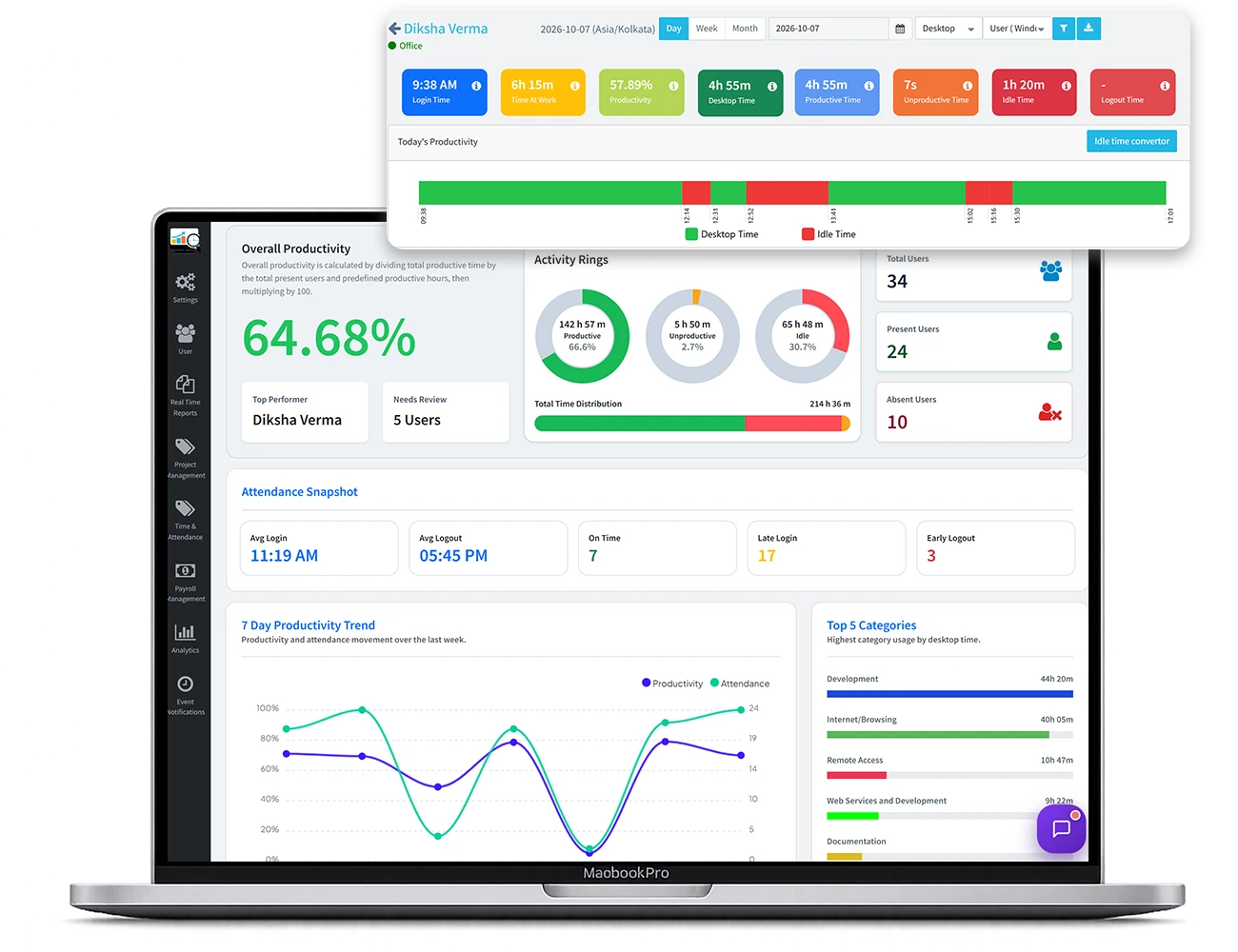
DeskTrack measures how work time is spent: time logged, productive time on work apps, unproductive time and idle time, per person and team. Productivity % = productive time ÷ scheduled hours, so you compare people against their own schedule, not against each other.
DeskTrack productivity dashboard with weekly productivity trend and weekday breakdown of total, productive, unproductive and idle time
60.5%
average productivity for the week
5h 09m
average productive time per day
Anomaly detected
22%
Saturday productivity: the dip you'd never see in a status email
💡
Concrete anomaly: Saturday fell to 22% shows the product finding something a manager's report would hide. That is the “aha” the demo will repeat on your data, so the screen pre-sells the call.
Agenda & Scope

What the 20-minute workforce analytics demo covers

A live account, not slides. Tell us what matters and we skip the rest.

1 Min 0–4

Your roles, your definition of “productive”

We set which apps count as work for each role. Customer calls, meetings and field time count as productive too, so a salesperson isn’t penalized for being on the phone.

App usage by person and team
2 Min 4–9

Active vs. idle, team by team

See which team is busy and which is logged in but idle, and how today compares with each team’s own baseline.

Department and team comparison
AI Agent
3 Min 9–14

Ask Desky in plain English

Desky answers from your DeskTrack data, states the period and data it used, and can email you the same answer every Monday at 9 AM. No dashboards to open, no manager to chase.

A real Desky answer. Coverage & scope first
4 Min 14–17

Privacy and a rollout your team accepts

Visible tracking, employees see their own data, and screenshots are optional (5-minute minimum, admin-only, kept one month). We show the settings that keep you on the right side of notice laws.

Screenshot report: optional, admin-only
5 Min 17–20

Your price and a 15-day plan

We price your exact team size and agree what success looks like by day 15, so you can decide without a second meeting. Agencies and firms that bill clients: we also show how TitaPro turns tracked time into timesheets and invoices.

Custom quote & 15-day onboarding plan
You leave with
A Desky answer · Your price · A 15-day plan

Gartner (2025–26) Research

61–67% of B2B buyers prefer a rep-free experience, and buyers with “value clarity” are 2× more likely to report a high-quality purchase. So the page gives the full demo storyline in advance: self-educators get value, and the ones who book arrive pre-sold.

For agencies, consultancies & accounting firms

DeskTrack captures the time. TitaPro bills it. TitaPro links tracked time to clients and tasks, adds daily time records with employee sign-off and a reason for every change, and splits billable from non-billable. Pick “Client work & invoicing” in the form and we’ll show both.

For US buyers the bridge is money, not process: billable hours. Positioned only for firms that bill clients, so it never distracts the remote-team buyer.
Tailored Walkthroughs

Who books this demo

Self-selection: visitors scan for “people like me”. Each card addresses the exact pain points in your team's everyday operations.

Offshore & remote teams

“

I pay for 40 hours a week and get a status email.

Agencies & consultancies

“

Retainer clients take more hours than they pay for.

BPO & call centers

“

Agents are logged in but not available.

IT services

“

We find under-used engineers at month end.

💡
Self-selection: Visitors scan for “people like me”. Each card uses a pain sentence from the Desky pain map in the buyer’s voice; recognising your own sentence is a stronger trigger than any feature list.
FAQ

DeskTrack demo: questions and answers

Everything you need to know about the 20-minute live walkthrough.

The DeskTrack demo is a 20-minute live walkthrough on a working account. You pick the time in your own time zone. We cover active vs. idle time, app usage, Desky (the AI Workforce Agent), privacy settings, and the price for your team size.
No. We show our demo account. If you want to see your own team’s data, the DeskTrack agent installs in under 5 minutes per computer during the 15-day free trial.
Plans start from $5.99 per user per month billed annually ($5.99, $8.99 or $12.99 by plan); monthly billing is also available. The Growth plan includes Desky. The 15-day free trial needs no credit card. Enterprise plans are for 2,000+ seats.
Yes. Start the 15-day free trial, install the agent on your own computer first, and see your own day in DeskTrack within minutes. Small teams often do this before booking a demo.
Monitoring company-owned devices for business purposes is generally lawful in the US, but some states require notice. New York, Connecticut and Delaware require prior written notice to employees. DeskTrack supports visible tracking and an employee self-view for a transparent rollout. This is not legal advice.
The demo covers four things on a live account: employee time tracking (time logged vs active and idle time), app and website usage by team, Desky answering a question about your team in plain English, and the privacy settings and price for your team size. It takes 20 minutes and needs no installation.
Yes. DeskTrack runs on each employee’s Windows, Mac or Linux computer wherever they work, so remote employee time tracking works the same for a team at home in the US or offshore in India or Asia. Desky can email you a summary of the team’s week every Monday.
Desky is DeskTrack’s AI Workforce Agent. Ask about your team’s time, attendance, productivity and cost in plain English and Desky answers from your DeskTrack data, stating the period and data it used. It can email or WhatsApp the answer on a schedule, such as every Monday at 9 AM.
DeskTrack never reads file contents; it records window titles and file names only. It does not use webcams, record video or run OCR. Screenshots are optional, taken at a minimum 5-minute interval, downloadable only by admins, and kept for one month.
Yes. DeskTrack agents run on Windows, macOS and Linux. iOS and Android apps cover GPS, punch-in and location for field staff. Company rollouts can push an MSI package through tools like ManageEngine and link Active Directory.
DeskTrack captures activity and time automatically. Client and project billing, timesheets and invoicing run in TitaPro, DeskTrack’s sister product, which uses DeskTrack time. We can show both in the same demo.
Next Monday at 9 AM

Next Monday, start the week with the answer.

Twenty minutes now, and Desky can email you last week's numbers every Monday at 9 AM.

loader