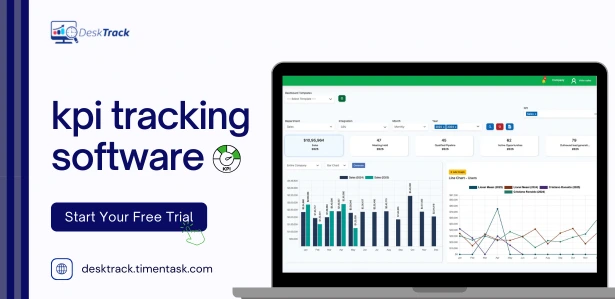
Not every business needs a six-figure BI deployment to keep its KPIs in check. Most small teams, startups, and growing departments just need a way to stop reconstructing performance numbers from spreadsheets every Friday afternoon without signing up for an enterprise contract.
The challenge is that “affordable KPI tracking software” covers two genuinely different product categories, and a lot of buyers mix them up:
- Workforce and productivity KPI tools (time tracking, activity monitoring, task completion) DeskTrack, Hubstaff, Time Doctor, ClickUp
- Business-metrics KPI dashboards (sales, marketing, finance, ops data pulled from multiple sources) Zoho Analytics, Geckoboard, SimpleKPI, Databox, Klipfolio
Below is a practical, pricing-first comparison of 10 tools across both categories, so you can match the right type of KPI tracking to what you’re actually trying to measure.
Quick Comparison Table
| Software | Best For | Starting Price | Free Option |
|---|---|---|---|
| DeskTrack | Workforce & productivity KPIs | $5.99/user/month | 14-day free trial |
| Hubstaff | Remote team time & activity KPIs | $4.99/user/month (2-seat minimum) | Free plan for 1 user |
| Time Doctor | Distributed team productivity KPIs | $8/user/month (Basic) | 14-day free trial |
| ClickUp | KPI tracking inside project workflows | $7/user/month (Unlimited) | Free plan available |
| Zoho Analytics | Cross-department business KPI dashboards | ~$24–30/month (2 users) | Free plan (2 users, limited rows) |
| Geckoboard | TV/wallboard KPI visibility | ~$60/month (1 dashboard) | 14-day free trial |
| SimpleKPI | Dedicated KPI management, fixed pricing | $19/month (2 users) | 14-day free trial |
| HandyKPI | Mobile-first KPI sharing | Free for up to 3 users | Free tier (3 users) |
| Databox | Marketing/sales metric dashboards | $159/month (Professional) | No permanent free plan (removed 2026) |
| Klipfolio (Klips) | Multi-source custom dashboards | $90/month (Base, unlimited users) | 14-day free trial |
Top 10 Best KPI Tracking Software in 2026
Pricing reflects publicly listed rates as of 2026 and may change confirm current pricing directly with each vendor before purchasing.
1. DeskTrack
Starting price: $5.99/user/month (Stealth plan, cloud)
DeskTrack approaches KPI tracking from the workforce side: it automatically logs time, application usage, and activity, then turns that raw data into productivity and performance KPIs without requiring a separate BI tool. For HR managers, operations leads, and remote team managers, this means KPIs like task completion rate, active-vs-idle time, and attendance are generated as a byproduct of normal time tracking software not a separate manual reporting exercise.
Best for: Businesses that primarily need to track people and team performance KPIs (productivity, attendance, utilization) rather than financial or marketing metrics.
Limitation: Like most workforce monitoring tools, it isn’t designed to pull in sales, marketing, or finance data pair it with a lightweight BI tool if you need company-wide dashboards.
Stop KPI Chaos Before It Costs You
Track productivity, attendance, and team performance automatically — no spreadsheets, no BI consultant, no enterprise contract.
2. Hubstaff
Starting price: $4.99/user/month (Starter plan, 2-seat minimum)
Hubstaff is one of the better-known names in remote team time tracking, and its Starter plan is genuinely cheap on a per-seat basis. It covers timesheets, activity levels, and limited screenshots, which feed naturally into productivity-related KPIs.
Watch for: The plan price is attractive, but Hubstaff enforces a 2-seat minimum on all paid plans, and features like scheduled reports, integrations, and unlimited screenshots are locked behind the Grow ($7.50/user/month) and Team ($10/user/month) tiers. A small team’s real monthly cost is often higher than the advertised entry price once those features become necessary.
Best for: Remote agencies and freelancer-heavy teams that mainly need time-based KPIs and don’t need deep reporting automation right away.
3. Time Doctor
Starting price: $8/month (Basic plan)
Time Doctor’s Basic tier is priced for solo users and very small teams, but most businesses will land on the Standard plan (around $11.67/user/month on annual billing) since Basic doesn’t include payroll integration or connections to tools like Jira, Asana, or monday.com.
Best for: Teams that need productivity benchmarking and proof-of-work documentation alongside basic time-based KPIs, particularly agencies billing clients by the hour.
Limitation: As with Hubstaff, the headline price understates what most teams actually need to pay once integrations and payroll features are factored in.
4. ClickUp
Starting price: Free plan available; Unlimited plan from $7/user/month
ClickUp isn’t a dedicated KPI tool, but its dashboards, goal tracking, and time tracking (on paid tiers) let teams build basic KPI views directly inside the same tool they manage projects in useful for teams that don’t want to maintain a separate KPI platform.
Best for: Project managers and small teams who want lightweight KPI visibility (task completion rate, sprint velocity, on-time delivery) without paying for a standalone analytics tool.
Limitation: Time tracking, advanced dashboards, and goal-tracking features are gated behind the Business tier ($12/user/month), and it lacks the deep activity/productivity monitoring that dedicated workforce tools like DeskTrack or Hubstaff provide.
5. Zoho Analytics
Starting price: ~$24–30/month (Basic plan, 2 users)
Zoho Analytics is a genuine BI tool at a fraction of the cost of Tableau or Power BI, especially for businesses already using other Zoho apps (CRM, Books, Desk), since those connectors come built-in. It supports 100+ data connectors and can build KPI dashboards across sales, finance, and marketing data.
Best for: Small and mid-sized businesses that need company-wide KPI dashboards (not just workforce metrics) and want to avoid enterprise BI pricing.
Limitation: Outside the Zoho ecosystem, connecting non-Zoho data sources takes more setup effort than the price suggests.
6. Geckoboard
Starting price: ~$60/month (Essential plan, 1 dashboard)
Geckoboard’s strength is visual simplicity: connect a data source, build a dashboard in minutes, and display it on an office TV or share it via Slack/email. It’s a strong fit for teams that want KPI visibility more than KPI analysis.
Best for: Team leads who want a live, always-on KPI screen for a single team sales floor numbers, support ticket queues, call center metrics.
Limitation: The Essential plan is capped at one dashboard, one editor, and 20 viewers; scaling beyond that pushes you toward the $175/month Core plan fairly quickly.
7. SimpleKPI
Starting price: $19/month (Starter, up to 2 users)
Unlike most BI tools, SimpleKPI prices by feature tier rather than per user its Unlimited plan covers unlimited users for one flat monthly fee, which can be a meaningfully better deal for larger teams than per-seat competitors.
Best for: Teams that specifically want a KPI-focused tool (not a general BI platform) and want predictable pricing that doesn’t scale per head.
Limitation: It’s built specifically around KPI dashboards and reporting it won’t replace a full BI or project management tool.
8. HandyKPI
Starting price: Free for up to 3 users
HandyKPI is a mobile-first KPI tool designed to push bite-sized metric updates to phones, which makes it a good fit for teams that aren’t sitting at a desk all day warehouse leads, retail managers, field supervisors.
Best for: Very small teams or single-location businesses that want basic KPI sharing without any software cost.
Limitation: Paid per-user pricing applies once you scale past the free tier, and it’s intentionally simple not built for complex, multi-source analytics.
9. Databox
Starting price: $159/month (Professional plan, 3 data sources)
Databox is widely used for marketing and sales KPI dashboards pulling from tools like HubSpot, Google Analytics, and Salesforce. Worth flagging directly: Databox removed its free plan in 2026, so it’s the priciest entry point on this list and arguably borderline for a strictly “affordable” list.
Best for: Marketing teams and agencies that specifically need SaaS/marketing metric integrations and can absorb a higher starting cost than the other tools here.
Limitation: Only 3 data sources are included even on the entry paid plan most marketing stacks need more, pushing real cost higher than the sticker price.
10. Klipfolio (Klips)
Starting price: $90/month (Base plan, unlimited users, 3 dashboards)
Klipfolio’s Base plan includes unlimited users and 130+ integrations, which makes the per-seat economics attractive for larger teams even though the flat monthly price is higher than tools like DeskTrack or SimpleKPI.
Best for: Teams that need deep dashboard customization across many data sources and have more than a couple of users who’d otherwise rack up per-seat costs elsewhere.
Limitation: Only 3 dashboards are included on Base, and refresh rate is capped at every 4 hours live, minute-by-minute monitoring requires a higher tier.
How to Pick the Right One for Your Budget
Use this quick decision framework:
- You mainly need to know what your team is doing and how productive they are → DeskTrack, Hubstaff, or Time Doctor
- You want KPI visibility inside the project tool you already use → ClickUp
- You need dashboards pulling from sales, marketing, or finance systems → Zoho Analytics, Klipfolio, or Databox (budget permitting)
- You just want a simple, always-on KPI screen for one team → Geckoboard or HandyKPI
- You want a dedicated KPI tool with flat, predictable pricing → SimpleKPI
A practical rule for any of these: don’t pay for capacity you won’t use in year one. Most of these platforms charge per seat or per dashboard, so it’s cheaper to start on an entry plan and upgrade once you’ve confirmed which KPIs your team actually checks regularly rather than guessing upfront and overpaying for unused capacity.
If your priority is specifically workforce productivity, attendance, and team performance visibility, DeskTrack’s employee monitoring software and productivity tracking software capabilities are built to generate those KPIs automatically rather than requiring a separate BI layer which is usually the more affordable path for teams that don’t also need marketing or financial dashboards.
Conclusion
“Affordable” KPI tracking software isn’t one category it’s at least two, and picking the wrong one means paying for capability you don’t need. If your KPIs are really about how your team works (productivity, attendance, task completion), workforce-focused tools like DeskTrack, Hubstaff, or Time Doctor will get you there for a few dollars per user per month. If your KPIs live in sales, marketing, or finance systems, a dashboard tool like Zoho Analytics, Geckoboard, or Klipfolio is the better starting point.
The cheapest mistake to avoid: signing a contract sized for where you think you’ll be in a year, instead of starting with the plan that fits your team today and upgrading only when you actually hit a limit.
Frequently Asked Questions (FAQ)
Ans. KPI tracking software is a tool that helps businesses monitor, measure, and analyze Key Performance Indicators (KPIs) in real time. It provides dashboards, reports, and analytics to help teams track progress toward business goals and make data-driven decisions. Ans. KPI tracking helps organizations measure performance, identify bottlenecks, improve accountability, and ensure teams stay aligned with strategic objectives. It enables managers to make faster and more informed decisions based on actual performance data. Ans. Key features include real-time dashboards, automated reporting, goal tracking, performance analytics, customizable KPIs, team productivity insights, and integrations with project management or workforce management tools. Ans. Yes, KPI tracking software helps employees understand performance expectations, track progress toward goals, and identify areas for improvement. Managers can also use the data to optimize workflows and improve team efficiency. Ans. Choose a solution based on your business size, reporting requirements, ease of use, integration capabilities, customization options, and budget. The best KPI tracking software should provide actionable insights while remaining simple for teams to adopt and use effectively.kpi-tracking-software