






Employee Monitoring Software for Office, Remote and Field Teams
See where paid hours go and what they produce across office, remote, and field teams. Get plain-language answers and scheduled workload reports with Desky, DeskTrack's built-in AI Agent.
 G2
G2
 Capterra
 Trustpilot
 SSuggest
Clients in the US, India, UAE, Qatar, UK and Bangladesh
More Than 8K+ Companies Worldwide Trust DeskTrack





Employee monitoring with a conversational AI agent: meet Desky
Ask Desky a question in plain language, or give it a check to run every week. It reads across biometric attendance, computer activity, customer calls, meetings and field location, compares them with benchmarks and sends you the answer before your meeting. One AI agent for your whole team: office, remote and field.
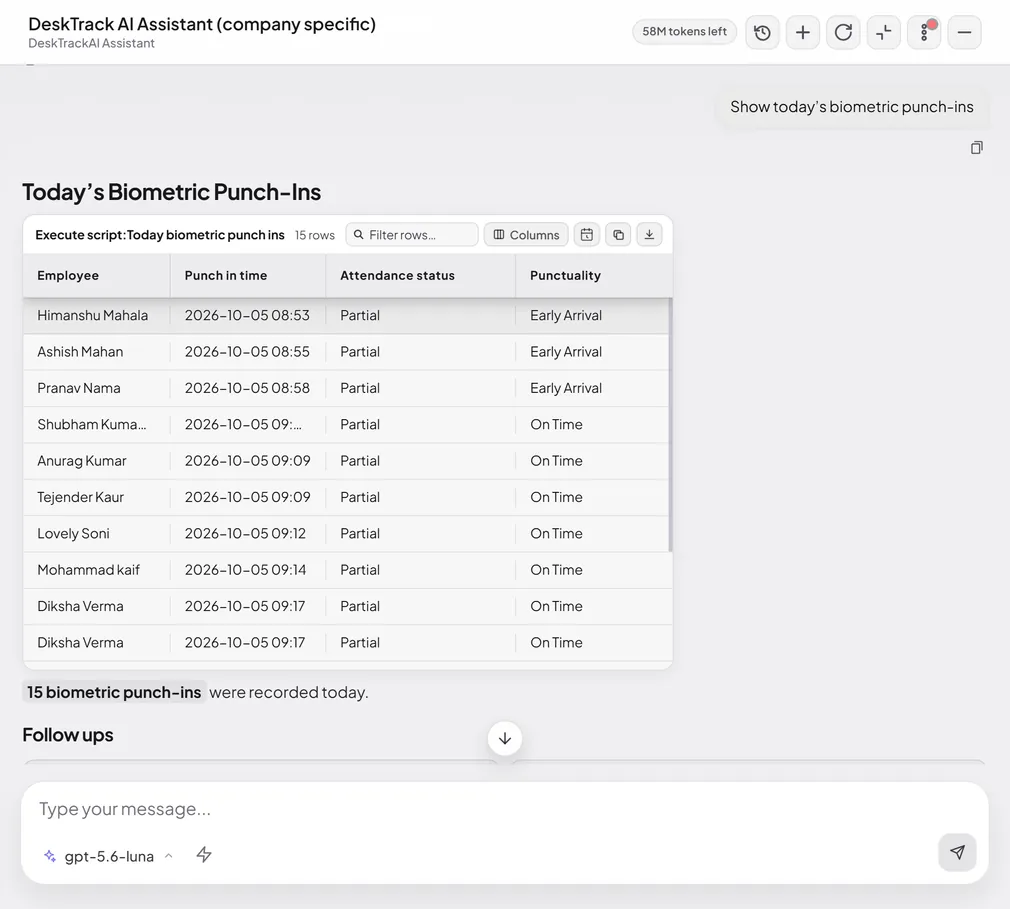
Desky reads every source of work data
ZKTeco, eSSL, Suprema
Apps, websites, idle, focus
Customer calls counted as work
GPS punch-in, iOS and Android
How your team compares
How Desky works
Type a question, or start from suggested checks for CEO, HR and team leads.
Combines attendance, activity and productivity in several steps, and compares with industry benchmarks.
Scheduled checks and saved scorecards run on their own and reach you before meetings.
It won't rate or recommend action on a person from activity data alone.
What does employee monitoring software track?
DeskTrack brings attendance, work time and activity into one timeline. Turn each part on or off per team.
Attendance
Login, logout and breaks, reconciled with ZKTeco, eSSL and Suprema biometric punches.
Work hours
Active time recorded automatically. No timers to start, no timesheets to chase.
Apps and websites
Time in each app and site, marked productive or not for each role.
Idle time and focus
Idle gaps and uninterrupted focus sessions, so you see real working time.
Screenshots
Optional, at intervals you set (5 minutes minimum). Multi-monitor. Kept one month.
Productivity
Productive time against scheduled office hours, by person, team and company.
Field staff location
GPS punch-in and location from the iOS and Android apps.
File and data safety
Window titles and file names, with DLP alerts. File contents are never read.
One tool for office, remote and field teams
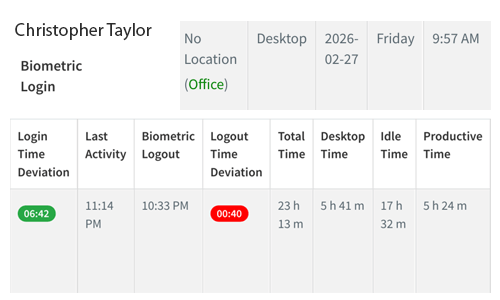
In the office
Match biometric punches with computer login. See late starts, early exits and desk time in one report.
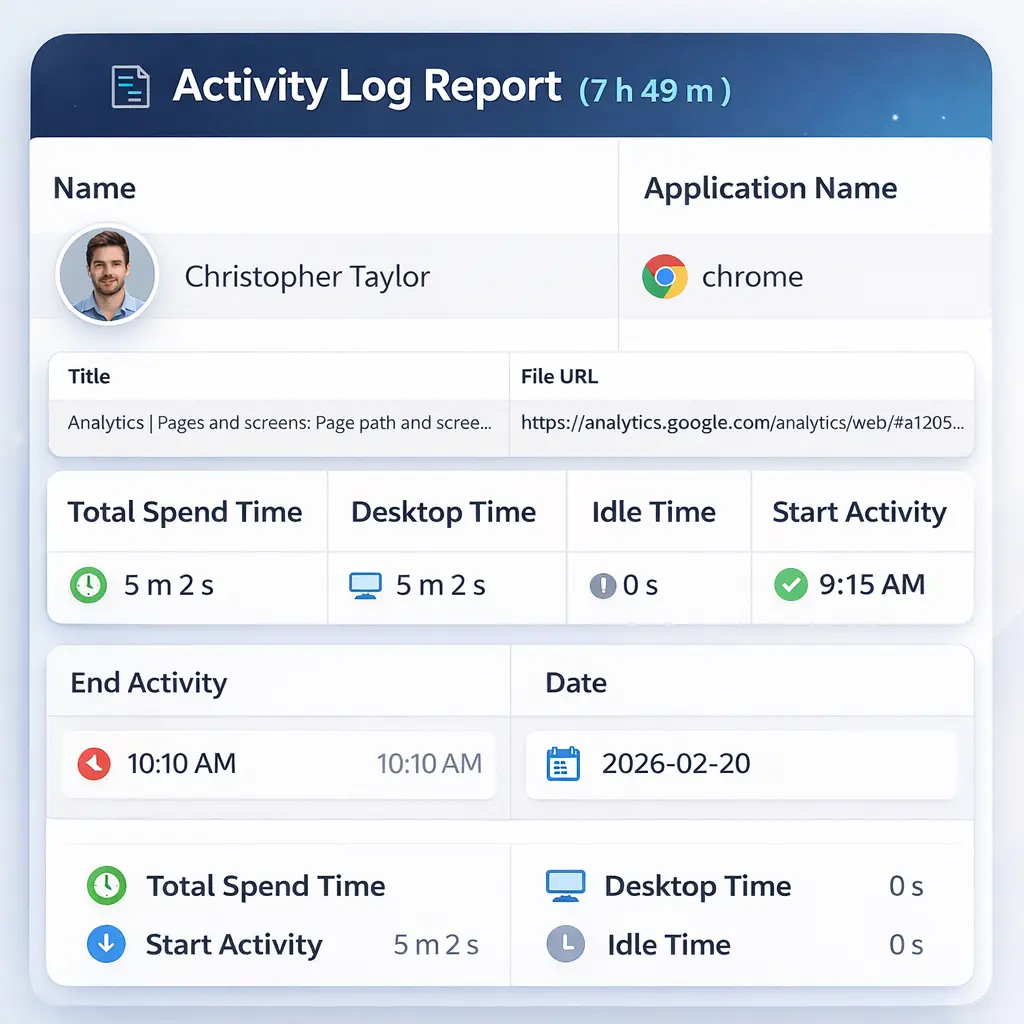
Remote and work from home
The desktop app records active time, apps and idle gaps wherever people log in, across time zones.
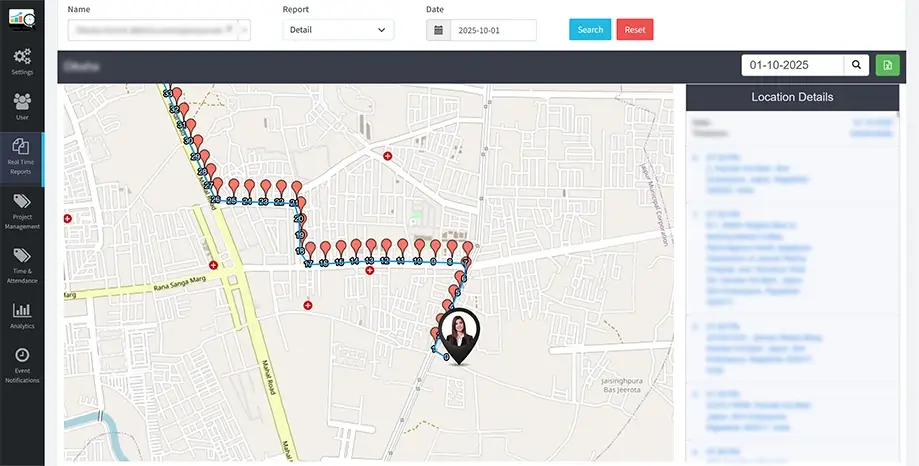
In the field
Sales and service staff punch in from the phone app with GPS location. No desktop needed.
How DeskTrack measures productive work, not just hours
Being logged in is not the same as working. DeskTrack counts productive time: role-defined apps, customer calls, meetings and field time. Then it compares that with scheduled office hours.
Example: a developer with 9 scheduled hours has 7 h 12 m of productive time → 80%. Above 100% means work beyond office hours.
Employee monitoring your team can trust
Monitoring works when people know about it. DeskTrack is visible by default and shows every employee their own data.
What DeskTrack does
- Runs visibly by default; employees know it is on
- Lets employees see their own time, activity and productivity
- Lets you choose teams, screenshot interval and who can view
- Records file names and window titles, never contents
- Keeps screenshots for one month; only admins can download
What DeskTrack never does
- Record video or stream screens live
- Turn on webcams or microphones
- Read text on screen or open files
- Score or judge a person from activity data alone
Employee monitoring vs time tracking vs productivity monitoring
| Feature / Type | Time tracking | Employee monitoring | Productivity monitoring |
|---|---|---|---|
| Answers | How many hours were worked? | When, where and on what did people work? | How much of that time was productive? |
| Records | Start, stop, total hours | Attendance, apps, websites, idle time, screenshots, GPS | Time in role apps vs scheduled hours |
| Best for | Payroll and client billing | Remote, hybrid and field visibility | Workload and performance conversations |
| Conversational AI agent | Rarely | Desky: questions across attendance, activity, calls and field data | Desky: benchmarks, scheduled checks, saved scorecards |
| In DeskTrack | Time tracking → | This page | Productivity monitoring → |
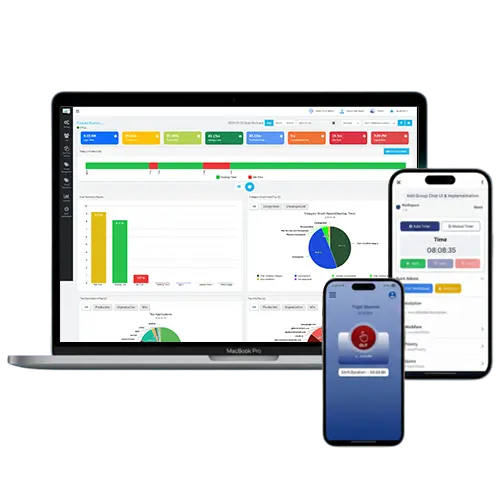
This is what clarity actually looks like.
Not promises. Not diagrams. Real DeskTrack dashboards — the same screens your team would see on day one.

Team Summary Report
See every team member's active hours, productivity %, and top applications — updated in real time.

Weekly Productivity Trend
Track productivity trends by department across weeks. Spot the exact moment performance shifted — and why.


Day Time Logs — Per-User Daily View
Drill into any employee's day: login time, productive hours, idle periods, top apps, category breakdown, and location data — all in a single screen.
Secure, Compliant & Ethical by Design
DeskTrack is built with enterprise-grade security and ethical monitoring principles at its core.
GDPR Compliant
Meets international data protection standards for enterprise deployments.
Transparent Monitoring
Employees are informed and aware, building trust rather than resentment.
Granular Access Controls
Admins control exactly what data is collected and who can view it.
Auditable Activity Logs
Complete audit trails for compliance, security reviews, and HR processes.
"The ROI was visible in week one. We recovered 11 hours of productive time per employee in the first month. At our team size, that's the equivalent of hiring two full-time people — without the cost."
James Okafor
Head of Operations · Financial Services Firm, 300 employees
Meet Our Expert
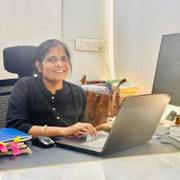
Rashmi Singh is the founder of the company, CEO, and lead Product Manager at DeskTrack as well as TitaPro. With a long-running career that spans nearly 30 years, Rashmi is now a pioneering software developer during the "pre-Google" period at an internationally leading company in time monitoring, employee tracking, and operational efficiency.
Her path is outlined by a single goal: helping businesses and individuals achieve a better work life balance by freeing themselves from the responsibilities of a constantly connected world.
Read Founder StoryWhat are Our Clients Saying?
Don’t just take our word for it. Hear from our satisfied clients why DeskTrack’s employee monitoring software is trusted by 8K+ organizations worldwide.
Start monitoring in under 5 minutes
Create your account
Create your account with a work email.
Install the app
Install the desktop app on Windows, Mac or Linux. For company-wide rollouts, push the MSI package through your device management tool and link Active Directory.
Set your policy
Set your policy: productive apps per role, screenshots on or off, who can view. Send the employee notice from the Policy Kit.
See first report
See your first report the same day.
Employee monitoring software price
- ✓ Every feature, screenshots included
- ✓ Lower price if you don't need screenshots
- ✓ 15-day free trial, no credit card
Employee monitoring software questions