Here’s a number that should keep every US executive up at night: only 23% of employees worldwide are engaged at work, according to Gallup’s State of the Global Workplace Report. In the United States alone, low employee engagement costs businesses an estimated $1.8 trillion in lost productivity every year.
If you’re a manager or business leader, you already feel this. Missed deadlines. Projects running over budget. Good employees burning out while others coast. The frustrating part? Most companies have no system to spot these problems before they become expensive.
This guide gives you a clear, actionable roadmap to improve productivity across your entire company — from defining what productivity actually means for your team to implementing a productivity tracking system that gives you real data, not guesswork.
Whether you manage 50 people or 5,000, the steps below are built for US businesses operating in today’s hybrid and remote reality.
Why US Companies Struggle to Improve Team Productivity
Productivity problems rarely come from lazy employees. They come from broken systems. Here’s what’s actually happening in most American companies right now:
- No visibility into how work gets done. Managers don’t know where time goes until a deadline is missed. Without business productivity monitoring, you’re managing based on assumptions.
- Manual tracking is killing accuracy. Spreadsheets, status meetings, and self-reported hours are unreliable. Research from McKinsey found that knowledge workers spend 28% of their workday on email — a number almost no manager is tracking.
- Remote and hybrid work removed natural accountability. When your team isn’t in the same room, it’s harder to spot who’s overloaded, who’s disengaged, and who’s wasting paid hours on non-work activity.
- No feedback loop. Without productivity monitoring data, there’s nothing to coach against. Employees don’t improve what they can’t see, and managers can’t fix what they can’t measure.
The result? Deadlines slip, payroll costs rise, and your best people burn out carrying the weight of everyone else. The fix isn’t more meetings — it’s better data.
This ensures a balance between accountability and privacy.
What is a Productivity Tracking System (And Why You Need One)
A productivity tracking system is software that automatically measures how employees spend their work time — capturing app usage, task completion, active hours, and output — to help managers identify inefficiencies and improve performance.
In practical terms, tracking productivity means moving from gut feelings to numbers. Instead of asking “is my team working hard enough?”, you ask: “which team members are spending 40% of their day in non-work applications, and why?”
A strong productivity tracking system does four things:
- Tracks time and activity automatically — no manual timesheets
- Measures output against goals and deadlines — not just hours logged
- Surfaces patterns — like which hours your team is most productive
- Creates accountability — employees perform better when they know their time is measured fairly
Companies how to track productivity correctly — with automated software rather than manual methods — save an average of 2–4 hours per employee per week in reclaimed focus time. At 100 employees and $35/hour, that’s over $728,000 annually. The math makes the decision easy.
Tools like Employee Productivity Tracking Software make this process automatic — so your managers can lead instead of police.
How to Track Employee Productivity for Large Businesses
Knowing how to track employee productivity for large businesses requires more than a single tool. At scale, you need a structured process. Here’s the three-step framework that works:
Step 1 — Define What Productivity Means for Your Team
Before you track anything, define it. Productivity looks different in every department:
- A sales team’s productivity = calls made + deals closed
- A dev team’s productivity = code commits + sprint completion rate
- A support team’s productivity = tickets resolved + first-response time
Without a department-specific definition, you’ll measure the wrong things. Work with your team leads to set KPIs that connect individual effort to business outcomes. This step is often skipped — and it’s why many companies never improve despite tracking everything.
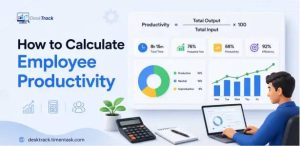
Start your employee productivity calculation here: output ÷ input = productivity rate. Keep it simple at first, then add complexity as your system matures.
Step 2 — Implement a Productivity Tracking System
Once you have your KPIs, you need a system to measure them automatically. A strong Employee Monitoring Software solution should capture:
- Active vs. idle time on work devices
- Application and website usage by category
- Task and project time allocation
- Login/logout times and attendance patterns
Avoid tools that require manual input — humans are bad at self-reporting, and managers don’t have time to chase timesheets. Look for automation-first productivity management software that runs in the background and generates reports without daily admin work.
Step 3 — Monitor, Report, and Improve Continuously
Tracking without action is just surveillance. Use your data weekly: identify your bottom-quartile performers, investigate root causes (overload? distractions? skill gaps?), and take action. Then compare results month over month.
The companies that see lasting results review employee productivity reports every Friday and adjust workflows the following Monday. Consistency compounds — a 5% productivity gain each month becomes a 79% gain over a year.
$1.8T
Lost to Low Productivity Every Year in the US
Your team may be costing you more than you think. Stop guessing — start tracking with DeskTrack.
How to Improve Team Productivity with Task Management Software
One of the most effective ways to improve team productivity is pairing time tracking with task management — so you see not just where time goes, but whether it’s going toward the right work.
Here’s what that looks like in practice with DeskTrack:
- Task assignment with deadlines. Assign work to individuals or teams, set due dates, and get automatic alerts when tasks fall behind. No more status meetings to find out where a project stands.
- Workload visibility. See at a glance which employees are overloaded and which have capacity. This prevents burnout on your best performers and ensures even distribution — a core part of knowing how to improve team productivity with task management software.
- Idle time detection. DeskTrack flags periods of inactivity during work hours. This isn’t about catching anyone — it’s about identifying patterns. Is one team consistently unproductive on Friday afternoons? That’s a scheduling or motivation issue you can fix.
- Real-time project dashboards. Managers see live progress on every active project without asking for updates. Stakeholders get confidence. Employees get clarity.
The Time Tracking Software inside DeskTrack automatically logs time against every task — so your Employee Management System has accurate data for billing, payroll, and performance reviews without any manual entry.
Companies using this workflow typically report a 30–40% reduction in missed deadlines within the first quarter. That’s not a feature claim — that’s the outcome of replacing guesswork with data.
How to Monitor Productivity without Micromanaging
The biggest concern US managers raise about productivity monitoring is this: “Won’t my team feel spied on?” It’s a fair concern. And the answer is: only if you do it wrong.
Ethical business productivity monitoring is built on three principles:
- Transparency first. Tell your team what’s being tracked and why. SHRM research shows that employees accept monitoring significantly better when the purpose is clear — and resist it when it feels hidden.
- Outcome-based, not activity-based. Measure results, not keystrokes. If someone finishes all their deliverables by 3pm, the fact that they took a longer lunch isn’t a problem. Focus your how to monitor productivity approach on what gets done, not how busy someone looks.
- Use data to coach, not punish. When monitoring software flags a drop in output, the right first question is “what’s blocking this person?” — not “how do we discipline them?” Managers who use data for coaching see higher engagement and better retention.
Done right, monitoring actually reduces micromanagement. When you have real data, you don’t need to hover. You check the dashboard once, see everything is on track, and get back to strategic work. That’s the actual value of productivity monitoring software.
DeskTrack — Your All-in-One Productivity Management Software
DeskTrack is used by 3,200+ businesses across 18 industries — from healthcare to fintech to professional services. It’s designed specifically for companies that need reliable, automated productivity data without a complicated setup.
Here’s what you get:
- Employee Productivity Tracking Software — automatic activity tracking, no manual timesheets
- Screenshot Monitoring Software — visual proof of work for remote teams
- Time Tracking Software — accurate hours for billing, payroll, and compliance
- Real-time dashboards — see your entire team’s output in one view
- Automated reports — weekly, monthly, by team or individual
Most teams go from setup to first meaningful insights in under 48 hours. No IT department required. Start with a 15-day free trial and see exactly what’s draining your team’s productive time.
This ensures a balance between accountability and privacy.
Conclusion
To improve productivity across your company, start with three moves: define what productivity means for each team, implement a productivity tracking system that captures real data automatically, and use that data to coach — not punish. Every week you manage without this information is a week of recoverable losses becoming permanent ones. DeskTrack gives US businesses the visibility, accountability, and reporting they need to close that gap. The results are measurable. The setup is fast. And the trial is free.