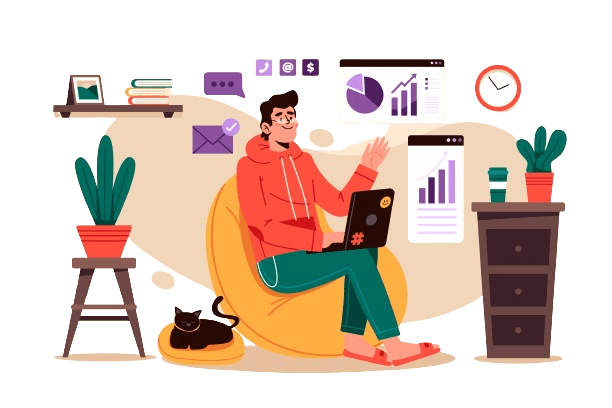

Employee Productivity Monitoring Software

Stop Guessing Productivity. Measure What Matters.

DeskTrack is the most complete productivity monitoring software for American businesses. See exactly who's focused, who's distracted, and which employees drive your results — tracked down to the minute, automatically.

No credit card required • Setup in 5 minutes
⭐⭐⭐⭐⭐ 4.8 Rating Global Reviews
👥 100K+ Users
🌍 100+ Countries
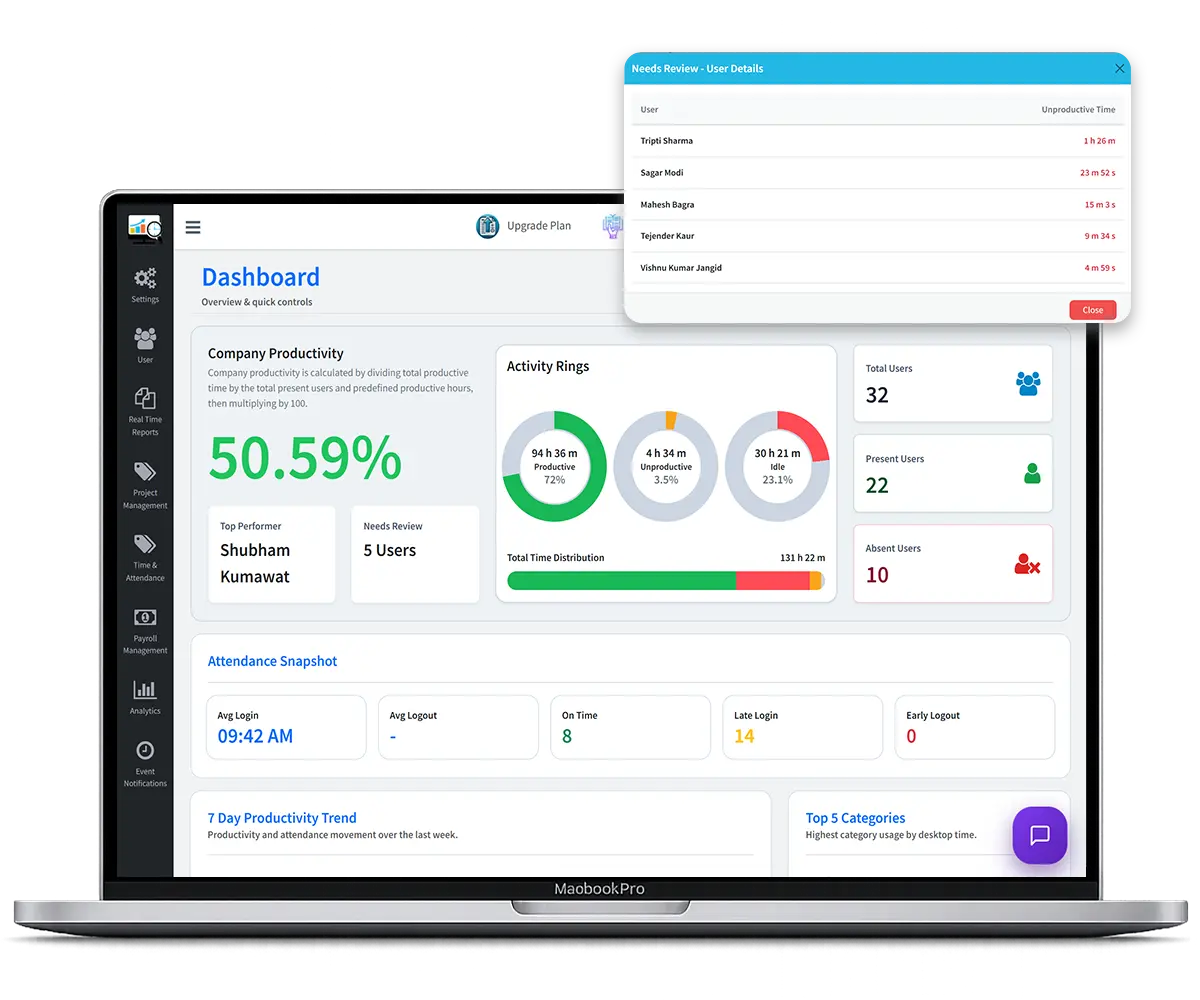
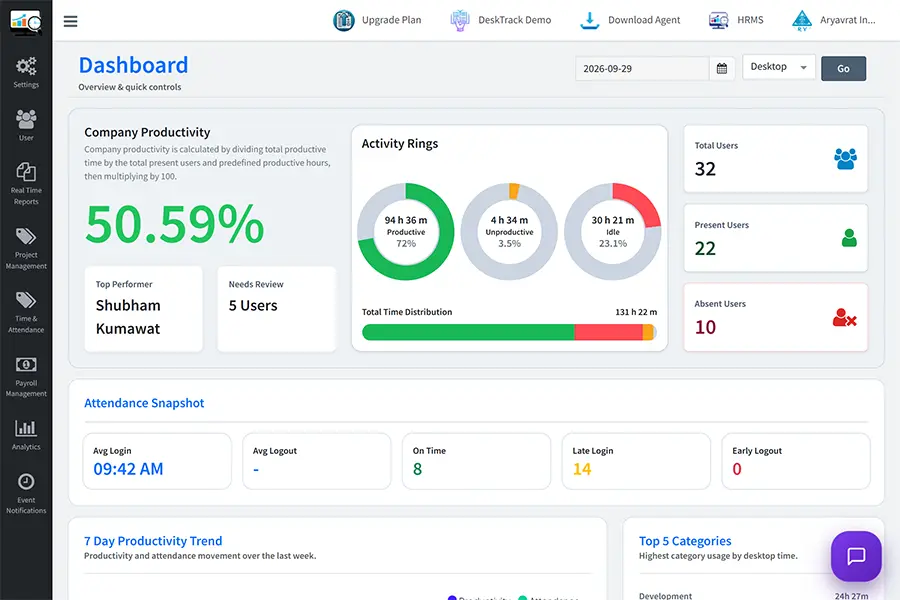
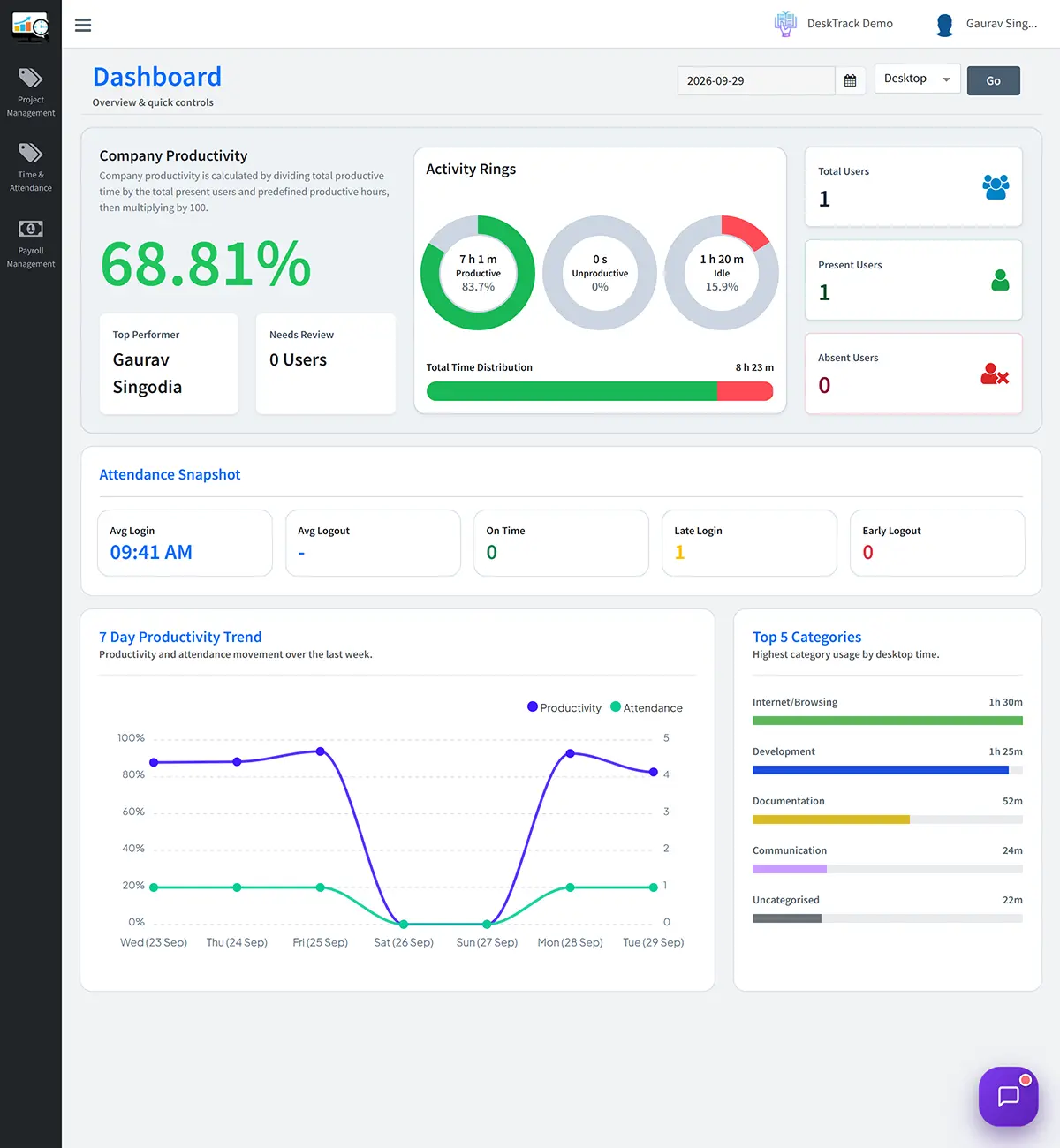
Employee Productivity Monitoring Software Dashboard

More Than 1000+ Companies Worldwide Trust DeskTrack

ajanta pharma
greycell
honda
signicent
trukker
markscan
Patanjali
The Productivity Problem

Why Hours at Desk Is a Lie
Your Business Can't Afford

Most companies measure availability — not output. In the age of AI-powered teams and remote work, that blind spot is costing U.S. businesses billions each year.

$127,500 Lost Per 50 Employees, Annually

The average 50-person company loses over $127,000 per year to unproductive work hours — time that's billed but never delivered. Without employee productivity tracking software, you have no way to identify where it's leaking.

12-18% Of Timesheets Are Inflated or Fabricated

Self-reported timesheets are optimistic at best and fabricated at worst. Time-and-material clients get billed for hours that vanish. Your project plans are built on fiction — and won't survive contact with reality.

Now AI Is Raising the Output Bar for Every Team

AI agents work continuously, efficiently, without distractions. Human employees now need to compete on output quality — not just availability. The era of measuring "who's online" is over. Output-per-hour is the only metric that matters.

Real Productivity Is Output-Based,
Not Hours-Based

Productivity doesn't mean how long someone sits in front of a computer or whether they're available in the office. It means how much they're working on their defined tasks and what outcomes they produce. Time at desk ≠ work delivered.

Start Tracking Real Output
DeskTrack Productivity Philosophy — Applied Across 40+ Countries
📊

Focused Hours on Defined Applications

A developer spending 3 hours on VS Code vs. 9 hours at a desk tells two very different stories. DeskTrack's employee productivity tracking software captures both — so you see what actually moved the needle.

Cumulative Focus vs. Fragmented Time

Someone clocking 7 hours but switching between 20+ apps has almost zero deep work. Our productivity monitoring tools reveal focus depth, not just duration — so you can tell who's truly performing.

🎯

Outcomes Matched to Work Patterns

The best employee productivity tracker links behavioral data to actual deliverables — task completions, project milestones, client work — so managers can make fair, data-backed decisions without guesswork.

🔍

Idle Time Tells the Real Story

DeskTrack's idle bar and cumulative charts show exactly when employees work with focus and minimal breaks. Match idle data against their outcomes — and you've found your best performers, no manager bias required.

Everything You Need to Monitor, Understand & Improve Productivity

DeskTrack goes beyond work tracking. It's a workforce intelligence platform that reveals what's happening and why it matters.

📈

Real-Time Productivity Dashboard

See every employee's focus score, active application, idle time, and productivity percentage — live, updated minute by minute. No manual check-ins, no status meetings, no guessing. Your full team's output, visible in one screen.

Live Data · Updated Every 60 Seconds
🖥️

App & URL Usage Tracking

Know exactly which applications and websites your team uses — and for how long. Whitelist productive apps, flag distracting URLs, and see the full picture of where every work minute goes.

Per-App Time Down to Seconds
💤

Idle Time & Break Analysis

Understand true focus vs. availability. DeskTrack's idle detection captures unplanned breaks, afk time, and distraction patterns — so you can see who's genuinely working.

Idle Detection + Cumulative Charts
🔕

Quiet Quitting Detection

Spot disengagement before it becomes resignation. When productivity patterns shift — more app-switching, shorter focus windows, or absences — DeskTrack flags it automatically.

Behavioral Pattern Analysis
📋

Automated Timesheets

Zero manual entry. DeskTrack auto-generates timesheets from real activity data — accurate to the minute, synced with projects, and ready for billing.

100% Zero-Effort Tracking
📸

Customizable Screenshot Monitoring

Set screenshot intervals from 1 to 30 minutes. Verify work proof, maintain accountability, and provide clients with clear evidence of work done.

Configurable Intervals · Stealth Mode
📊

Project-Level Time Mapping

Auto-assign work hours to projects based on active apps or URLs. Know the real cost of every project and bill clients accurately.

Auto Project-Hour Mapping
📍

GPS & Field Employee Tracking

Track field reps, on-site technicians, and remote employees in one platform. Location is captured only during working hours.

Location During Work Hours Only
🔒

Data Loss Prevention (DLP)

Monitor USB usage, file transfers, and sensitive website access in real time. Prevent insider threats before they escalate.

Insider Threat Detection

Every Report. Every Insight. Right Inside Your Dashboard.

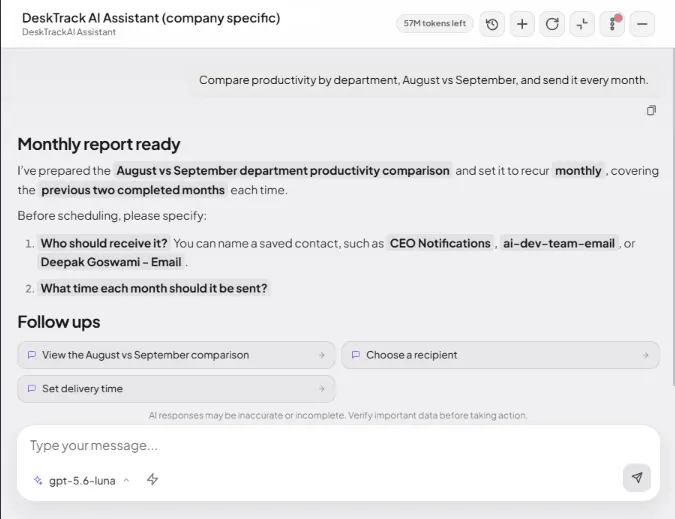
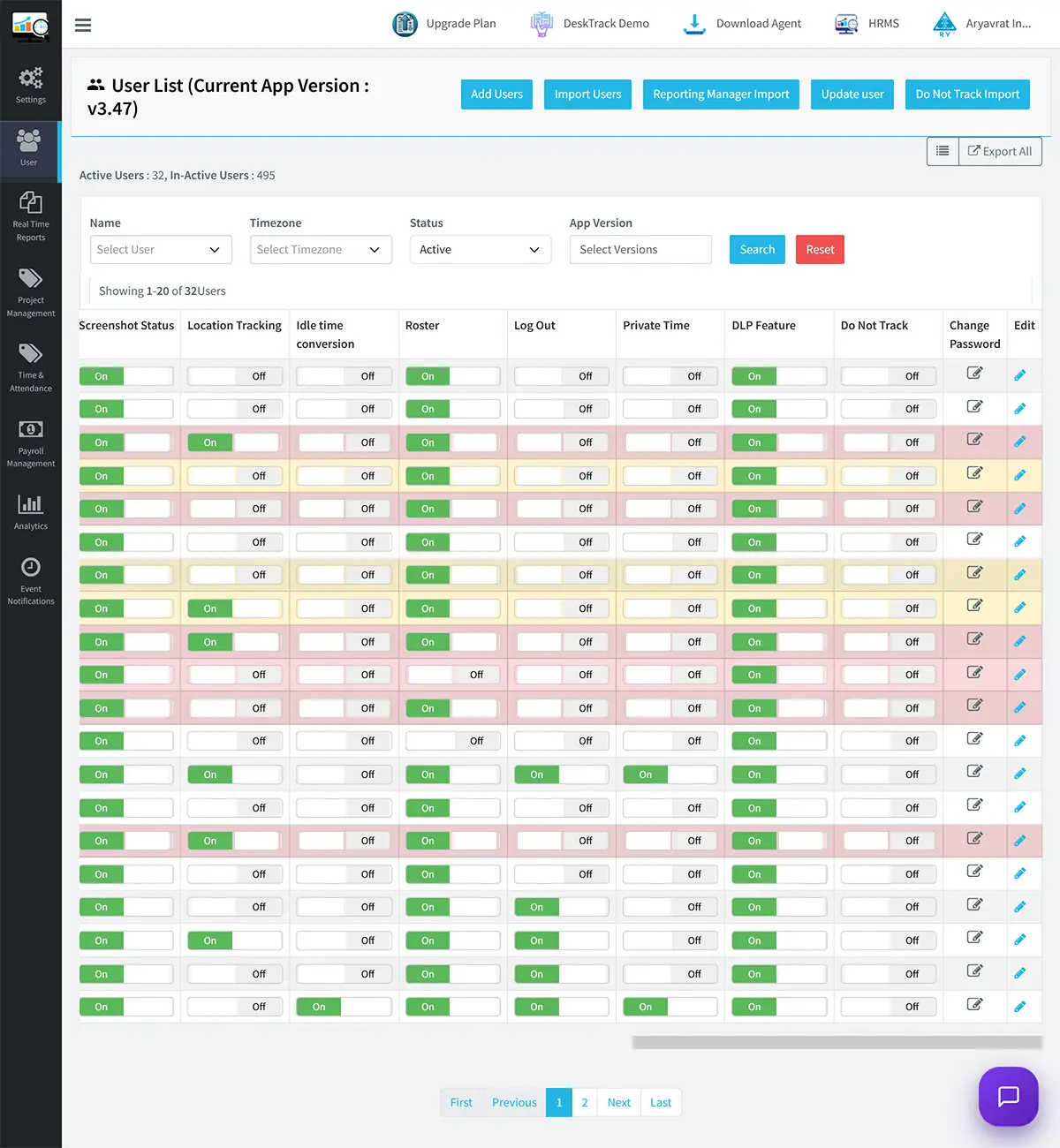
DeskTrack's employee productivity monitoring software gives managers a live window into their team — down to the URL, application, location, and screenshot level.

desktrack-dashboard-hero
activity log report
app analytics dashboard
company productivity report
productivity report

Still relying on timesheets your team fills out manually?

Switch to automated, evidence-based productivity tracking. Set up in 30 minutes. No IT required.

Start Free 15-Day Trial

No Credit Card Required

📊

Free Productivity Audit Checklist

A 25-point checklist to assess where your team is losing productive hours — no software needed. Used by 3,200+ U.S. managers.

Instant PDF · No spam

Download Free Report →
🧮

ROI Calculator Spreadsheet

Enter your team size and average salary. Get a precise projection of how much idle time is costing you — and how DeskTrack recovers it.

Takes 60 seconds

Calculate My ROI →
🚀

14-Day Free Trial — Full Access, No Card

All features unlocked from Day 1. Live in 15 minutes. See real workforce data — not a sandbox. Only 8 demo slots left this week.

No credit card · Live in 15 min

Start Free Trial →

Why Focus Time Is Your Most Valuable Business Asset

Research from Atomic Habits, Deep Work, and dozens of productivity studies confirm what DeskTrack data shows: distraction is catastrophically expensive, and most teams don't know how bad it is until they see the numbers.

29 min

Average Refocus Time After Any Interruption

A 5-minute interruption from a colleague doesn't cost 5 minutes. It costs 29 minutes of deep-work recovery time. One unplanned Slack message can erase half a morning of productive output.

10-15 min

Minimum Threshold for Meaningful Focus

If an employee's average uninterrupted work window is under 10 minutes, they're in shallow work mode — completing almost nothing of complexity. DeskTrack flags these patterns automatically.

20-25 min

Daily Social Media Time That Goes Unnoticed

Based on real DeskTrack user data, employees frequently underestimate their social media use by 80–90%. Five-minute Facebook or Instagram sessions compound invisibly — until your productivity tracker shows the real number.

Ideal vs. Actual Focus Timeline — Sample Developer
8:00 AM
🔥 Deep Focus — VS Code (2h 10m)
10:10 AM
Code Review · GitHub
11:00 AM
🔥 Deep Focus — VS Code (1h 40m)
12:40 PM
Lunch Break
1:30 PM
Meetings · Slack · Docs
3:00 PM
R&D · Stack Overflow
4:30 PM
🔥 Deep Focus — VS Code
INSIGHT: Best focus in mornings.
Move standup meetings to 4:30 PM → recover 2.5+ hours of peak productivity daily.

Data Patterns That Change How You Lead

These are real behavioral patterns identified by DeskTrack's employee productivity monitoring tools — the kind of insights that turn reactive managers into proactive leaders.

⚠️ Warning Pattern

The 20-Application Developer

At one low-performing IT company, DeskTrack revealed that certain developers were switching between 20+ applications per day — with no single app holding most of their time. A focused developer should spend 4–5 hours daily in their IDE. This pattern exposed fragmented, unfocused working invisible to managers relying on self-reporting.

Apps Used in One Day (Problem Employee)
VS Code Slack YouTube Postman Reddit GitHub Twitter/X ESPN Jira Gmail Instagram
🚨 Red chips = non-work applications. Productive time: 2.1 hrs / 9 hrs at desk.
🚨 Critical Pattern

The 400-URL Day

DeskTrack identified one employee visiting 400 different websites in a single day, with an average stay of just 5 seconds per page. This "flicker-mind" pattern — rapid, shallow browsing — is unmistakable in the data. Output on those days was zero. No manager would have caught this without productivity tracking tools reporting URL-level detail.

400
URLs Visited
5s
Avg. Time Per URL
0
Tasks Completed
📉 Quiet Quitting Signal

The Disengagement Spiral

One DeskTrack case study identified a classic quiet-quitting trajectory: an employee performing well → productivity pattern shifts with excessive app-switching → combined with unsanctioned leaves, persistent late arrivals, and early departures despite HR warnings. The data told the story weeks before the resignation arrived. Early counseling could have retained this employee.

Week 1–4: Strong productivity, focused sessions
Week 5–8: App-switching doubles, idle time increases
Week 9–12: Unsanctioned absences, warnings ignored, resignation
✅ High Performance Pattern

The 6-Hour Powerhouse

DeskTrack regularly surfaces employees who appear to work fewer hours but deliver more. One example: a developer logging 6–7 hours daily with 5–6 hours on defined applications, minimal breaks, and focused sessions — consistently outdelivering a colleague who logged 10 hours but averaged only 3 hours on actual dev tools. Data-driven recognition changes how you reward your people.

EMPLOYEE A
6h desk
5.5h productive
⭐ Top Performer
EMPLOYEE B
10h desk
3h productive
Needs coaching

Recognize your team's real performers
before they leave for somewhere that does.

DeskTrack gives every employee a fair, data-backed productivity score.

✔ 15-day full access ✔ No credit card required ✔ Live in 30 minutes

Up and Running in 30 Minutes
No IT Department Needed

DeskTrack's employee productivity monitoring software installs silently, syncs automatically, and delivers actionable data from Day 1. No complex onboarding, no training sessions, no delays.

1

Sign Up & Configure

Create your account, define your team structure, set which applications count as productive for each role — developers, sales, ops, support. Takes under 10 minutes.

2

Deploy the Agent

Install the lightweight DeskTrack agent on Windows, Mac, Linux, iOS, or Android. Supports visible or stealth mode. Deploy to 100 employees as easily as to 1.

3

Data Starts Flowing

Real-time activity, app usage, idle time, screenshots, and project hours begin appearing in your dashboard immediately. No manual entry. No waiting for end-of-day reports.

4

Act on Insights

Identify high performers, coach distracted employees, recover billable hours, and restructure meeting times based on real focus-time data. Results within the first week.

Productivity Monitoring Built for
How Your Industry Actually Works

Case Study
Software & IT focus time tracking
+62%
Increase in billable developer hours
Software & IT
Case Study
Sales team CRM activity tracking
+41%
Increase in CRM-active time
Sales Teams
Case Study
Remote work visibility
40%
Faster manager response times
Remote & Hybrid
Case Study
BPO client-ready proof of work
23%
More billable hours recovered
BPO & Staffing
Case Study
Finance & Legal compliance monitoring
$4.45M
In breach costs prevented (avg)
Finance & Legal
Case Study
Unified field team tracking
100%
ROI documented in 90 days
Operations & Logistics

How Much Is Unproductive
Time Costing Your Business Right Now?

Enter your numbers below. Get a real-time estimate of your annual productivity losses and the savings DeskTrack delivers.

💼 Productivity Loss Calculator
⚠️ Please enter team size
⚠️ Please enter time lost
⚠️ Please enter salary
⚠️ Please enter working hours
📊 Results

Daily Loss: -

Monthly Loss: -

Annual Loss: -

🔍

Identify Hidden Productivity Gaps Immediately

From Day 1, DeskTrack surfaces which employees, teams, and time blocks are underperforming — giving you a roadmap to recover hours you didn't know you were losing.

Restructure Meeting Schedules Around Peak Productivity

DeskTrack's focus-time data reveals when your team is at peak output. Move meetings, standups, and admin tasks to low-productivity windows — and protect the high-focus hours.

🏆

100% ROI Documented by Customers Within 90 Days

Every DeskTrack customer who tracks their productivity metrics and applies insights reports full ROI within the first quarter. Most see measurable change within the first 30 days.

Real Customers Success Stories

See how businesses use DeskTrack's screenshot monitoring to gain clear visibility into daily work activities, resolve workflow issues, and improve team productivity with real work evidence.

patanjali Foods logo

Manufacturing Company - Patanjali Foods

They wanted screenshot monitoring and activity tracking of their team.

Requirement

Screenshot Monitoring

Manufacturing Company - Patanjali Foods

  • Challenges: The team is spread across different locations, so they needed clarity and accurate attendance reports.
  • Benefits: After using Desktrack, they can view screenshot reports and daily attendance, making it easy to identify users who have not started their systems.
Oswaal Books logo

Book Publishing Company - Oswaal Books

They wanted task management and screenshot monitoring for their teams

₹3 Lakh

Loss Identified

Book Publishing Company - Oswaal Books

  • Challenges: Lack of transparency in task completion and time spent on each task. No one could be held accountable for missed deadlines.
  • Benefits: With the help of Desktrack screenshots, management was able to identify responsibility for a loss of ₹3 lakh and improve task accountability and deadline management.

Powerful Integrations That Fit Your Workflow

DeskTrack integrates with your existing tools to track productivity, manage work hours, and improve collaboration in one unified dashboard.


What are Our Clients Saying?

Don’t just take our word for it. Hear from our satisfied clients why DeskTrack’s employee monitoring software is trusted by 8000+ organizations worldwide.

★★★★★
Absolutely amazing tool!

DeskTrack is an absolutely amazing tool! It's one of the best work from home monitoring tools I've used. It's helped me stay on top of my work and stay organized.

Ieshus Fancy Pigeon Loft Research Associate
★★★★★
Feature list feedback

Great. Able to track the employees productivity and blacklisting urls

Manisha J. Instructional designer
★★★★★
Easy to monitor remote team

It helps us to track time, attendance, productivity of the employees in this online work from home scenario

Nupur J. Education Management
★★★★★
Nice application

Overall experience is good, as i am getting the all my users activity of their system.

Daleep S. IT Department
★★★★★
Vermmillion

Very good software these are dropbox features

Pradeep G. Marketing and Advertising
★★★★★
Good product at affordable pricing

The overall experience with the Desktrack was excellent. Faced some issues in the starting but then after resolution, it was working perfectly fine.

Ankit A. Recruitment Manager
★★★★★
The software has reduced the manual workload.

we are happy to share feedback for your software Time Saving and essay to use

Amit G. Airlines/Aviation (CEO)
★★★★★
The features of DeskTrack are incredible

There are a lot of tools and solutions out there, but DeskTrack is the one that suits my needs perfectly.

Haroop Sood User
★★★★★ 4.8 / 5 Based on 135 verified reviews ( 19 on Capterra, 84 on Google, 11 on G2, 22 on Trustpilot )

Common Questions About
Productivity Monitoring Software

Everything you need to know before deploying DeskTrack to your team. Transparent answers, no sales spin.

Yes. Employee productivity monitoring software is legal across the United States, provided employees are notified of monitoring — which DeskTrack facilitates with transparent onboarding screens. Most U.S. states permit employer monitoring of company-owned devices during working hours. DeskTrack is designed with compliance in mind: location data is captured only during working hours, and all tracking policies are configurable to match your state and industry requirements.
When implemented transparently — which is DeskTrack's recommended approach — monitoring typically improves employee morale, not reduces it. High performers love having objective data to prove their contribution. Employees struggling get early coaching instead of surprise terminations. When productivity data is used as a coaching tool rather than a punishment mechanism, trust increases. DeskTrack also offers employee self-visibility dashboards, so staff can see their own data and advocate for themselves.
DeskTrack is the only platform that unifies desktop monitoring, mobile call logs, and GPS field tracking in one productivity dashboard — making it the complete solution for teams with mixed workforces. It also uniquely includes Data Loss Prevention (DLP) features that competitors charge enterprise rates for, an ROI calculator, quiet-quitting behavioral pattern detection, and per-second app/URL precision. And it starts at a fraction of the cost of ActivTrak or Teramind.
Absolutely — remote and hybrid teams are where DeskTrack delivers the most value. Without physical presence, managers have no visibility into actual work patterns. DeskTrack provides live dashboards showing who's working, what they're working on, and how focused they are — across Windows, Mac, Linux, iOS, and Android — regardless of where employees are located. Offline tracking syncs data when connectivity resumes.
DeskTrack measures productivity as time spent on role-defined applications and tasks — not time at desk or time online. You define which applications are productive for each role (e.g., VS Code for developers, Salesforce for sales reps), and DeskTrack calculates a focus score based on how much time is genuinely spent in those applications with uninterrupted sessions. It's output-oriented, not presence-oriented.
Most DeskTrack customers see measurable ROI within the first 30–90 days. Companies that recover idle payroll hours typically see 28% of idle time reclaimed in the first month alone. For a 50-person team, this translates to an average of $127,500 in annual savings. DeskTrack includes a built-in ROI calculator where you can input your team size and salary data to get a personalized savings estimate in 60 seconds.
DeskTrack supports Windows, Mac, Linux, iOS, and Android — making it one of the only true cross-platform productivity tracking tools on the market. The agent installs in minutes, supports offline tracking (with data synced when reconnected), and can be deployed in visible or stealth mode depending on your monitoring policy. Integrations include major HRMS, project management, and payroll platforms.

Stop Paying for Hours. Start Paying for Output.

Join 100,000+ professionals who use DeskTrack — the leading workforce productivity software — to build accountable, focused, and productive teams. Set up in 30 minutes. Insights from Day 1.

No credit card · 15 minute setup · GST invoice available · Cancel anytime

loader