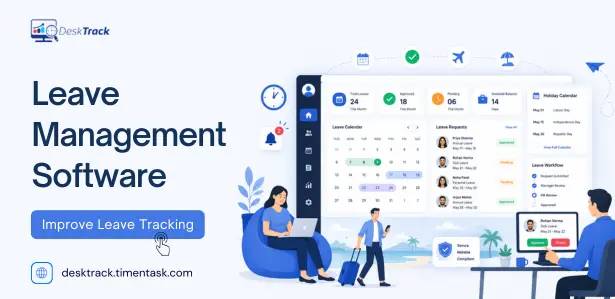
Imagine it’s the end of the month, and your HR team is still chasing leave requests through emails, updating Excel sheets, and fixing payroll errors. One missed leave entry can lead to incorrect salary calculations, unhappy employees, and hours of extra work. This is exactly why businesses are moving to automated Leave Management Software. In this guide, you’ll learn what leave management software is, how it works, its benefits, essential features, and how to choose the right solution for your business.
What is Leave Management Software?
Core Definition
- Centralised Automation: It is a digital framework that ensures every employee time-off request is processed, tracked, and recorded dynamically at the right time.
- System Synchronisation: The platform instantly syncs approved time-off entries with live attendance trackers and monthly payroll software.
Shift from Manual Processes
- Traditional Pitfalls: Older systems rely entirely on paper trails, emails, and shared Excel sheets that demand manual data re-entry.
- HR Administrative Burden: Without automation, HR teams waste critical hours manually updating individual balances, chasing managers for sign-offs, and resolving data errors before the payroll cycle runs.
- The Modern Workflow: It replaces manual friction with a unified dashboard, giving employees, operational managers, and HR administrators real-time visibility into leave data.
No Credit Card Required
Still Managing Employee Leaves in Excel?
Switch to an automated leave management system that simplifies leave requests, approvals, attendance, and payroll while saving HR hours every month..
Why Businesses Need a Leave Management System
Key Drivers for Adoption
- Handling Operational Complexity: As teams grow beyond 50+ workers, manual tracking via Google Sheets becomes unmanageable due to diverse leave categories (sick, casual, earned, parental) and multi-tiered manager approval hierarchies.
- Securing Payroll Accuracy: Leave data directly feeds into monthly salaries. Automated tracking prevents costly errors regarding unpaid leaves, salary advances, loss of pay (LOP) deductions, and carry-forward balances that trigger worker disputes.
- Enforcing Legal Compliance: Indian statutory labor codes including the Factories Act, Shops and Establishments Act, and Maternity Benefit Act mandate rigid time-off entitlements. Automation natively enforces these rules to mitigate legal audit risks.
- Improving Employee Experience: Manual frameworks lack transparency, eroding workplace trust. An open self-service portal lets staff view live balances, check holiday lists, and monitor approval timelines instantly.
Challenges of Manual Leave Management
Operational Friction and Risks
- No Centralised Records: Relying on fragmented systems leads to duplicate leave entries and missed updates, causing major data coordination headaches for HR and payroll teams.
- Email-Based Approvals: Leave requests easily get lost or delayed in cluttered email inboxes, leaving the company with zero audit trails to verify past decisions.
- Manual Payroll Reconciliation: Re-keying data manually creates high error rates in Loss of Pay (LOP) calculations, directly resulting in incorrect employee salary payouts.
- Blind Staffing Schedules: Team leaders face resource conflicts and project delays because they lack real-time visual insight into active team availability.
- Inconsistent Policy Enforcement: Subjective approvals lead to compliance gaps and unfair treatment, sparking employee disputes and legal risks.
- Wasted Administrative Hours: A typical mid-sized firm with 200 employees spends 15–20 hours a month manually reconciling data before payroll, whereas automation cuts this down to under 2 hours.
How Leave Management Software Works?
The 5-Step Automated Workflow
- Step 1: Employee Submission – The employee logs into the web self-service portal or mobile app to submit their request. The system instantly runs background policy checks, flagging any insufficient balances or restricted blackout periods.
- Step 2: Instant Manager Alert – The platform routes the request immediately to the reporting manager via automated emails, in-app notifications, or mobile push alerts to prevent requests from being buried.
- Step 3: Manager Review – The manager evaluates the request directly alongside a visual team leave calendar. This highlights active project deadlines and concurrent team absences to help make an informed approval decision in one click.
- Step 4: Real-Time Notification – The employee receives an immediate alert of the decision. Approved days automatically deduct from their active leave balance, while rejections display specific management notes explaining why.
- Step 5: Automated Payroll Sync – The approved leave data automatically updates the integrated attendance-tracking engine, marks relevant loss-of-pay (LOP) dates, and transfers clean data to payroll without human intervention.
Key Features of Employee Leave Management Software
8 Essential System Features
- Configurable Leave Policy Engine: Supports all leave types (sick, casual, maternity, compensatory) while automating custom accruals, carry-forward caps, year-end encashment eligibility, and department-specific rules.
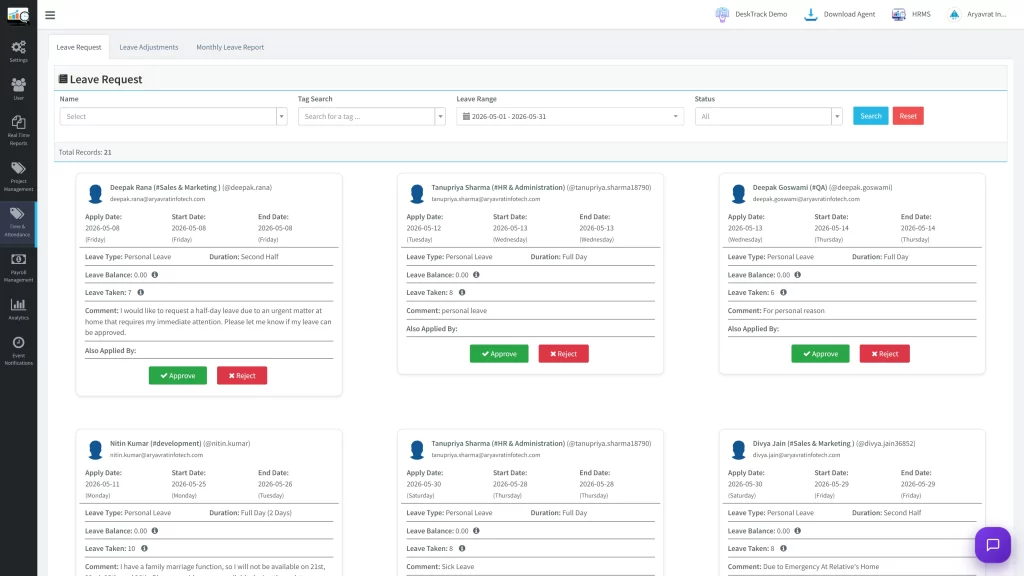
- Multi-Level Approval Workflows: Establishes single or multi-tiered manager approval chains, assigns alternate approvers during manager absences, and triggers auto-escalations for delayed responses.
- Employee Self-Service Portal: Provides workers with a mobile or web dashboard to independently submit requests, track live approval statuses, and check real-time leave balances without HR help.
- Visual Team Leave Calendar: Offers department-wise and project-wise filter views showing who is off, integrates public holiday calendars, and automatically detects scheduling conflicts.
- Attendance Tracking Integration: Automatically updates active attendance rosters upon leave approval, identifies unauthorized absences versus approved time off, and manages shift regularization workflows.
- Compliance & Holiday Management: Provisions location-specific or state-wise holiday calendars, adjusts balances for public holidays falling inside leave windows, and maintains rigorous statutory audit logs.
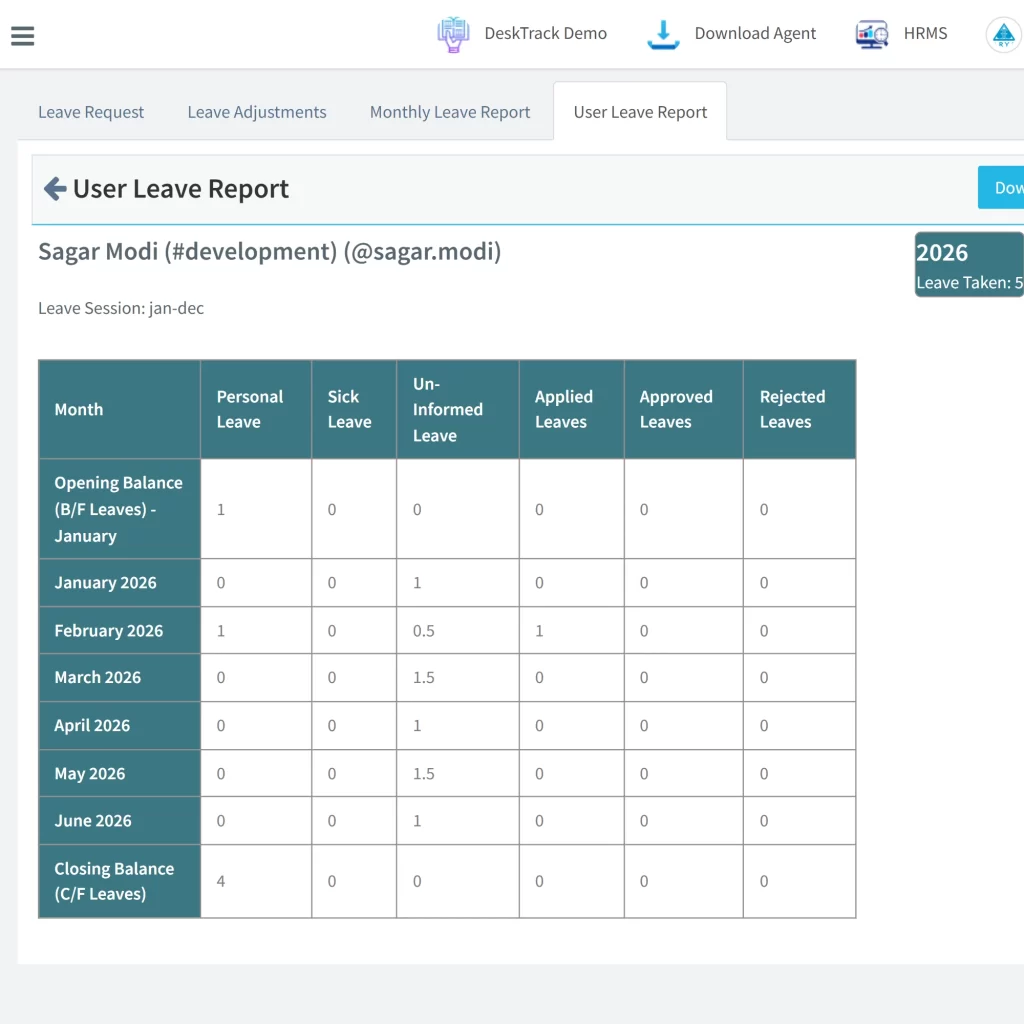
- Reports & Analytics Dashboard: Generates on-demand team utilization data, maps department-wise absenteeism trends, compiles monthly payroll summaries, and allows custom report building.
- Direct Payroll Integration: Automatically computes Loss of Pay (LOP) days, syncs year-end encashment values directly into salary components, and pushes verified, clean data into payroll engines.
Benefits of Using Leave Management Software
Strategic and Operational Advantages
- Faster Approval Turnarounds: Automating notifications ensures that leave requests are reviewed and decided upon by managers within hours rather than stretching over days.
- Zero Data Entry Errors: System-driven tracking completely removes the reliance on manual spreadsheets, eliminating human data entry mistakes entirely.
- Guaranteed Payroll Accuracy: Loss of Pay (LOP) days and year-end leave encashments flow directly into the system, ensuring payroll is calculated accurately every time.
- Uniform Policy Enforcement: The software systemically applies identical rules and compliance checks across the organization, ensuring consistency regardless of who manages the team.
- Enhanced Employee Satisfaction: Providing a transparent process with real-time status updates and live balance access builds trust and boosts worker experience.
- Massive HR Time Savings: Automating the administrative workflow slashes the total time HR teams spend on manual leave data administration by over 80%.
- Automatic Compliance Assurance: Statutory leave laws, employee entitlements, and location-based holiday rules are automatically tracked and enforced by the system.
- Data-Driven Staffing Decisions: Access to visual reports on absenteeism trends allows operational leaders to make informed, proactive choices during workforce planning.
How Leave Management Software Improves Payroll Accuracy?
Resolving the Payroll-Leave Data Friction
- The Core Problem: Every month, payroll teams calculate earnings based on actual working days. When leave data is manually managed, delayed updates or unrecorded leaves lead to incorrect payroll figures, sparking stressful employee payslip disputes and costly manual recalculations.
- Automatic Attendance Sync: The moment a leave request is digitally approved, it instantly updates the employee’s attendance record, eliminating the need for HR to manually cross-reference tracking sheets.
- Seamless Loss of Pay (LOP) Calculations: The platform automatically tracks leave balances and instantly calculates accurate Loss of Pay (LOP) deductions for unpaid or unauthorized time off.
- Streamlined Year-End Encashments: Complex year-end variables like calculating leave encashment values and executing carry-forward balance limits flow directly into the salary structure without human error.
- Clean Data Delivery: Payroll software receives pre-verified, pristine leave data directly from the platform during every monthly cycle, bridging the operational gap between HR and finance teams.
Leave Management Software vs. Manual Leave Tracking
Key Differences
- Process & Efficiency: Manual tracking relies on emails/paper, leading to slow approvals. DeskTrack streamlines this with self-service portals, automated notifications, and real-time, accurate balance updates.
- Accuracy & Compliance: Manual methods suffer from high error rates and tedious spreadsheet management. DeskTrack ensures near-zero errors, consistent policy enforcement, and built-in regulatory compliance.
- Reporting & Experience: While manual tracking is slow, prone to data reconciliation issues, and lacks transparency, DeskTrack offers instant reporting and a superior, transparent employee experience.
| Feature | Manual Leave Tracking | Leave Management Software |
| Leave Request | Employees submit requests through emails, paper forms, or spreadsheets. | Employees apply through a self-service web portal or mobile app. |
| Approval Process | Managers approve requests manually, often causing delays. | Automated approval workflows with instant notifications and reminders. |
| Leave Balance | HR updates leave balances manually in Excel sheets. | Leave balances are updated automatically in real time after approval. |
| Attendance Management | Attendance records require manual updates after leave approval. | Approved leaves are automatically synced with the attendance system. |
| Payroll Processing | HR manually calculates Loss of Pay (LOP) and leave deductions. | Leave data is automatically synced with payroll for accurate salary calculations. |
| Error Rate | High risk of data entry mistakes, duplicate records, and payroll errors. | Minimal errors through automated calculations and centralized records. |
| Compliance | Difficult to enforce leave policies and statutory regulations consistently. | Built-in compliance with company policies and labor laws. |
| Reporting & Analytics | Reports are prepared manually and consume significant time. | Real-time dashboards and detailed leave reports are available instantly. |
| Employee Experience | Employees rely on HR for leave balances and request status. | Employees can check balances, apply for leave, and track approvals anytime. |
| HR Productivity | HR spends considerable time on administrative tasks. | Automation reduces administrative workload, allowing HR to focus on strategic initiatives. |
How to Choose the Best Leave Management System?
Evaluation by Business Size
- For Small Businesses (10–50 Employees): Focus on simplicity. Choose a tool that completely eliminates spreadsheets, offers an affordable pricing tier or free trial, requires under a day to set up, and allows mobile submissions.
- For Medium Businesses (50–500 Employees): Prioritize control and integration. Look for systems supporting department-wise custom policies, role-based access control, fast mobile manager approvals, and seamless connection to existing HR tools.
- For Large Enterprises (500+ Employees): Focus on scalability and deep analytics. The software must handle multi-location or multi-country compliance rules, complex approval hierarchies, workforce analytics dashboards, and robust enterprise ERP integrations.
Universal Buyer’s Checklist
- Ease of Use & Mobile Access: Employees should be able to apply in under 2 minutes without formal training, utilizing full mobile functionality on both iOS and Android.
- Configuration & Integrations: The system must offer flexible policy rules alongside deep native connectors for attendance, payroll software, and core HRMS platforms.
- Compliance & Analytics: Ensure the software includes built-in local statutory leave compliance regulations, maintains secure data encryption audit trails, and generates highly visual reporting dashboards.
Why Businesses Choose DeskTrack for Leave Management?
Key Differentiators of DeskTrack
- All-in-One Platform Dashboard: It seamlessly merges leave management, attendance tracking, automated time tracking, and payroll processing into a single interface. This eliminates disconnected data silos and painful integration headaches.
- Smart Approval Workflows: The system supports highly configurable, multi-level approval hierarchies. It includes auto-escalation features for delayed requests and gives managers quick approval capabilities via mobile access.
- Built-In Statutory Compliance: DeskTrack is uniquely tailored with native support for local labour regulations such as the Factories Act, Maternity Benefit Act, and Shops & Establishments Act alongside state-specific public holiday calendars.
- Real-Time Data Synchronisation: Leave approvals instantly update active attendance rosters and payroll variables in real-time. It avoids the delayed processing of traditional nightly batch updates.
- Empowering Employee Self-Service: Workers gain full control over their own schedules, allowing them to submit requests, view live leave balances, and track approval statuses directly without looping in HR.
- Enterprise-Grade Visual Analytics: The software provides managers and HR leaders with instant reporting features, mapping everything from individual historical data to organization-wide absenteeism trends.
Conclusion
Manual leave tracking may work for very small teams, but as organizations grow, it often leads to payroll errors, compliance risks, and unnecessary administrative work. A modern Leave Management Software automates leave requests, approvals, attendance updates, and payroll synchronization while improving transparency for employees and HR teams. If you’re looking for an all-in-one solution, evaluating a platform like DeskTrack can help streamline workforce management and support future business growth.
Frequently Asked Questions (FAQs)
Ans. A digital platform that streamlines employee leave requests, approvals, tracking, and payroll integration, eliminating manual processes and spreadsheets. Ans. It ensures accurate payroll, effective workforce planning, compliance with regulations, and improves employee satisfaction by reducing errors in tracking time off. Ans. Employees use a self-service portal to submit requests, which are automatically routed to managers. Approved leaves instantly update attendance and payroll records. Ans. Systems typically handle all types, including sick leave, casual leave, earned leave, and special leaves like maternity or bereavement. Ans. The system automatically calculates Loss of Pay (LOP) and updates data in real-time, removing the need for manual reconciliation between attendance and salary.leave-management