






Employee Activity Tracking Software to Track Work and Boost Productivity
DeskTrack is employee activity tracking software that brings time, activity, and productivity data into one dashboard, helping managers spot patterns, balance workloads, and make decisions based on real data.
- See a full workday from login to logout
- Apps, websites, files, active and idle time
- Works for office, remote and hybrid teams, even offline
 G2
G2
 Capterra
 Trustpilot
 SSuggest

Clients in the US, India, UAE, Qatar, UK and Bangladesh
Trusted by 8K+ Companies Worldwide with DeskTrack


What is Employee Activity Tracking Software?
Employee activity tracking software records how work time is spent on each computer: which apps and websites are open, which files people work in, and when the system is active or idle. DeskTrack does this automatically in the background, so managers get a daily record of real work instead of self-reported timesheets.
Cross-Platform
Works on Windows, macOS and Linux
Fast Deployment
Setup under 5 minutes
Enterprise Ready
MSI and Active Directory for company-wide rollouts
Timesheets, Attendance and Activity Each Tell Part of the Story
Relying on just one metric leads to an incomplete picture. DeskTrack unifies all three aspects of workforce monitoring.
Timesheets
Show what employees say they worked on.
Attendance
Shows when they were present.
Activity Tracking
Shows what actually happened on the computer, minute by minute.
A Full-Day Desktop Timeline for Every Employee
Open any employee's day and read it top to bottom: login, each app and website in order, meetings, files, idle gaps, breaks and logout.
You can answer "what did the team work on between 2 and 4 pm?" in seconds, without a status call. Timesheets build themselves from the same record, and employees can see their own timeline too.
Questions the Timeline Answers
Know Who's Working, Idle or Offline Right Now
The live dashboard shows each person's status, team by team and location by location. Set your own idle threshold, get an alert when it is crossed, and see early and late logins in the attendance view.
⚡ Offline Resilience: If the internet drops, DeskTrack keeps recording and syncs when the connection returns, so no work goes missing.
Live Team Dashboard
Real-Time Sync| Employee | Status | Right now |
|---|---|---|
| Designer, Jaipur | Working | Figma, 47 min |
| Sales, Dubai | In meeting | Microsoft Teams |
| Support, Pune | Idle | No activity for 12 min |
| Accounts, Doha | Offline | Logged out 18:02 |
What DeskTrack Tracks on Every Desktop
Comprehensive activity insights designed for complete visibility without intrusive spying.
Applications
Every app used and the time spent in it, from Excel to Zoom.
Websites and URLs
Time on each site, so research and distraction are easy to tell apart.
Files and Documents
Window titles and file names show which document or folder someone worked in. DeskTrack never reads what is inside a file.
Meetings and Email
Time in Zoom, Teams, Google Meet, Outlook and Gmail.
Active and Idle Time
Input activity separates working time from time away from the desk. Keystrokes are never recorded.
Screenshots (Optional)
Optional, at intervals of 5 minutes or more, across multiple monitors. Kept for one month; only admins can download them.
Explore Screenshot Monitoring →From Activity to a Productivity Score
Activity tracking tells you what happened. The productivity score tells you what it means. Most tools count hours at the desk; DeskTrack measures time against the apps each role actually needs.
You mark which apps and websites are productive for each role. A designer's Figma time counts. A salesperson's CRM time counts.
Because the score uses scheduled hours, it can go above 100% when someone works beyond office hours. That helps managers understand utilization and spot unusual work patterns.
Productivity % = time on role-defined productive apps ÷ scheduled office hours
Score dynamically calculates in real-time across individual, team, and department dashboards.
Activity Tracking Without Invasive Surveillance
DeskTrack shows how work time is spent. It is built to give visibility, not to spy on people.
What DeskTrack Records
- App names and time in each app
- Website addresses and time on each
- Window titles and file names
- Active, idle and offline time
- Optional screenshots, admin access only
What DeskTrack Never Records
- Keystrokes or passwords
- What is inside files
- Webcam, video or live screen streams
- Anything while an employee has paused tracking for private time
How to Start Tracking Employee Activity
Get set up quickly across remote, hybrid, and office teams.
Sign up
Create your company account with your work email.
Install
Install the desktop app, or push the MSI package to all systems and link Active Directory.
Set roles
Mark which apps and websites are productive for each team.
See the day
The dashboard and timelines fill the same day.
Related Features
Explore complementary workforce analytics capabilities.
Benefits of Real-Time Employee Activity Monitoring Software
Real-time activity monitoring is no longer optional it's essential for businesses that want to stay competitive, improve efficiency, and maximize team performance. With accurate insights into employee work patterns, you can eliminate guesswork and make smarter business decisions.
Increase Productivity by Up to 40%
By identifying time-wasting activities and reducing distractions, activity tracking helps employees stay focused on high-value tasks. With clear visibility into daily work patterns, teams naturally become more efficient and productive.
Improve Team Accountability
When employees know their work activity is being tracked transparently, they become more responsible and committed to their tasks. This creates a culture of accountability where performance is measured fairly and consistently.
Optimize Workforce Performance
Gain a deeper understanding of how your team works. Identify top performers, detect inefficiencies, and provide targeted support where needed to improve overall team output.
Make Data-Driven Decisions
Access real-time reports and analytics to make informed decisions about workload distribution, project timelines, and resource planning. No more relying on assumptions or incomplete data.
Reduce Operational Costs
By eliminating unproductive time and optimizing resource usage, businesses can significantly reduce unnecessary expenses. Better time management directly leads to improved profitability.
Integrations for Employee Activity Tracking Software
DeskTrack activity tracking software seamlessly integrates with the tools your team already uses, helping you track productivity, manage work hours, and improve collaboration without disrupting your workflow. Connect multiple platforms and get a unified view of employee activity, performance, and time tracking in one place.


Real Customers Success Stories
See how businesses use DeskTrack’s screenshot monitoring to gain clear visibility into daily work activities, resolve workflow issues, and improve team productivity with real work evidence.

Manufacturing Company – Patanjali Foods
They wanted screenshot monitoring and activity tracking of their team.
Screenshot Monitoring
Manufacturing Company – Patanjali Foods
- Challenges: The team is spread across different locations, so they needed clarity and accurate attendance reports.
- Benefits: After using DeskTrack, they can view screenshot reports and daily attendance, making it easy to identify users who have not started their systems.

Book Publishing Company - Oswaal Books
They wanted task management and screenshot monitoring for their teams
Loss Identified
Book Publishing Company – Oswaal Books
- Challenges: Lack of transparency in task completion and time spent on each task. No one could be held accountable for missed deadlines.
- Benefits: With the help of DeskTrack screenshots, management was able to identify responsibility for a loss of ₹3 lakh and improve task accountability and deadline management.
Employee Activity Tracking Software for Every Industry
DeskTrack's employee activity tracking software is designed to adapt to different industries and workflows. Whether you manage developers, creatives, or remote teams, it provides the visibility and control you need to improve performance and productivity.
IT & Software Companies
DeskTrack's employee task tracking tools eliminate billing disputes and ensure every hour is logged accurately.
👉 Avg. 23% improvement in billable hour accuracy
BPO & Call Centres
Use our business activity monitoring software to reduce idle time and improve SLA compliance.
👉 31% idle time reduction in 60 days
Manufacturing & Production
Our employee activity tracking system integrates with biometric devices for attendance + activity data.
👉 Proxy attendance eliminated from Day 1
Sales & Field Teams
The best work activity tracker for field teams GPS + desktop activity in one platform.
👉 35% sales productivity improvement
Healthcare & Pharma
DLP alerts for patient data, shift compliance tracking, and audit-ready activity logs for regulatory compliance.
👉 Data breach risk eliminated with DLP monitoring
Education & EdTech
Track faculty availability, content creation time, and platform usage. Ensure academic staff are productive during work hours.
👉 28% improvement in staff productivity
Meet Our Expert
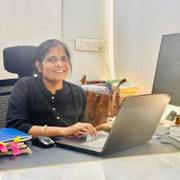
Rashmi Singh is the founder of the company, CEO, and lead Product Manager at DeskTrack as well as TitaPro. With a long-running career that spans nearly 30 years, Rashmi is now a pioneering software developer during the "pre-Google" period at an internationally leading company in time monitoring, employee tracking, and operational efficiency.
Her path is outlined by a single goal: helping businesses and individuals achieve a better work life balance by freeing themselves from the responsibilities of a constantly connected world.
Read Founder StoryWhat 8K+ Companies Say About DeskTrack
Don't just take our word for it. Hear from our satisfied clients why DeskTrack's activity tracking is trusted by 8K+ organizations worldwide.
Frequently Asked Questions about Employee Activity Tracking Software
Updated 1 October 2026. Product features, privacy practices and claims on this page reviewed by Rashmi Singh, Founder & CEO of DeskTrack. See current plans and pricing.
See One Full Workday of Your Team
Install on a few systems today and review the timeline tomorrow morning.
No credit card required · GST invoice available · Setup under 5 minutes