









Leave Management System with Automated Attendance Tracking
Manage employee leave requests, approvals, balances and holiday calendars in one place. DeskTrack connects leave with role-based attendance rules, biometric punches and workforce records, while Desky AI flags policy exceptions for managers to review.
 G2
G2
 Capterra
 Trustpilot
 SSuggest
Trusted by 8K+ Companies Worldwide with DeskTrack







Three Signals. Three Answers.
One Guess in Payroll.
Every Indian office has this morning. Somebody decides by hand, and payroll goes with the guess.
Alexander punched in at the gate.
Alexander’s laptop idle since login. Biometric says present.
“Sir, half day today? Will come after lunch.”
DeskTrack applies your rules to all three: one mark with its reason, or a flag for review.
What Leave & Attendance Management Changes for HR, the CEO and the COO
For HR: A month-end that closes itself
- Leave on WhatsApp, email and registers.
- Month-end spent matching punches, leave and half days by hand.
One record per employee, calculated by the rule for their role.
- Attendance closes for payroll from one report
- Every mark shows its reason, so fewer disputes
- Audit trail for every adjustment
“Who has taken unplanned leave above our policy this quarter?”
For the CEO: Every paid day, with its reason
- Salaries paid for days with no visible work.
- No single view across offices, field and home.
Attendance, work activity and exceptions in one view, with the reason behind each mark.
- Attendance discrepancies identified, with loss-of-pay calculated by your configured policy (India payroll) and exceptions open for manager review
- Policy decided once, enforced by Desky
- Policy violations shown as a ₹ cost
“What did leave-policy violations cost us this month?”
For the COO: No empty shift, no surprise
- Shifts uncovered when one team takes the same day off.
- Field and calling staff are hard to verify.
Who is in, on leave or absent, by team, shift and location, before the day.
- Overlap limits keep every shift covered
- Field visits and call time checked daily
- Calendars and shifts per location, no spreadsheets
“Which team has the most people on leave next week?”
One record for every leave and every working day.
A leave and attendance policy written down, per role.
Start on yourself in 5 minutes, then add leave types, calendars and policy as you go.
Apply for Leave on
Web and Mobile
Office staff apply in the browser. Field and remote staff use the Android or iOS app they already punch in with. Managers approve from either.
Desky, before you submit: 12 Nov is the day after Bhai Duj. Your policy needs 3 days’ notice for leave next to a holiday. This goes to your manager marked “short notice”.
On the phone
Apply & track balances directly in the mobile app
My leave
Nov 2026Desky AI: Write Your Leave Policy in Plain Words, Desky Applies It
Tell Desky your policy the way you would tell a new HR manager. It creates a policy you can review and apply to everyone or one team. Nothing is auto-rejected.
Leave Policy · Personal leave
Attendance for Remote, Office, Hybrid,
Field, Calling and Support Staff
Leave only works if attendance is right. Each role marks attendance its own way; your configured rules classify the day and flag anything unclear for review.
Office staff
BIOMETRIC + DESKTOPBiometric at the door, desktop agent at the desk.
Office attendance →Remote staff
DESKTOP AGENTDesktop agent on Windows, Mac or Linux.
Remote activity tracking →Hybrid staff
SWITCHES BY DAYBiometric on office days, desktop agent at home.
Hybrid attendance →Field force
MOBILE GPSGPS punch-in from the Android or iOS app.
Field employee tracking →Calling staff
APP OR DESKTOPApp or desktop login; customer call time counts.
Call tracking →Support staff
BIOMETRIC ONLYAny biometric machine. No phone or computer.
Biometric integration →How DeskTrack Calculates Attendance and Leave: Rules by Role, Shift and Location
Collect punches and leave
Biometric, mobile GPS, desktop agent and leave requests.
Apply the role rule
Shift, hours, grace time, week offs and the location’s holiday calendar.
Check the work signal
Desktop activity, customer calls, GPS time or punches.
Classify or flag the day
Full day, half day, late, absent or leave, with the reason. Exceptions go to a manager to review.
Update balances and payroll
Leave balance, reports and India payroll, using your configured pay rules.
Example Rule Set
Example attendance rules by role. All values are set by you.
| Role | Source | Shift · Calendar | Full Day | Half Day | Work Signal |
|---|---|---|---|---|---|
| Developers (hybrid) | Biometric in office, desktop at home | 10:00–19:00 · Jaipur | 8 h present, 6 h productive | 4 h present | Desktop activity |
| Sales field force | Mobile GPS punch-in | 09:30–18:30 · Delhi | 8 h with client-site time | 4 h | GPS location time |
| Telecallers (home) | Mobile app login | 09:00–18:00 · Pune | 8 h and call target met | 4 h | Customer call time |
| Office boys | Biometric only | 09:00–18:00 · Jaipur | In and out inside shift | Single punch or under 4 h | Biometric punches |
| Dubai sales team | Desktop agent | 09:00–18:00 · Dubai, Fri–Sat off | 8 h present | 4 h | Desktop activity, calls |
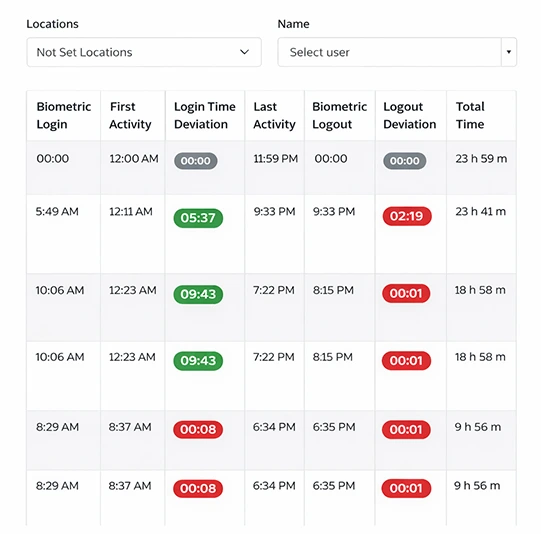
Biometric, checked against work
Punches from any machine, next to real desk activity.
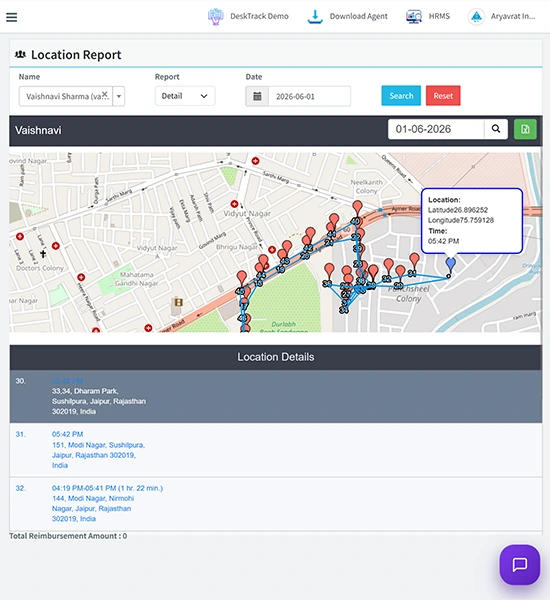
Field punch-in with GPS
Visits and route, so a field day is a verified day.
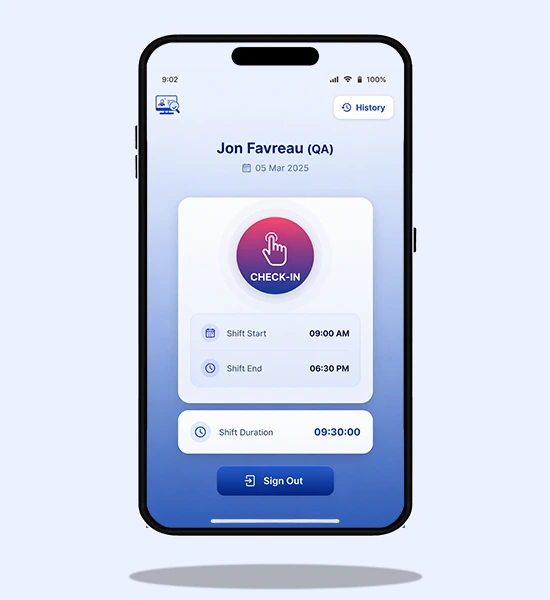
Mobile punch-in, no hardware
For branches and teams without a biometric machine.
One Attendance Discrepancy a Month Looks Small. Multiply It.
A half day marked as full, a proxy punch, a leave never deducted. Move the sliders to your team’s numbers to see what is at stake, then check it against your own records.
Illustrative estimate, not a measured loss: employees × (salary ÷ 26 working days) × days × 12. How much is real, and how much you can reduce, depends on your own records.
Leave and Attendance Management Features Built for Indian Teams
Leave types and custom policies
Personal, sick, earned, unpaid or your own, each with accrual and carry-forward.
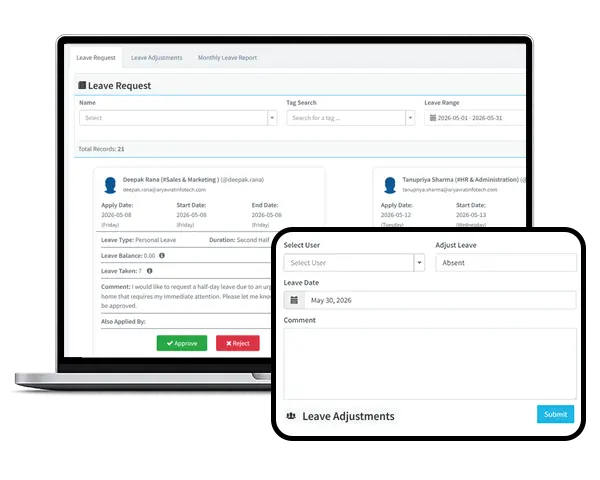
Leave adjustments with audit trail
Correct a balance or past entry. Every change records who and when.
Monthly leave report
January to December for every employee. Filter by team, export in one click.
Availability report
Who is in, on leave or absent for any date range, before you plan.
Attendance, biometrics and payroll
Leave flows into attendance, biometric records and payroll (India only).
Managing Leave by Email, WhatsApp and Excel Compared with DeskTrack
EMAIL, WHATSAPP, EXCEL
DESKTRACK
Meet Our Expert
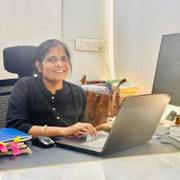
Rashmi Singh is the founder of the company, CEO, and lead Product Manager at DeskTrack as well as TitaPro. With a long-running career that spans nearly 30 years, Rashmi is now a pioneering software developer during the "pre-Google" period at an internationally leading company in time monitoring, employee tracking, and operational efficiency.
Her path is outlined by a single goal: helping businesses and individuals achieve a better work life balance by freeing themselves from the responsibilities of a constantly connected world.
Read Founder StoryTrusted by Teams for Seamless Leave Management
Businesses use DeskTrack Time Off Management Software to simplify leave requests, speed up approvals, improve visibility, and keep employee leave records organized.
Leave and Attendance Management:
Frequently Asked Questions
Close This Month’s Attendance
Without a Single WhatsApp.
Leave, attendance and Desky AI free for 15 days. Try it on yourself first, then add your team.