




It’s Monday morning. Your payroll team just found a mismatch — an employee was marked “on leave” in the spreadsheet, but showed up and worked all week. Now someone else is requesting the same vacation week as three other teammates, and your HR manager is drowning in email threads trying to sort it out.
Sound familiar?
If your organization still tracks paid time off through spreadsheets, paper forms, or back-and-forth email chains, you’re not just wasting time — you’re risking payroll errors, labor law violations, scheduling conflicts, and frustrated employees who might just start looking elsewhere.
The good news: the right PTO tracking software can fix all of this, automatically.
In this guide, we break down the best PTO tracking software for businesses in 2026 — what to look for, how to choose, and why DeskTrack stands out as the top pick for teams of every size.
The Real Cost of Manual PTO Tracking (You’re Probably Underestimating It)
Before we talk solutions, let’s talk pain. Most business owners and HR leaders know manual leave tracking is inconvenient-but few realize just how expensive it actually is.
The Hidden Costs Hiding in Plain Sight
According to SHRM, HR professionals spend nearly 14 hours per week on administrative tasks that could be automated. A significant chunk of that is leave management – chasing approvals, updating spreadsheets, cross-checking attendance, and fielding questions like “How many vacation days do I have left?”
Research by the American Payroll Association shows that companies using manual processes for employee attendance tracking experience payroll error rates of 1–8%. For a 50-person company, that’s thousands of dollars lost every single quarter.
Beyond money, there’s the morale problem. Employees who don’t trust that their PTO is being tracked fairly — or who have to email HR three times to get a leave balance — report lower engagement and higher turnover intent.
Three Scenarios Where Manual Tracking Breaks Down
- A manager approves leave without checking team coverage. Two critical employees are absent the same week. Deadlines slip.
- An employee submits a leave request. It gets buried in email. No one follows up. The employee assumes it’s approved and doesn’t show up.
- Year-end rolls around. Accrued leave hasn’t been calculated correctly. Payroll adjustments create chaos — and possibly legal liability.
None of these are hypothetical. They happen in organizations every week. And they all stem from the same root problem: no centralized, automated system for managing time off.
What is PTO Tracking Software?
A PTO tracking app isn’t just a digital calendar. The best systems function as a complete time off management software platform that connects leave data to attendance, payroll, workforce planning, and compliance in real time.
At its core, good paid time off software should:
- Allow employees to submit leave requests from any device
- Route requests automatically to the right approver
- Maintain accurate, real-time leave balances for every employee
- Sync with payroll to eliminate manual data entry
- Flag potential scheduling conflicts before they happen
- Generate reports on leave trends, patterns, and costs
When integrated with a full leave management software platform, it becomes the operational backbone of how your HR team manages one of their most time-consuming responsibilities.
Manual Tracking vs. PTO Tracking Software: Side-by-Side Comparison
Still on the fence? Let this comparison do the talking:
| Aspect | Manual Tracking | PTO Tracking Software |
| Accuracy | Prone to human errors | Real-time, automated accuracy |
| Time to Process Request | Hours or days | Minutes with auto-approval |
| Leave Balance Updates | Manual spreadsheet edits | Instant, live balance updates |
| HR Workload | High – repetitive admin tasks | Reduced by up to 70% |
| Compliance | Risk of labor law violations | Built-in compliance controls |
| Employee Experience | Confusing, email-based chaos | Self-service portal, mobile app |
| Reporting & Analytics | No insights, just raw data | Dashboards, trends, forecasts |
| Payroll Integration | Manual data entry errors | Seamless payroll sync |
The verdict is clear. The question isn’t whether you should switch — it’s how soon.
Key Features to Look for in the Best PTO Tracking Software
Not all PTO software is created equal. Here’s what separates the tools that genuinely transform HR operations from the ones that just digitize your existing spreadsheet problems.
1. Centralized Leave Dashboard
A single view of all leave requests, balances, approvals, and team availability. No more hunting through emails or juggling multiple sheets.
2. Employee Self-Service Portal
Employees should be able to check their leave balance, submit requests, and view approval status on their own — without involving HR for every query. This alone eliminates dozens of weekly HR interactions.
3. Automated Approval Workflows
Requests should auto-route to the right approver based on department, seniority, or custom rules. Automated reminders prevent requests from getting lost.
4. Real-Time Leave Balance Tracking
Every approval, rejection, or adjustment should update leave balances instantly. Real-time data means no year-end surprises for payroll or employees.
5. Leave Policy Customization
Every organization has different policies — accrual rates, carryover rules, leave types, probation periods. Your software should reflect your specific policies, not force you to adapt to generic defaults.
6. Payroll Integration
Tight integration with your time and attendance management system means leave data flows automatically into payroll — eliminating the manual reconciliation step that causes most payroll errors.
7. Mobile Accessibility
Whether your team is in-office, remote, or field-based, leave requests and approvals should be manageable from any smartphone. A great PTO tracking app makes this seamless.
8. Compliance and Labor Law Support
Labor law compliance is non-negotiable. Your employee absence management system should support jurisdiction-specific rules and flag potential violations before they become legal problems.
9. Analytics and Reporting
Who’s taking the most leave? Which months see peak absences? Are any departments at risk of burnout? Good PTO software answers these questions with data, not guesswork.
10. Calendar Integration
Sync with Google Calendar, Outlook, or other tools so leave is visible in team scheduling. No more “I didn’t know they were off” surprises during project crunch time.
Top 10 Best PTO Tracking Software for Businesses in 2026
We’ve done the research. Here are the top-rated employee time off tracker software solutions for 2026 — each reviewed for real-world usability, features, pricing, and fit.
1. DeskTrack

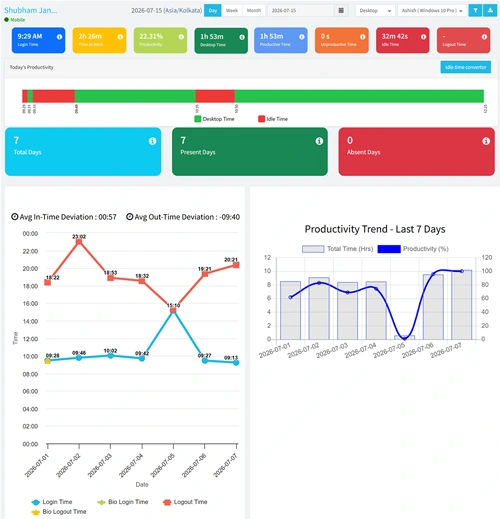
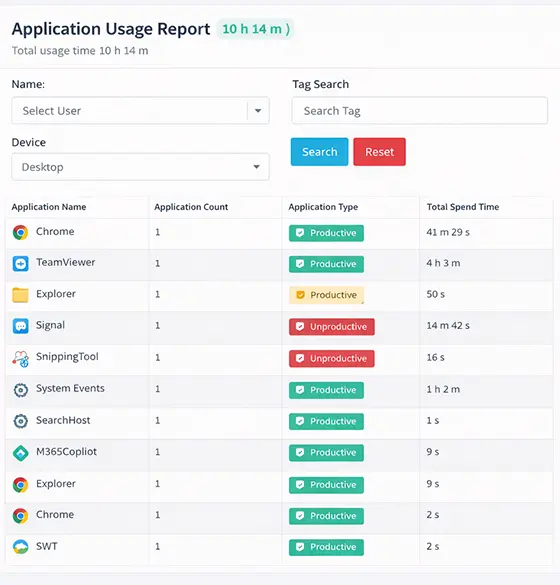
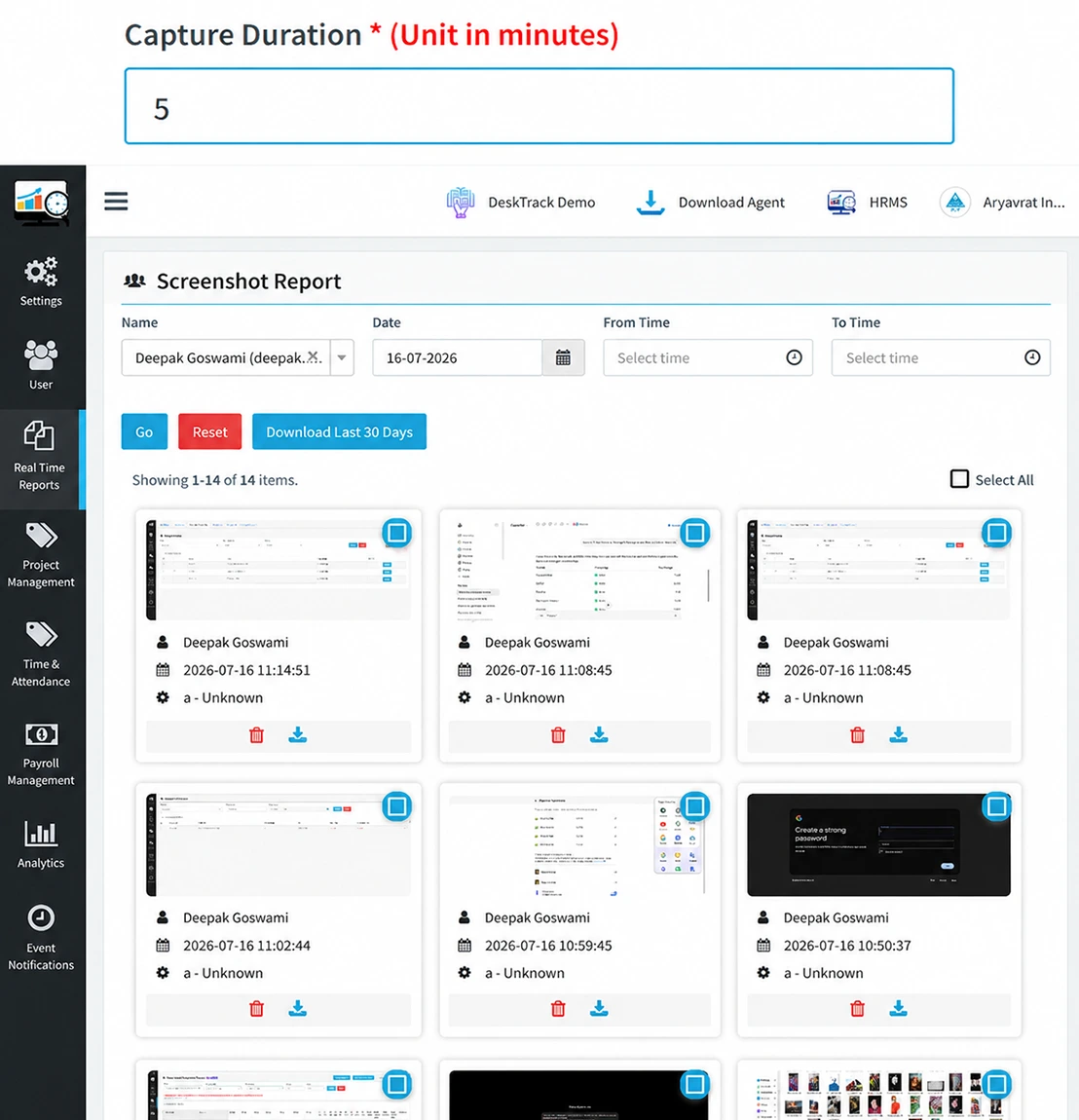
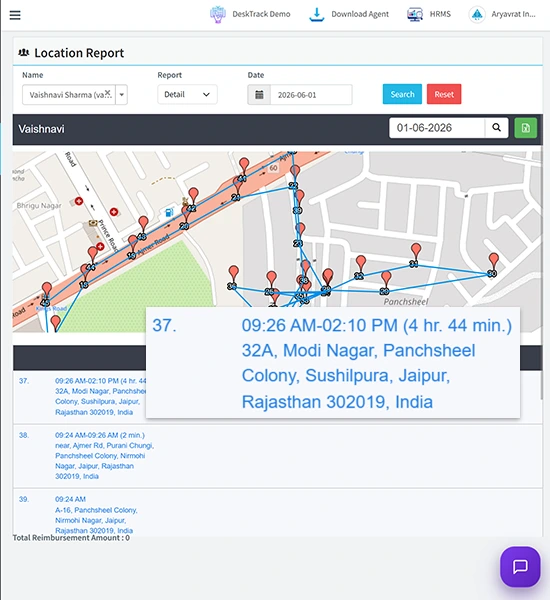
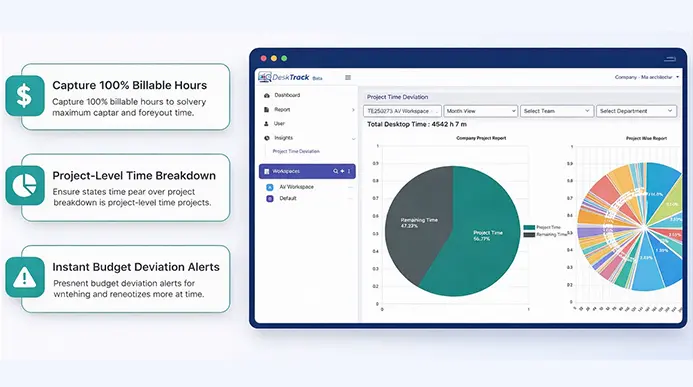
DeskTrack is the most comprehensive employee PTO tracker software on the market for businesses that want more than just leave management. It combines time off tracking with full employee monitoring, project management, and attendance — all in one dashboard.
What makes DeskTrack genuinely different is the leave adjustment feature. If an employee was scheduled off but actually showed up and worked, DeskTrack catches it and lets you update the record in one click — something most tools simply don’t handle.
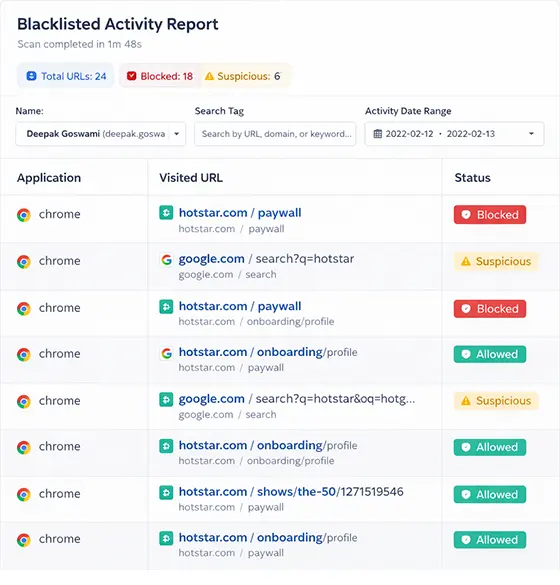
And since DeskTrack also includes screenshot monitoring software, time tracking software, and full employee monitoring software, you get a complete workforce intelligence platform — not just a leave tracker.
- Starting price: $5.99/user/month
- User rating: 5/5
- Best for: Teams wanting an all-in-one workforce management solution
- Biggest pro: Real-time one-click leave management with attendance integration
2. Deel

Deel shines for companies with international workforces. Its Slack plugin lets employees manage PTO directly from their workspace chat, and the burnout indicator alerts managers when someone’s taking significantly more (or less) time off than usual — a genuinely useful HR insight.
- Starting price: $10/user/month
- User rating: 4.8/5
- Best for: Global teams managing time off across multiple jurisdictions
- Watch out for: Limited invoice customization
3. Connecteam

If your workforce is primarily on-site or frontline, Connecteam’s mobile app is exceptional. Managers get a real-time overview of who’s off, who’s requested leave, and can approve or adjust from their phone in seconds.
- Starting price: $29/month for first 30 users
- User rating: 4.3/5
- Best for: Deskless and field-based teams
- Watch out for: Limited customization options
4. Replicon
![]()
Replicon is built for organizations that operate across multiple regions and need rigorous compliance monitoring. Its configurable rule sets and built-in labor law alerts make it ideal for legal, healthcare, or enterprise environments.
- Starting price: $6/month
- User rating: 4.3/5
- Best for: Multi-region compliance management
- Watch out for: Feature-lite mobile app
5. BambooHR

BambooHR is a full HR management software platform with leave management built in. If you need PTO tracking as part of a complete HR suite covering hiring, onboarding, performance, and payroll, BambooHR delivers.
- Starting price: Quote on contact
- User rating: 4.4/5
- Best for: Companies needing end-to-end HRMS with leave management
- Watch out for: Non-transparent pricing
6. actiPLANS

actiPLANS earns its place on this list by doing one thing exceptionally well: making leave management genuinely simple. The interface is clean, the setup is fast, and even non-technical managers get up to speed in minutes.
- Starting price: $1.50/user/month
- User rating: 4.6/5
- Best for: Small teams that want zero complexity
- Watch out for: Can’t edit submitted requests
7. Buddy Punch

Buddy Punch combines time off management with advanced scheduling, making it a natural fit for small and mid-sized businesses. Its geofencing and facial recognition features add an extra layer of accuracy for workforce management software in shift-based environments.
- Starting price: $4.49/user/month + $19/month base fee
- User rating: 4.8/5
- Best for: SMBs with hourly/shift-based workers
- Watch out for: US-only payroll module
8. Leave Dates

Leave Dates wins on calendar integration. Its live wall chart gives a beautiful, intuitive overview of who’s off when — making it ideal for teams that plan work around a shared calendar. Pricing is also among the most accessible on this list.
- Starting price: $54/year (entire team)
- User rating: 4.8/5
- Best for: Teams that need easy visual leave planning
- Watch out for: Unable to add back accidentally removed leave
9. FoxHire

FoxHire is primarily an EoR platform, but its leave and PTO management features are genuinely strong — especially when paired with its payroll and compliance capabilities. Best for companies hiring contractors or employees across state lines.
- Starting price: Quote on contact
- User rating: 4.9/5
- Best for: Sick leave and PTO for EoR arrangements
- Watch out for: Limited integrations
10. Factorial

Factorial’s standout feature is its employee scheduling mobile app, which integrates leave management with conflict detection. Employees can request time off digitally — no paperwork, no forms — and the system flags overlapping absences before they cause problems.
- Starting price: $8/user/month
- User rating: 4.4/5
- Best for: Mobile-first HR teams
- Watch out for: Difficult to customize templates
Quick Comparison: Top 10 PTO Tracking Software at a Glance
Short on time? Here’s the complete summary:
| Tool | Starting Price | Rating | Best For | Biggest Pro | Limitation |
| DeskTrack | $5.99/user/mo | 5/5 | Best Overall | Real-time PTO + full workforce suite | — |
| Deel | $10/user/mo | 4.8/5 | Global Teams | Full global workforce management | Invoice limits |
| Connecteam | $29/mo base | 4.3/5 | On-Site Staff | Excellent mobile experience | Limited custom |
| Replicon | $6/mo | 4.3/5 | Compliance | Global compliance monitoring | Limited mobile |
| BambooHR | On Request | 4.4/5 | Full HRMS | Many integrations available | Non-transparent pricing |
| actiPLANS | $1.50/user/mo | 4.6/5 | Simplicity | Very user-friendly UI | Can’t edit requests |
| Buddy Punch | $4.49+$19/mo | 4.8/5 | SMBs | Strong integrations list | US payroll only |
| Leave Dates | $54/year | 4.8/5 | Customization | Great calendar integration | Can’t add back leave |
| FoxHire | On Request | 4.9/5 | EoR Platform | Comprehensive payroll services | Limited integrations |
| Factorial | $8/user/mo | 4.4/5 | Mobile App | Easy to use app | Template limits |
7 Business Benefits of Implementing PTO Tracking Software
Still asking “is it really worth switching?” Here’s what organizations consistently gain after implementing the right time off tracking software:
1. Dramatically Reduced HR Workload
Automated requests, approvals, and balance updates mean HR stops being a leave-request processing center and starts focusing on strategic work. Teams report reducing leave admin time by 60–70%.
2. Payroll Accuracy You Can Count On
When leave data syncs automatically with your payroll system, the manual reconciliation error disappears entirely. No more end-of-month scrambling. According to a Gartner study on HR automation, organizations that automate HR processes see a 25% improvement in operational efficiency.
3. Better Workforce Planning
Real-time visibility into who’s off when means managers can plan projects and distribute work intelligently. No more understaffed weeks or missed deadlines because three key people took leave simultaneously.
4. Higher Employee Satisfaction
Employees who have a clear self-service portal, instant confirmation of leave requests, and accurate leave balances report higher satisfaction scores. It signals that the company respects their time.
5. Compliance Without the Stress
Labor laws vary by state, country, and industry. A good employee time off tracking software keeps your policies aligned with legal requirements — and alerts you before you accidentally violate them. According to SHRM’s research on leave compliance, non-compliance with leave laws is one of the most common (and expensive) HR legal risks.
6. Actionable Leave Analytics
Which departments have the highest leave rates? Is absence spiking before performance reviews? Are certain roles showing burnout patterns? Good PTO software answers all of this — and gives you data to act on.
7. Scalability as You Grow
Manual systems break under scale. PTO tracking software grows with you — whether you go from 20 employees to 2,000, add remote teams in new countries, or need to configure entirely different leave policies for different divisions.
How to Choose the Right PTO Tracking Software for your Business
Every organization has different needs. Here’s a practical framework for making the right choice:
Step 1: Audit Your Current Pain Points
Are errors happening in payroll? Is HR overwhelmed with manual requests? Are scheduling conflicts common? Start with your actual problem — not a feature checklist.
Step 2: Define Your Must-Have Features
For a 10-person startup, a simple self-service portal may be enough. For a 500-person enterprise with global offices, you’ll need multi-region compliance, deep integrations, and robust reporting.
Step 3: Consider the Integration Ecosystem
Your PTO software should talk to your payroll, HRIS, and calendar tools. Check for native integrations before committing.
Step 4: Evaluate Total Cost of Ownership
Don’t just compare subscription prices. Factor in implementation time, training, support costs, and the cost of ongoing manual workarounds.
Step 5: Test with Real Users
A tool that HR loves but employees find confusing will see low adoption. Always run a pilot with a cross-functional group before rolling out company-wide.
Why DeskTrack is the Best PTO Tracking Software for Growing Businesses
DeskTrack was built for businesses that need more than a checkbox solution. Here’s why it consistently earns the top spot:
Everything in One Platform
DeskTrack combines PTO tracking with full employee monitoring software, time tracking software, project management, and workforce management software. You don’t need five different tools — one platform covers it all.
The Leave Adjustment Feature (No One Else Does This)
When an employee’s schedule says “on leave” but they clock in and work anyway, DeskTrack detects it automatically and lets you update the record in real time. This tiny feature prevents enormous payroll headaches.
Real-Time, One-Click Leave Management
Managers see all pending requests in a live dashboard and can approve, reject, or adjust with a single click. No email chains. No waiting. No confusion.
Designed for Field, Remote, and Office Teams
Whether your employees are at desks, working remotely, or in the field, DeskTrack works across every work mode — making it ideal for hybrid organizations.
Affordable at Every Scale
At $5.99/user/month, DeskTrack delivers enterprise-grade features at SMB-friendly pricing. And unlike some competitors, there are no hidden fees or surprise add-ons.
Integrated Attendance and Payroll Sync
DeskTrack’s leave management connects directly to its built-in employee attendance tracking software — meaning every absence, late arrival, and time-off day feeds seamlessly into your payroll and reporting workflows.
Conclusion
Every week you manage PTO manually is a week of unnecessary HR overhead, payroll risk, and employee frustration. The tools to fix this are mature, affordable, and proven — and they’ve been adopted by businesses of every size across every industry.
Whether you’re a 10-person startup or a 1,000-person enterprise, there’s a PTO tracking software solution built for your needs. And based on our research, DeskTrack offers the best balance of features, usability, and pricing for the widest range of businesses.
Don’t let another payroll cycle go by with spreadsheet chaos. The switch takes days. The payoff lasts for years.
Frequently Asked Questions (FAQ)
Ans. PTO tracking software is a digital platform that automates the management of employee paid time off — including vacation, sick leave, and personal days. Employees submit requests through a self-service portal or mobile app, which are auto-routed to the right approver. Once approved, leave balances update in real time and the data syncs with payroll — eliminating manual errors and email-based workflows. Ans. Pricing varies widely. Basic tools start around $1.50/user/month, while full-featured platforms range from $5.99 to $10/user/month. Enterprise solutions may be custom-quoted. DeskTrack starts at $5.99/user/month and includes time tracking, monitoring, and workforce management features alongside PTO tracking — making it one of the highest-value options available. Ans. Most platforms support all standard leave types: vacation/annual leave, sick leave, personal days, maternity and paternity leave, bereavement leave, public holidays, unpaid leave, and compensatory time off. The best systems let you create fully custom leave types to match your organization’s specific policies. Ans. Yes — reputable PTO software platforms include compliance management features that align with regional labor laws, GDPR, and data security standards. DeskTrack is ISO 27001 certified, ensuring enterprise-grade security. Always verify that any tool you evaluate supports the specific labor regulations in your operating jurisdictions. Ans. Absolutely. Most leading platforms offer integrations with popular payroll and HRIS tools, and many include native payroll sync. This integration is one of the most critical features to verify before choosing a vendor — it’s the key to eliminating the manual reconciliation that causes payroll errors.pto-tracking