The world of work has changed permanently. Millions of professionals now spend their working hours at kitchen tables, home offices, and co-working spaces far from the structured environment of a traditional office. This shift has unlocked real benefits: no commute, greater flexibility, and access to global talent.But it has also created a challenge that no amount of goodwill can solve on its own: how do you stay productive, accountable, and connected when your entire team is scattered across cities, time zones, and living rooms? The answer lies in finding the right apps to work from home can transform your daily productivity.
It gives employees the structure and focus they need to do their best work independently, and gives managers the real-time visibility they need to lead with confidence rather than anxiety. In this guide, we break down the best apps to work from home in 2026 what they do, how they compare, and how to combine them into a high-performance remote stack built around DeskTrack, the industry’s most trusted productivity monitoring platform.
Quick Answer: The best work from home apps in 2026 include DeskTrack (time tracking & productivity monitoring), Slack (team messaging), Zoom (video calls), Asana (project management), and Notion (knowledge base). DeskTrack remains the top choice for organisations that need real visibility into distributed team performance.
Top 15 Apps for Working From Home in 2026
No single platform covers every remote-work need. The most productive remote teams combine a carefully selected set of tools for communication, collaboration, productivity, and project management.
Top 5 Work From Home Apps
- DeskTrack – Best Overall Time Tracking & Employee Monitoring
- Toggl Track – Best Simple Time Tracking
- Hubstaff – Best GPS & Remote Workforce Tracking
- Slack – Best Team Communication
- Zoom – Best Video Meetings
Other Recommended Work From Home Apps
- Microsoft Teams – Best All-in-One Collaboration Platform
- Asana – Best Project Planning
- Trello – Best Kanban Task Management
- Jira – Best for Software Development Teams
- Notion – Best Knowledge Base & Documentation
- Confluence – Best Enterprise Documentation
- Forest – Best Focus Timer App
- Freedom – Best Website & App Blocker
- Google Drive – Best Cloud Storage & Collaboration
- Dropbox – Best File Sync & Sharing
Top 5 Work From Home Apps Comparison Table
| Software | Time Tracking | Screenshots | App & URL Tracking | Productivity Reports | Pricing | Best For |
|---|---|---|---|---|---|---|
| DeskTrack | ✅ | ✅ | ✅ | ✅ Advanced | Paid (14-Day Free Trial) | Employee monitoring, remote & hybrid teams |
| Toggl Track | ✅ | Basic / Native | “No (Focuses on Manual)” | Basic | Free & Paid | Freelancers & consultants |
| Hubstaff | ✅ | ✅ | ✅ | ✅ | Paid (Limited Free Plan) | Remote teams & field workforce |
| Asana | Limited | Basic / Native | “Via Integrations Only” | Project Reports | Free & Paid | Project planning & task management |
| Trello | Limited (via Power-Ups) | No (Project Focus) | Not Available | Basic | Free & Paid | Kanban project management & collaboration |
Why Your Team Needs Dedicated Work From Home Software?
Remote work is no longer an experiment it is the operating model for millions of businesses worldwide. But working from home without the right apps is like running a marathon in dress shoes: technically possible, but needlessly painful and slow.
The home environment introduces distractions that an office minimises by design: social media, household chores, family members, and the ever-tempting sofa. Without structured digital tools apps to work from home that mirror the accountability and collaboration of an office productivity quietly erodes, deadlines slip, and managers lose visibility into what their teams are actually doing.
Good work from home apps solve five core problems simultaneously:
- Visibility: Managers can see what is being worked on without
- Accountability: Employees have a clear record of their own output and
- Collaboration: Geographically dispersed teams can communicate as if they share a
- Focus: Tools actively help individuals protect deep-work time from
- Compliance: Businesses can accurately bill clients, run payroll, and meet data-protection
“Remote employees who use structured productivity and monitoring apps report 31% fewer missed deadlines and 24% less burnout than those who rely on informal check-ins alone.“
Top 15 Apps for Working From Home in 2026
No single platform covers every remote-work need. The most effective distributed teams combine a small, carefully chosen stack of apps work from home use-cases demand. Here are the 15 best, grouped by category.
Time Tracking & Productivity Monitoring
1.DeskTrack
🏆 BEST OVERALL
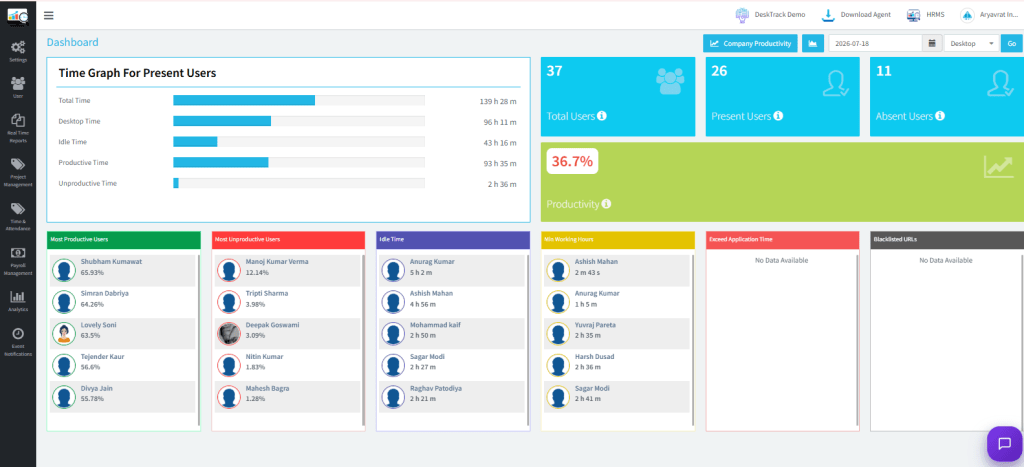
Automatic tracking, live dashboards, screenshots, and detailed reports. The gold standard for remote team visibility. Free trial available.
What Makes DeskTrack the Best Work At Home App?
DeskTrack is an intelligent employee monitoring and time-tracking platform built for the realities of distributed work. Unlike basic stopwatch-style timers, DeskTrack operates automatically in the background, capturing rich productivity data without breaking any employee’s flow.
How DeskTrack Works for Remote Teams?
Install in Minutes
DeskTrack’s lightweight desktop agent (Windows, macOS, Linux) installs silently and begins tracking from the first login no complicated configuration needed.
Auto-Capture Work Activity
Every app opened, every website visited, every minute spent is recorded automatically. Productive apps (VS Code, Excel, Figma) are categorised as “productive”; social media and news sites as “unproductive” all customisable by role.
View Live Dashboard
Managers see a real-time overview of who is online, what each team member is working on, and colour-coded productivity scores without sending a single “Are you there?” message.
Generate Reports Automatically
Daily, weekly, or monthly reports land in your inbox, ready to share with stakeholders or attach to client invoices with a single click.
Optimise & Scale
Use DeskTrack’s productivity trends to identify top performers, pinpoint bottlenecks, redistribute workload, and plan hiring all backed by hard data.
- Pros: 100% automated background time tracking; precise URL and app-level tracking; provides real-time productivity analytics for teams.
- Cons: Comprehensive tracking might feel intrusive to some employees; requires initial configuration by managers.
Remote Work Success Starts With the Right Tools
Track time, manage projects, monitor productivity, and keep your team aligned—no matter where they work.
2.Toggl Track
⏱️ SIMPLE TIMER
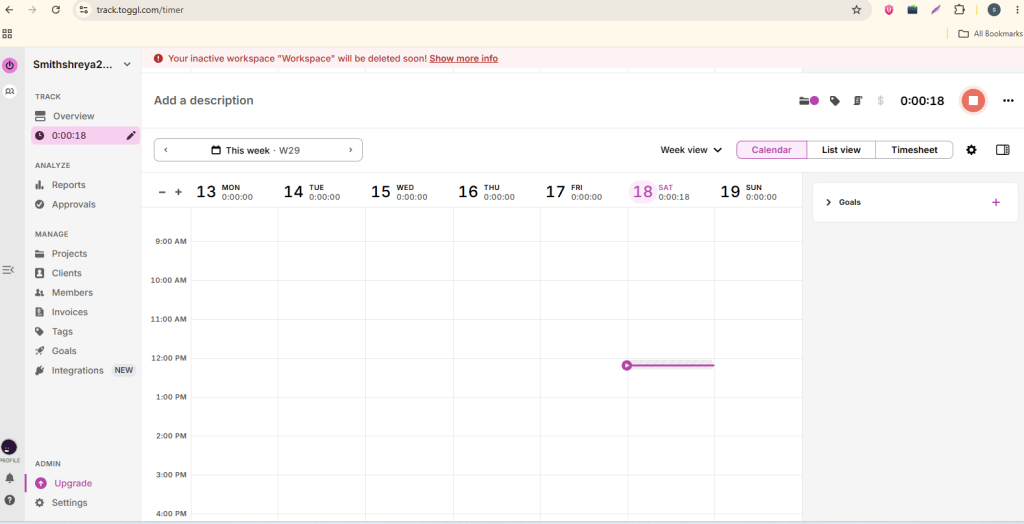
Clean, manual time tracking with project and client tagging. Great for freelancers, but lacks DeskTrack’s automatic monitoring depth.
- Pros: Extremely user-friendly and lightweight interface; excellent idle-time detection alerts; integrates with over 100+ tools.
- Cons: Lacks completely automated, passive background tracking; the free tier offers limited reporting capabilities.
3.Hubstaff
📍 GPS + TIME
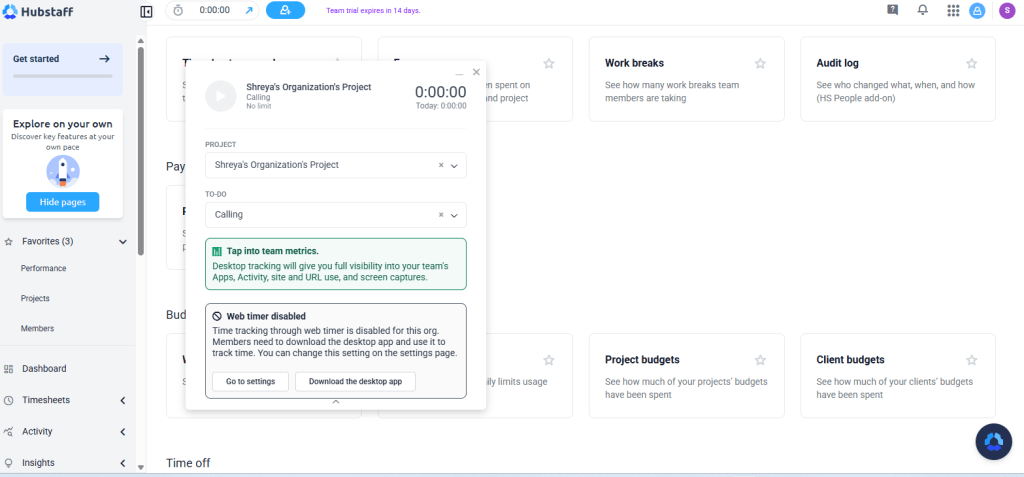
Combines time tracking with GPS for field teams. Solid, though its screenshot quality and reporting lag behind DeskTrack’s precision.
- Pros: Beautiful visual timelines and Gantt charts; powerful built-in task automation; excellent for managing overall team workload.
- Cons: The interface can feel overwhelming for beginners; lacks robust native time-tracking features without integrations.
Communication & Messaging
<
4.Slack
💬 TEAM CHAT
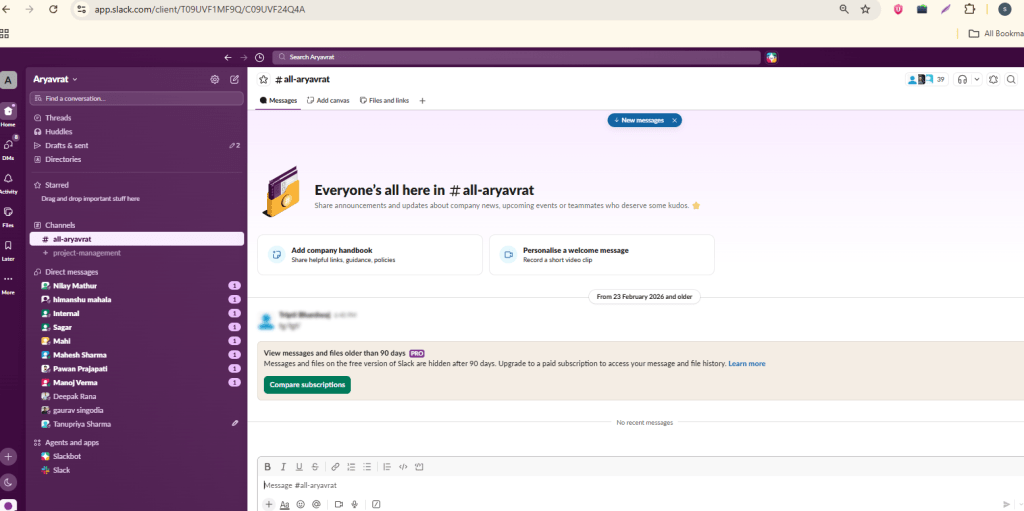
Channel-based messaging that replaces email for day-to-day comms. Powerful integrations with virtually every other work tool.
- Pros: Well-organized communication channels; powerful message and file search history; central hub for almost all third-party app integrations.
- Cons: Can cause severe notification fatigue; the free plan restricts message history access after a certain period.
Read Also: Top 5 Free Time Tracking Software for Freelancers
5.Zoom
📹 VIDEO CALLS
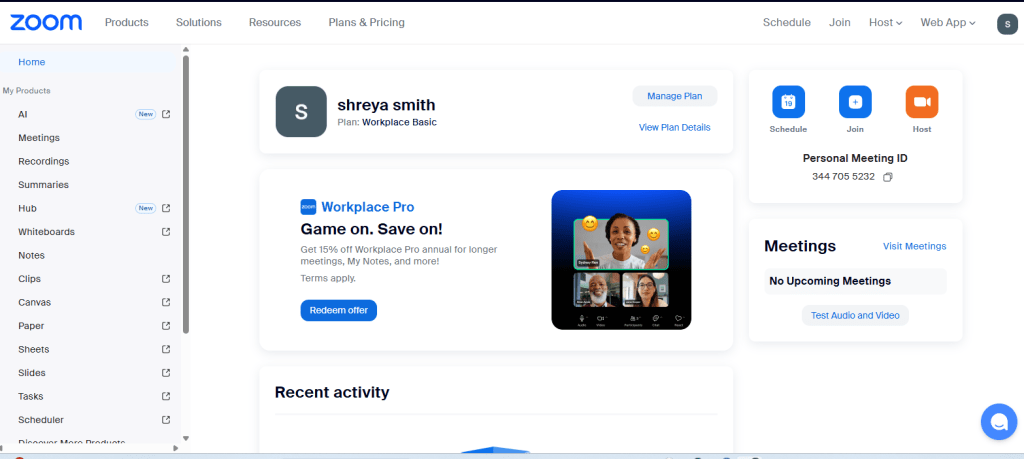
Reliable, high-quality video conferencing for standups, client calls, and all-hands meetings. Industry standard for remote video.
- Pros: Exceptional audio and video stability even on low bandwidth; interactive whiteboard and breakout room features; easy one-click meeting access.
- Cons: Strict 40-minute limit on group calls in the free tier; requires a software download for the best user experience.
6.Microsoft Teams
🧩 ALL-IN-ONE
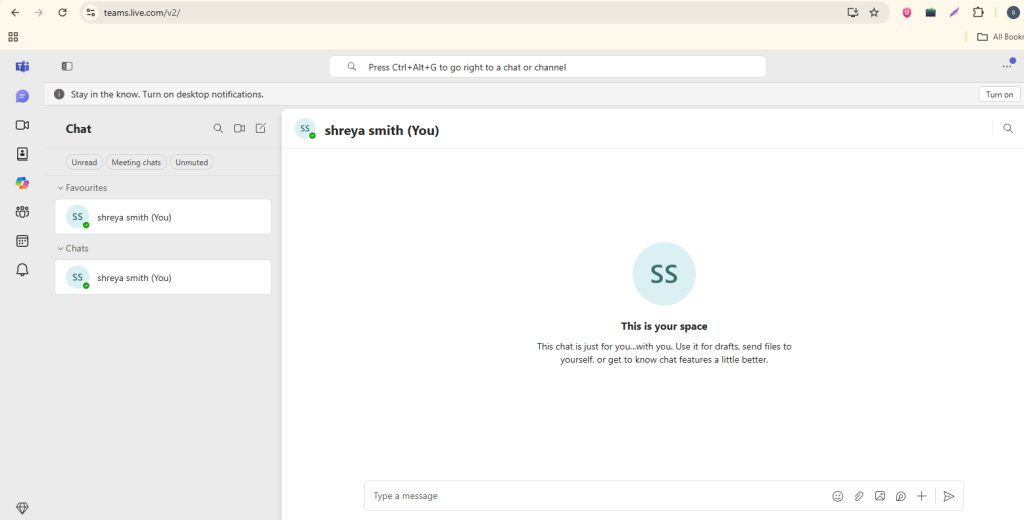
Chat, calls, file sharing, and Office 365 integration in one hub. Ideal for enterprises already in the Microsoft ecosystem.
- Pros: Seamless deep integration with the MS 365 ecosystem; exceptionally high-quality video conferencing; enterprise-grade data security.
- Cons: Highly resource-intensive and slows down older computers; the user interface can feel rigid and corporate.
Project & Task Management
7.Asana
🗂️ PROJECT PLANNING
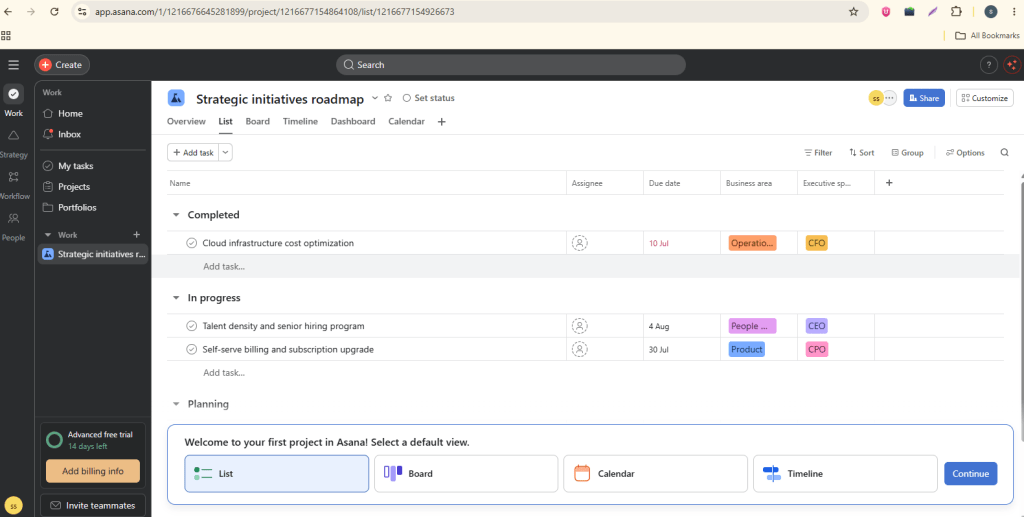
Visual project boards, timelines, and workload views. Integrates with DeskTrack for automatic time logging against specific tasks.
- Pros: Beautiful visual timelines and Gantt charts; powerful built-in task automation; excellent for managing overall team workload.
- Cons: The interface can feel overwhelming for beginners; lacks robust native time-tracking features without integrations.
8.Trello
📋 KANBAN BOARD
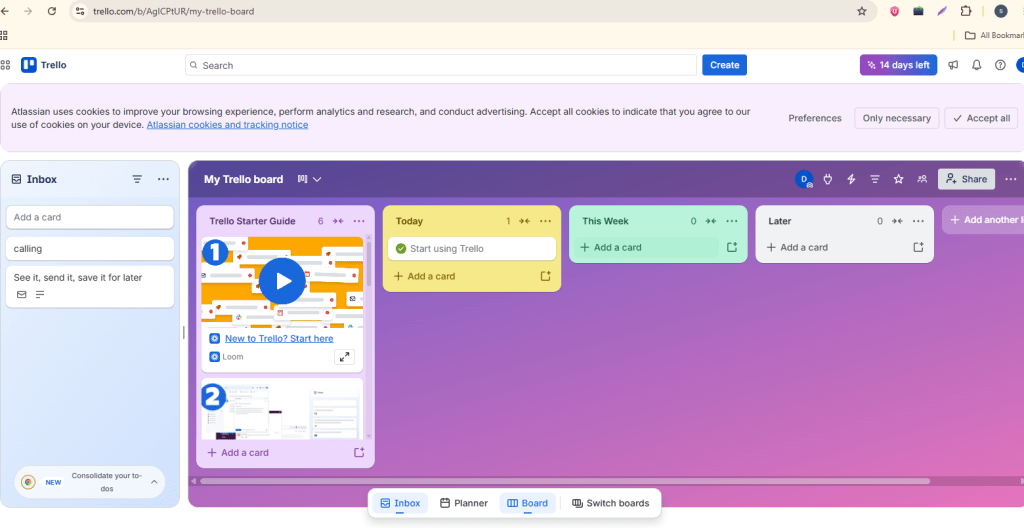
Simple drag-and-drop kanban boards perfect for small teams. Intuitive enough to onboard in minutes.
- Pros: Highly intuitive drag-and-drop Kanban boards; built-in “Butler” automation saves time; perfect for small teams and simple workflows.
- Cons: Not suitable for handling complex, multi-layered projects; reporting and analytics features are very basic.
9.Jira
👨💻 DEV TEAMS
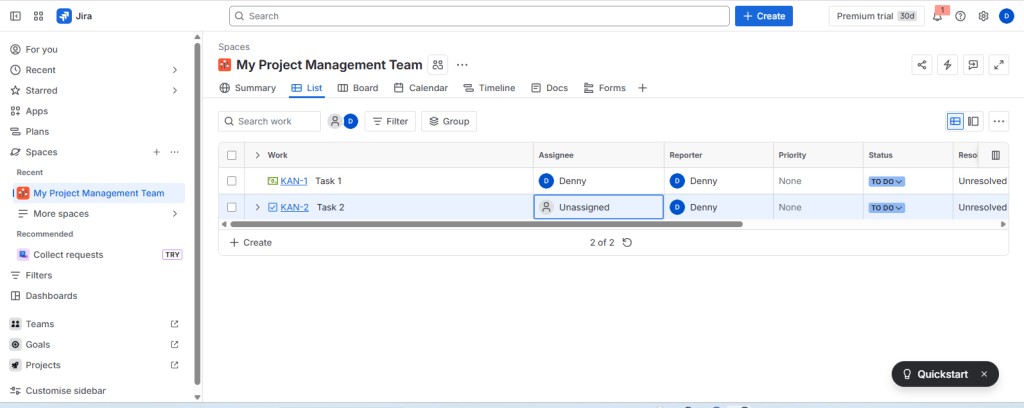
The go-to for software development sprints. DeskTrack integrates natively to log time against Jira tickets automatically.
- Pros: Advanced agile project management features like sprint planning and burn-down charts; highly customizable workflows tailored for software development; robust issue tracking capabilities.
- Cons: Extremely steep learning curve for non-technical or creative teams; user interface can feel clunky and slow due to heavy features.
Documentation & Knowledge
10.Notion
📄 ALL-IN-ONE DOCS
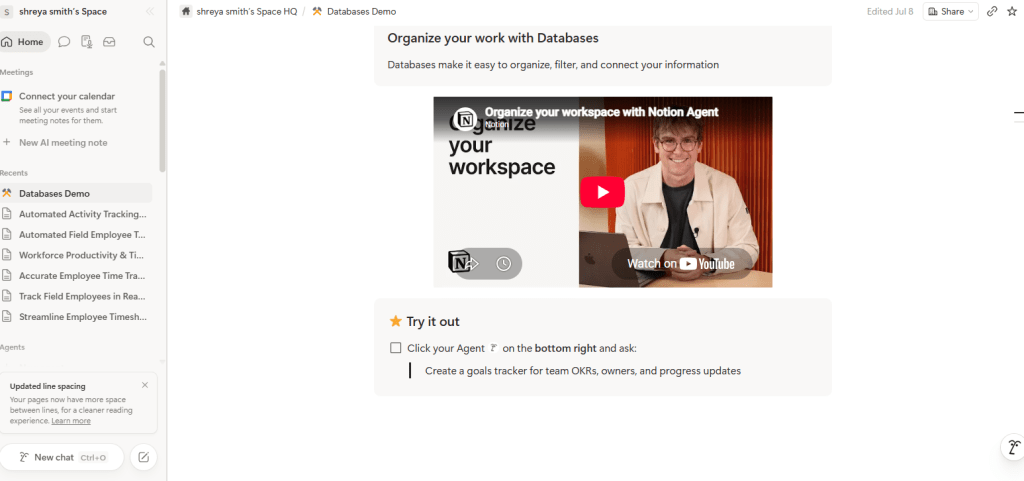
A versatile workspace for notes, project management, team wikis, and task tracking that helps remote teams stay organized and collaborate efficiently from anywhere.
- Pros: Infinitely customizable layout options; excellent for building internal team wikis and databases; clean, distraction-free minimalist UI.
- Cons: Building custom workflows from scratch takes significant time; the mobile application can feel slow and clunky.
11.Confluence
🏢 ENTERPRISE
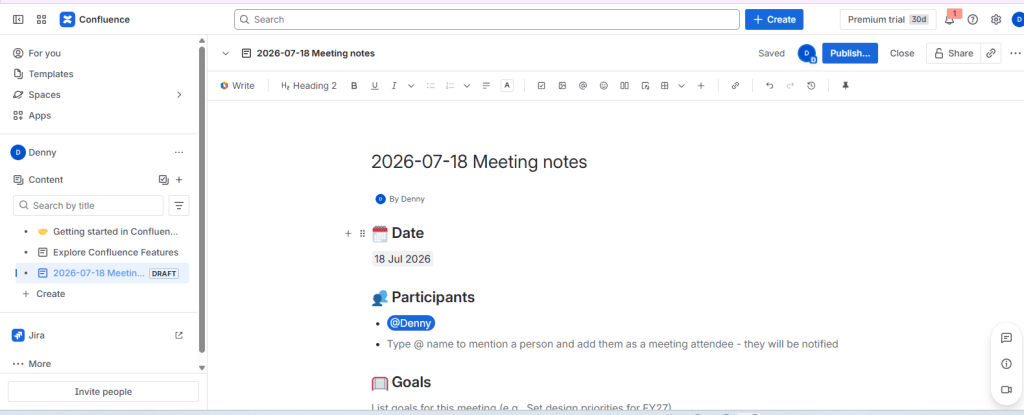
Atlassian’s documentation platform, tightly integrated with Jira. Excellent version control and structured team spaces.
- Pros: Seamless integration with Jira for tracking development tasks; excellent for organizing complex internal team knowledge bases; strong page version-control history.
- Cons: The formatting editor can be clunky and frustrating to use; search functionality often struggles to find specific documents quickly.
Focus & Deep Work
12.Forest
🎯 FOCUS TIMER
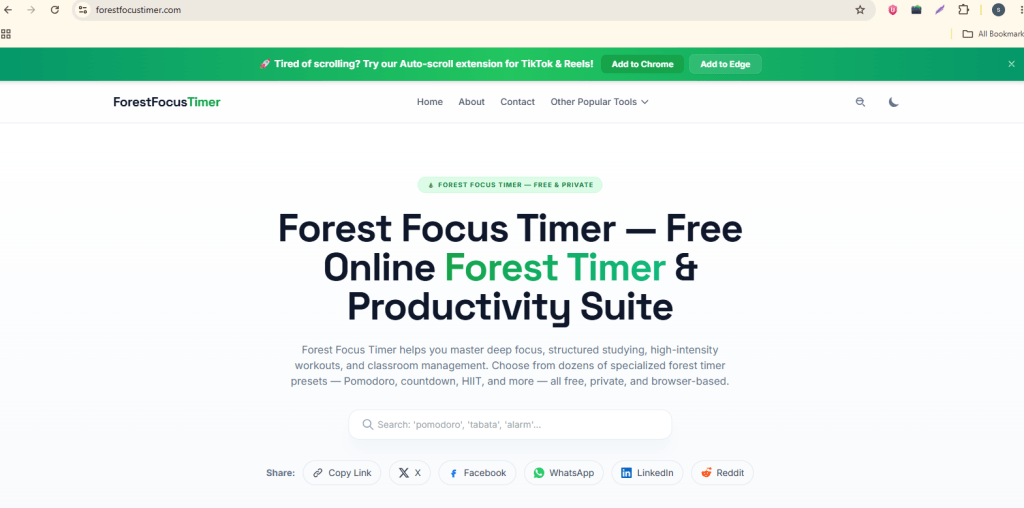
Gamified Pomodoro technique: grow a virtual forest by staying off your phone. Surprisingly effective for resisting social media urges.
- Pros: Highly engaging, gamified approach to building focus; effectively deters phone distraction through visual rewards; allows teams to plant real trees globally.
- Cons: Primarily designed for mobile users rather than desktop workflows; lacks any project management or task tracking features.
13.Freedom
🚫 SITE BLOCKER
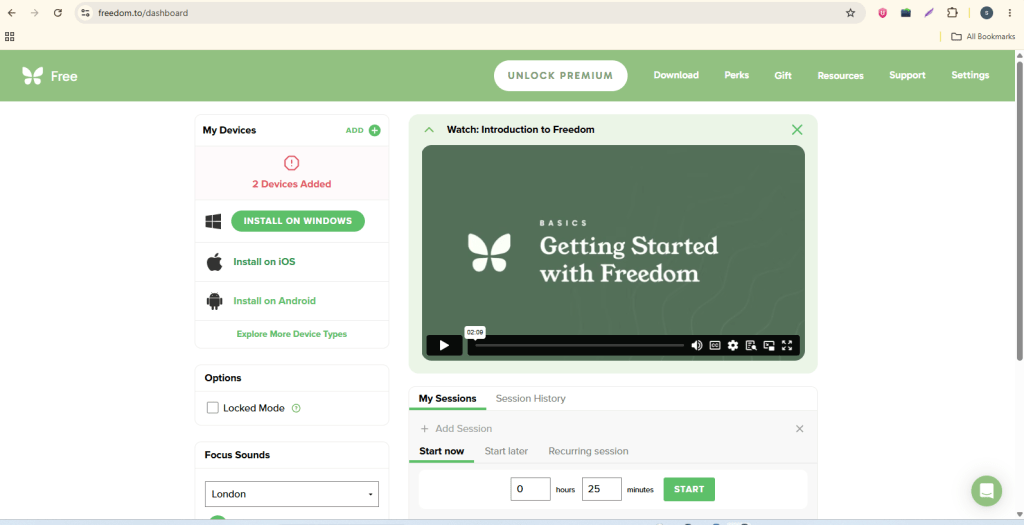
Block distracting websites and apps across all your devices simultaneously. Schedule focus sessions in advance so willpower isn’t required.
- Pros: Blocks distracting apps and websites completely across multiple devices simultaneously; includes a strict “Locked Mode” that cannot be bypassed; offers flexible scheduling for focus blocks.
- Cons: The free trial version is very limited; does not provide deep analytical insights into where your time was spent.
Cloud Storage & File Sharing
14.Google Drive
☁️ CLOUD STORAGE
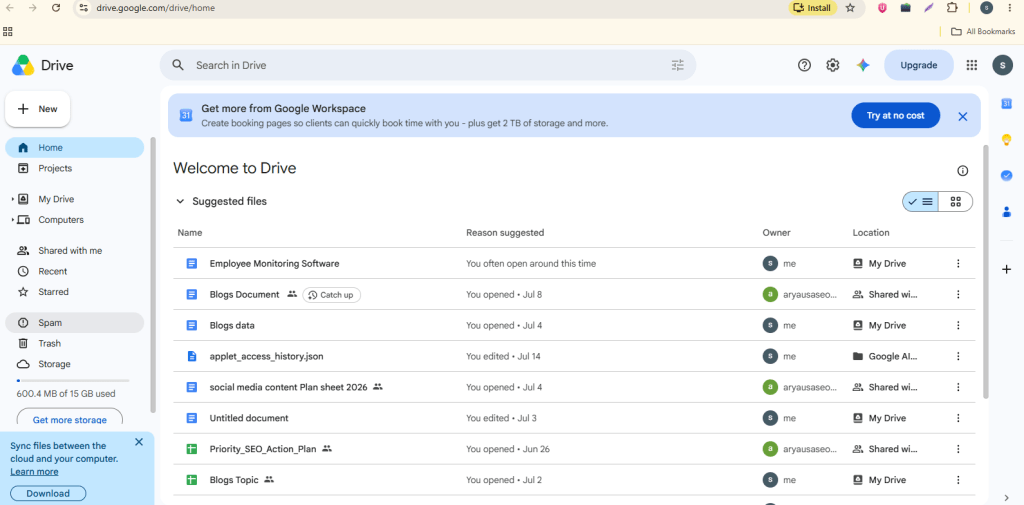
Seamless cloud storage with real-time co-editing in Docs, Sheets, and Slides. Free 15 GB and nearly universal integration support.
- Pros: Unmatched real-time file collaboration and simultaneous editing; seamless integration with the Android and Google ecosystem; generous 15GB free storage capacity.
- Cons: File organization can quickly become chaotic without strict folder management; offline file syncing can sometimes fail or create duplicate copies.
15.Dropbox
🔄 FILE SYNC
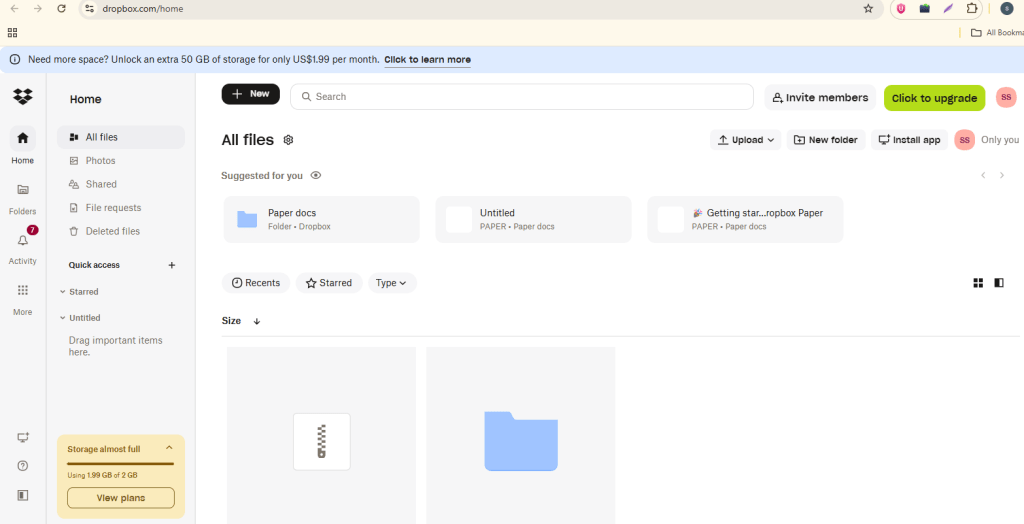
Reliable file sync with outstanding version history and Smart Sync. Preferred by creative agencies handling large media files.
- Pros: Extremely fast and reliable file synchronization speeds; excellent “Smart Sync” saves hard drive space by keeping files in the cloud; advanced link-sharing controls and file locking features.
- Cons: Paid subscription plans are relatively expensive for individual remote workers; document collaboration tools (like Dropbox Paper) are not as powerful as Google Docs.
How to Choose the Right Apps for Working From Home?
With hundreds of apps for working from home on the market, the risk is tool sprawl paying for twelve subscriptions when five would do more. The following framework helps you choose with precision.
Team Size Matters
Solo freelancers need a simple time tracker (DeskTrack solo plan), cloud storage, and a video tool. SMBs (5–50 people) benefit most from DeskTrack’s team dashboard, a project management tool, and a shared communication hub. Enterprises (50+) require the full DeskTrack platform with SSO, API access, and HRIS integration.
Industry-Specific App Stacks
Software teams thrive with DeskTrack + Jira + Slack + Confluence. Marketing agencies typically use DeskTrack + Asana + Notion + Google Drive. Finance and legal firms need DeskTrack’s compliance-grade reporting alongside Microsoft 365 and Zoom.
Build Your Ideal Work From Home App Stack
The secret to a high-performing remote team isn’t having more apps it’s having the right apps that talk to each other. Here is the recommended DeskTrack-centred stack for 2026:
| Tool | Category | Description |
|---|---|---|
| DeskTrack | Foundation Layer | Tracks all time, monitors productivity, generates reports |
| Slack | Communication | Async team messaging, channels, and notifications |
| Zoom | Meetings | Standups, client calls, town halls |
| Asana | Projects | Task management, timelines, workload view |
| Notion | Knowledge | SOPs, wikis, meeting notes, onboarding docs |
| Google Drive | Storage | File sharing, co-editing, version history |
This stack covers every dimension of remote work tracking, communication, execution, documentation, and storage while remaining lean enough to avoid subscription fatigue. DeskTrack’s integrations with Asana, Jira, Slack, and Google Drive mean data flows automatically between tools, eliminating double-entry.
Key Benefits of Using Work From Home Apps
Organisations that deploy structured work from home apps consistently report measurable improvements across five business dimensions:
Employee Benefits
It is easy to frame monitoring tools as a threat to employee autonomy, but the research tells a different story. Employees who use apps for working from home that include self-reporting dashboards like DeskTrack’s individual productivity view report greater job satisfaction because they can demonstrate their value objectively, advocate for workload reductions with hard data, and maintain clearer boundaries between work and personal time.
Security & Privacy in Work At Home Apps
Any work at home app that handles employee data must meet rigorous security standards. Here is what to look for and why DeskTrack sets the benchmark.
DeskTrack satisfies every criterion on this checklist. Critically, DeskTrack is transparent by design employees always know monitoring is active, can review their own data at any time, and managers can configure exactly what level of monitoring is appropriate for each role. This builds trust rather than resentment.
Read Also: Workforce Management Tools: A Complete Guide & Top 5 Options
10 Tips for Getting the Most From Your WFH App Stack
- Set up DeskTrack on Day Establish tracking habits before bad ones form. Retroactive data is always less valuable than prospective data.
- Define “productive” categories per A designer’s productive apps differ from a developer’s. Customise DeskTrack’s categorisation to match each team’s reality.
- Schedule a weekly productivity Use DeskTrack’s weekly summary report as a standing agenda item in 1-on-1s. This normalises data-driven conversations.
- Use async communication by Reserve Zoom for decisions; use Slack for updates. This respects deep-work time and reduces meeting fatigue.
- Protect focus blocks on your Block 2–3 hour deep-work windows daily and use Freedom to block distracting sites during these periods.
- Document everything in Tribal knowledge kills remote teams. If it isn’t written down and searchable, it doesn’t exist.
- Automate your reports. Set DeskTrack to email daily and weekly summaries Remove the manual step of pulling reports it will not happen consistently.
- Integrate your Connect DeskTrack to Asana or Jira so time logs against tasks automatically. One source of truth beats four.
- Review app usage Cancel tools that show low adoption. Stack discipline is more important than stack size.
- Share productivity data with Employees who see their own DeskTrack scores self-correct faster than those who receive top-down feedback weeks after the fact.
Ready to upgrade your remote stack? Start your 14-day DeskTrack Free Trial No credit card required.
DeskTrack for Different Industries
DeskTrack is not a one-size-fits-all monitor it is a configurable productivity platform that adapts to the specific needs of any industry where remote or hybrid work occurs.
Software Development Teams
Automatically log time against Jira and GitHub issues. See which engineers spend the most time in productive coding tools versus communication overhead. Generate accurate sprint velocity data backed by real time measurements, not estimates.
Marketing & Creative Agencies
Track billable hours across multiple client accounts simultaneously. Automatically categorise time spent in design tools (Figma, Adobe CC), content platforms (WordPress, HubSpot), and reporting tools. Bill clients accurately down to the minute.
A Finance & Legal Firms
Maintain compliance-grade time records that satisfy audit requirements. Screenshot capture provides an irrefutable record of work performed. Role-based access ensures sensitive client data is only visible to authorised personnel.
Healthcare & Telehealth
Monitor administrative staff working from home without compromising HIPAA obligations. DeskTrack’s configurable monitoring respects patient data protocols while still delivering the productivity visibility managers need.
Education & EdTech
Track teacher and admin hours across distributed school systems. Verify that remote staff are actively engaged during contracted hours with idle-detection alerts.
Conclusion
The shift to remote work is permanent. The question is no longer whether to use work from home apps it is which ones, and how to integrate them into a coherent, efficient system.
Start with DeskTrack as your foundation. It answers the hardest question in remote management “How productive is my team?” with objective, real-time data. Layer in Slack for communication, Zoom for meetings, Asana for project execution, and Notion for knowledge. That five-tool stack covers 95% of what any remote team needs to operate at peak performance.
The companies that will win in the remote-work era are not the ones with the biggest office budgets they are the ones with the best apps for working from home and the discipline to use them well.
Frequently Asked Questions (FAQ)
Ans. The best work-from-home apps include tools for communication, project management, time tracking, video conferencing, file sharing, and productivity monitoring. Popular options help teams collaborate efficiently and stay organized while working remotely. Ans. Work-from-home apps improve communication, streamline workflows, enhance collaboration, track productivity, and help managers monitor project progress, ensuring remote teams remain productive and accountable. Ans. Key features include task management, team communication, time tracking, file sharing, reporting, integration capabilities, and real-time collaboration to support efficient remote work. Ans. Yes, Many work-from-home apps provide insights into work hours, task completion, application usage, and project progress, helping employees stay focused and managers identify productivity trends.work-from-home-apps