Managing a remote team across five time zones — no shared office, no reliable way to know who’s working on what, and for how long — is the everyday reality for millions of businesses in 2026.
Without the right tools, billable hours go untracked, project deadlines slip, and payroll errors become expensive headaches. That’s exactly where modern time tracking apps step in.
Whether you’re a freelancer billing by the hour, a startup scaling fast, or an enterprise managing hundreds of employees, the right app for tracking time can fundamentally change how your team operates.
In 2026, these tools have evolved far beyond simple stopwatches. Think AI-powered productivity insights, real-time dashboards, GPS tracking, and seamless payroll integration — all in one platform.
In this guide, you’ll find:
- What time tracking apps are and how they work
- Why businesses urgently need them in 2026
- Key features to look for before choosing a tool
- A side-by-side comparison of the top 15 tools
- In-depth reviews, free vs. paid breakdowns, use cases, and FAQs
This ensures a balance between accountability and privacy.
Comparison Table: Top 15 Time Tracking Apps in 2026
| App Name | Best For | Starting Price | Free Plan | Platforms | Key Features |
|---|---|---|---|---|---|
| DeskTrack | Remote & hybrid teams | $5.99/user/mo | ✅ | Web, Win, Mac, Android, iOS | Auto tracking, screenshots, analytics |
| Clockify | Freelancers & small teams | Free / $3.99+ | ✅ Unlimited | Web, Win, Mac, Android, iOS | Timesheets, reports, project tracking |
| Toggl Track | Freelancers & agencies | Free / $9/user | ✅ | Web, Win, Mac, Android, iOS | One-click timers, integrations, reports |
| Hubstaff | Remote employee monitoring | $4.99/user/mo | ❌ | Web, Win, Mac, Android, iOS | GPS, screenshots, payroll |
| Time Doctor | Enterprises & call centers | $5.90/user/mo | ❌ | Web, Win, Mac, Android, iOS | Screenshots, app tracking, payroll |
| Harvest | Freelancers & project billing | Free / $10.80/seat | ✅ 1 user | Web, Win, Mac, Android, iOS | Time & expense tracking, invoicing |
| RescueTime | Individual productivity | Free / $6.50/mo | ✅ | Web, Win, Mac, Android | Auto tracking, focus sessions |
| ClickUp | All-in-one PM + time tracking | Free / $7/user | ✅ | Web, Win, Mac, Android, iOS | Full PM suite + time tracking |
| Asana | Project & team management | Free / $10.99/user | ✅ | Web, Android, iOS | Task management + time integrations |
| TMetric | Small to mid-size businesses | Free / $5/user | ✅ | Web, Win, Mac, Android, iOS | Time tracking, billing, reports |
| Paymo | Agencies & creative teams | Free / $3.90/user | ✅ | Web, Win, Mac, Android, iOS | Time tracking, invoicing, PM |
| Everhour | Jira/Asana/Trello teams | $8.50/user/mo | ❌ | Web, Chrome extension | Deep PM integrations |
| Apploye | Budget remote monitoring | $2.50/user/mo | ❌ | Web, Win, Mac, Android, iOS | Screenshots, GPS, activity levels |
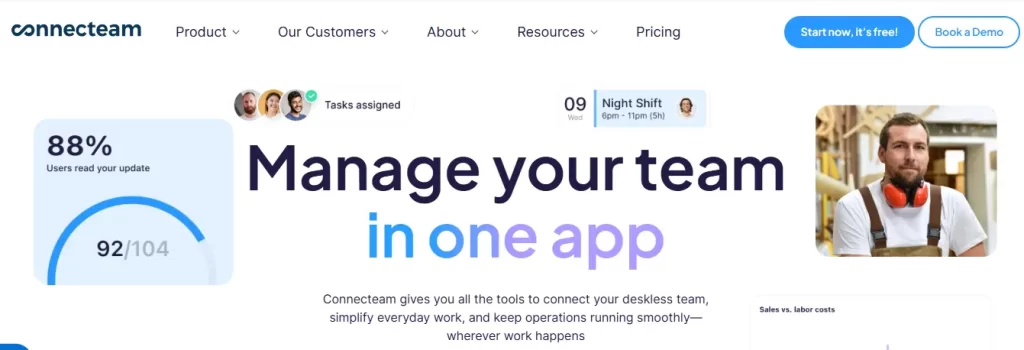
| Connecteam | Deskless & field workers | Free / $29/mo | ✅ | Web, Android, iOS | GPS geofencing, scheduling, time clock |
| ProofHub | Centralized team management | $45/mo flat | ❌ | Web, Android, iOS | Built-in time tracking + PM |
What Are Time Tracking Apps?
Time tracking apps are digital tools that record, monitor, and analyze how work hours are spent across tasks and projects. At their core, they answer one critical question: Where is your team’s time actually going?
Unlike old-school timesheets — which are manual, error-prone, and often inaccurate — modern time tracking software provides automated, real-time visibility. They integrate directly with project management platforms, HR systems, and payroll tools, creating a unified ecosystem for workforce management.
Core functions include:
- Work hours monitoring — Logging clock-in and clock-out times for employees
- Task-level tracking — Recording time spent on individual tasks or projects
- Team management integration — Syncing with tools like Asana, Jira, Slack, and QuickBooks
How They Work
Modern apps for tracking time combine manual and automated methods to fit any workflow.
1. Automatic Tracking
AI-powered tools detect which app, website, or task a user is working on — no manual input needed. This significantly reduces human error and gives managers accurate, unbiased data. For example, a developer working in VS Code automatically has that time logged under the relevant project.
2. Manual Timers
Freelancers and consultants often prefer manual timers for precise billing control. A single click starts or stops the timer, making it easy to track exactly how long a client call or proposal took.
3. Productivity Analytics
Beyond raw numbers, leading apps generate detailed reports showing active vs. idle time, app usage patterns, and task completion rates. Managers use these insights to identify bottlenecks, balance workloads, and improve team efficiency.
4. Attendance & Shift Management
Many platforms include built-in attendance features — shift scheduling, leave tracking, and GPS location monitoring for field-based employees.
Losing track of work hours?
Streamline your team’s time, boost productivity, and stay in control—start your free trial today.
Why Businesses Need Time Tracking Apps in 2026
1. The Remote Work Reality
Over 60% of knowledge workers now work remotely at least part of the week. Without physical supervision, businesses need a reliable, fair way to measure productivity — and time tracking apps for employees fill that gap without resorting to micromanagement.
Remote teams face unique challenges: different time zones, communication gaps, and the blurred line between work and personal time. Time tracking software creates transparency without creating distrust.
2. The Invisible Productivity Problem
An employee can be online but not actively productive. Projects can fall behind without anyone flagging it. Billable hours can disappear into thin air.
Without an app for tracking time, businesses operate on incomplete data — making decisions about performance, hiring, and project planning with a blindfold on.
3. Real-Time Monitoring = Real Business Results
In 2026, end-of-day reports aren’t enough. Real-time workforce monitoring helps businesses:
- Cut time wastage — Spot unproductive patterns before they derail deadlines
- Build accountability — Employees stay focused knowing their time is tracked fairly
- Improve project delivery — Accurate data enables better planning and resource allocation
- Stay compliant — Labor laws in many jurisdictions require precise time records
Key Features to Look for in Time Tracking Apps
Not all time tracking tools are built equal. Here’s what to prioritize before making a decision:
1. Automatic Time Tracking
The best apps run silently in the background, recording time spent on apps and tasks without requiring constant manual input. This is especially critical for remote teams where manual logging is inconsistent.
2. Attendance & Leave Management
Enterprise-ready tools include shift scheduling, leave request workflows, and real-time attendance dashboards — eliminating the need for a separate HR tool.
3. Productivity Reports & Analytics
Look for platforms that let you compare actual vs. estimated time, generate exportable reports, and break down productivity by individual, team, or project.
4. Screenshot Monitoring
For remote employee oversight, screenshot capture provides visual proof of work activity. The best tools offer configurable intervals and privacy-friendly options like blurring sensitive content.
5. Project & Task Management
Integrated project management means your time data and task progress live in the same platform — no toggling between tools.
6. Mobile Accessibility
In 2026, mobile-first is non-negotiable. GPS tracking on mobile is especially valuable for field teams, construction crews, and distributed workforces.
7. Payroll & Billing Integration
Seamless connections to QuickBooks, Gusto, ADP, and invoicing platforms mean tracked hours flow directly into accurate paychecks and client invoices — zero manual effort.
Top 15 Time Tracking Apps in 2026: In-Depth Reviews
1. DeskTrack
Best For: Remote teams, hybrid workforces, and employee productivity monitoring
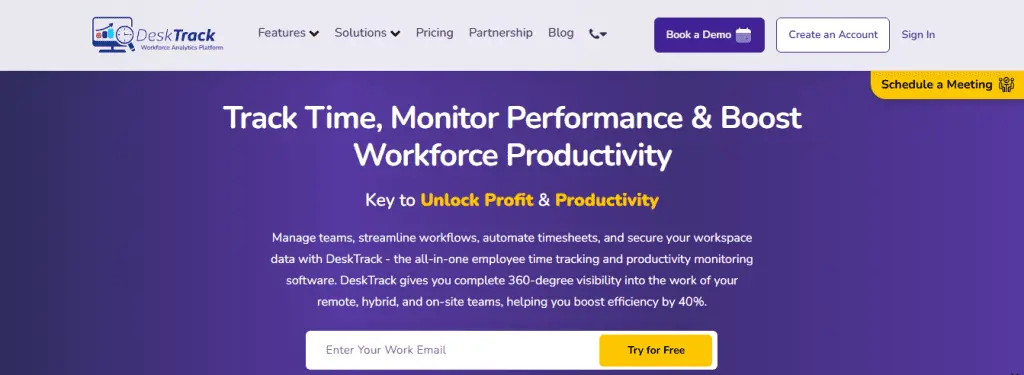
DeskTrack is one of the most comprehensive time tracking apps for employees available in 2026. Rather than just recording hours, it builds a detailed picture of how your team works — automatically, in real time, and with minimal setup.
Key Features:
- Automatic time tracking with real-time activity monitoring
- Screenshot capture with configurable intervals
- App and URL tracking to see which tools employees actually use
- Productivity analytics with individual and team-level reporting
- Attendance, leave management, and shift scheduling
- Project and task management with time allocation
- Payroll integration for accurate salary calculation
- Idle time detection to separate active from passive hours
- Mobile app with GPS tracking for field teams
Pros
- Comprehensive monitoring with minimal setup
- Affordable for SMBs and enterprises
- Strong auto tracking reduces manual errors
- Excellent productivity analytics dashboard
- Supports remote and on-site monitoring
Cons
- Learning curve for first-time users
- Advanced features on higher tiers only
- Screenshot feature requires transparent team communication
Why choose DeskTrack in 2026?
For businesses transitioning to remote-first or hybrid models, DeskTrack provides the accountability and transparency you need — without turning managers into micromanagers. Unlike many competitors that focus purely on timers, DeskTrack delivers a near-complete employee monitoring and productivity management platform at a price that works for businesses of all sizes.
2. Clockify
Best For: Freelancers, small teams, and anyone searching for a genuine time tracking app free
Clockify has cemented itself as the go-to free time tracking solution in 2026 — and for good reason. Its unlimited free plan offers more than most paid tools charge for at entry level.
Key Features:
- Unlimited time tracking on the free plan (no user caps)
- One-click timers and manual time entry
- Timesheet approvals and project budgeting
- Team scheduling and calendar view
- Detailed reports exportable as PDF, CSV, or Excel
- 80+ integrations including Trello, Asana, and Jira
Pros
- Genuinely free for unlimited users
- Simple, intuitive interface
- Excellent reporting even on free tier
- Scales from solo freelancers to large teams
Cons
- Screenshot and GPS require paid upgrade
- Customer support limited on free plan
3. Toggl Track
Best For: Freelancers, consultants, and agencies wanting simple, reliable time tracking
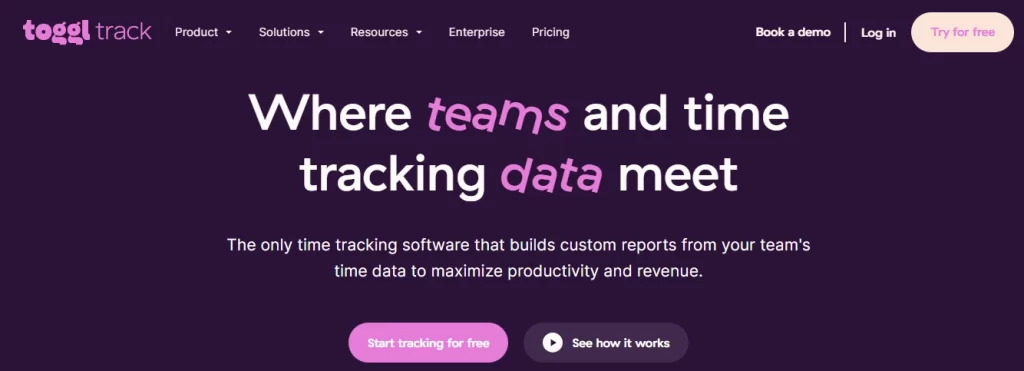
Toggl Track has built a loyal following by doing one thing exceptionally well: making time tracking effortless. In 2026, it remains a top choice for anyone who values clean design and a minimal learning curve.
Key Features:
- One-click timer with desktop, browser, and mobile support
- Automatic tracking with calendar integrations (Google, Outlook)
- Project, client, and tag-based organization
- Revenue projections and detailed reporting
- 100+ third-party integrations
- Idle detection and background tracking
Pros
- Extremely easy to use, minimal learning curve
- Clean, polished interface
- Strong integrations ecosystem
Cons
- No built-in invoicing
- Limited employee monitoring features
- Advanced reporting on paid plans only
4. Hubstaff
Best For: Remote employee monitoring and GPS-based field team tracking
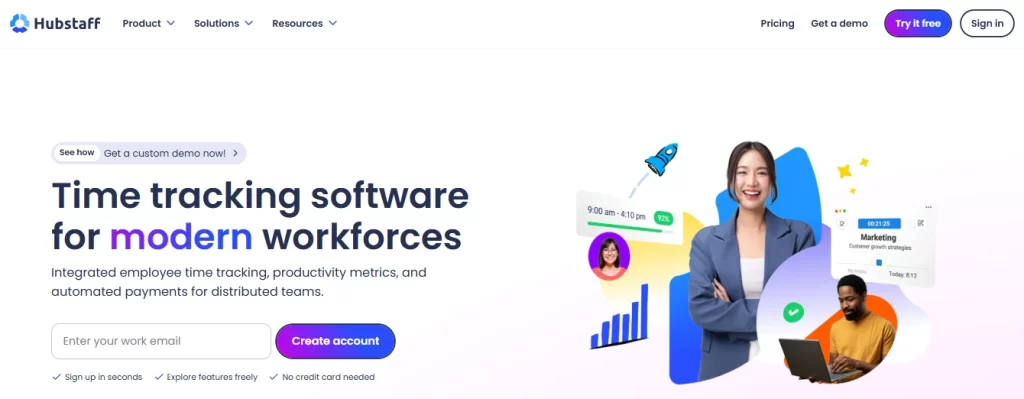
For businesses managing workers across multiple locations — think construction crews, delivery drivers, or distributed sales teams — Hubstaff is hard to beat. Its GPS tracking and payroll automation make it especially valuable in industries where location matters.
Key Features:
- Automatic time tracking with activity level monitoring
- GPS location tracking for mobile workers
- Screenshot capture at configurable intervals
- Payroll automation and invoicing
- Shift scheduling and attendance management
- 30+ project management tool integrations
Pros
- Excellent GPS and location tracking
- Strong payroll automation features
- Robust mobile app for field teams
- Good project budgeting tools
Cons
- No free plan
- Can feel invasive without clear team communication
- Higher pricing than some alternatives
5. Time Doctor
Best For: Enterprises, call centers, and businesses requiring deep employee monitoring
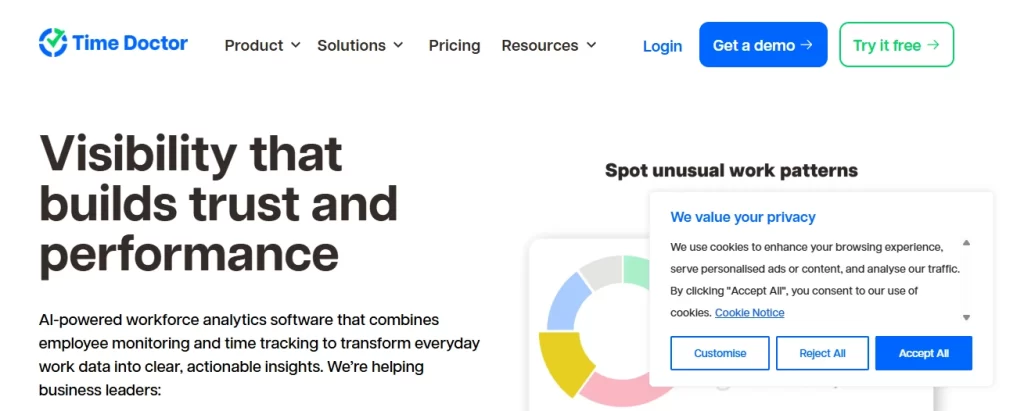
Time Doctor goes further than most monitoring tools — it captures not just hours worked, but how those hours are spent, down to distraction alerts when employees drift to non-work websites.
Key Features:
- Automatic tracking with app and website monitoring
- Screenshots and optional video screen recording
- Distraction alerts and productivity scoring
- Work-life balance analytics
- Payroll integrations with 20+ platforms
- Real-time monitoring dashboard
Pros
- Extremely detailed monitoring capabilities
- Excellent for large, distributed teams
- Strong payroll and HR integrations
- Distraction alerts actively improve focus
Cons
- Higher price point
- Interface less polished than competitors
- Screenshot frequency can feel intrusive
6. Harvest
Best For: Freelancers and agencies needing time tracking with built-in invoicing
Harvest solves a problem that many freelancers know all too well: tracking time in one tool and billing in another, then spending hours reconciling the two. Harvest combines both in one clean, professional platform.
Key Features:
- Simple one-click time tracking
- Expense tracking with receipt capture
- Professional invoicing with online payment support
- Project budget monitoring with overage alerts
- Team capacity reporting
- Integrations with Asana, Basecamp, Trello, and QuickBooks
Pros
- Best-in-class invoicing and billing features
- Clean, professional interface
- Strong project budget tracking
- Excellent financial tool integrations
Cons
- Limited employee monitoring
- Free plan restricted to 1 user, 2 projects
- No built-in payroll
7. RescueTime
Best For: Individual professionals focused on personal productivity optimization
RescueTime takes a different approach from team-focused tools. It works silently in the background, automatically building a detailed picture of how you actually spend your day — no timers, no manual logging, no effort required.
Key Features:
- Fully automatic tracking (no timers needed)
- Detailed productivity scores by category
- Focus sessions with distraction website blocking
- Goal setting and habit tracking
- Weekly email summaries and alerts
- Integrations with Slack, Asana, and Google Calendar
Pros
- Fully automatic — zero effort
- Excellent self-awareness and productivity insights
- Focus session feature enables deep work
- Affordable pricing
Cons
- Not designed for team management
- Limited project-level tracking
- No invoicing or payroll features
8. ClickUp
Best For: Teams wanting an all-in-one project management and time tracking platform
ClickUp’s pitch is simple: replace five tools with one. In 2026, it genuinely delivers on that promise — combining time tracking, task management, goals, docs, and reporting in a single (admittedly feature-dense) platform.
Key Features:
- Native time tracking with manual and automatic options
- Global timer accessible from any device
- Timesheets and billable time management
- Full PM suite (tasks, Gantt, sprints, goals)
- 1,000+ integrations including Slack, GitHub, and Zoom
- AI-powered productivity suggestions
Pros
- Incredibly feature-rich for the price
- Replaces multiple tools in one platform
- Generous free plan
- Regular feature updates
Cons
- Steep learning curve for new users
- Can overwhelm small teams
- Time tracking not as deep as dedicated tools
9. Asana
Best For: Teams focused on project management with time tracking via integrations
Asana isn’t a dedicated time tracking tool — but its best-in-class project management capabilities, paired with native integrations for Harvest, Toggl, and Clockify, make it a powerful option for teams already in the Asana ecosystem.
Key Features:
- Task and project management with timeline and board views
- Native time tracking (basic) + integrations with Harvest, Toggl, Clockify
- Workload management and team capacity planning
- Automation rules and workflow builder
- Goal tracking and portfolio management
Pros
- Industry-leading project management features
- Excellent cross-functional collaboration
- Strong free plan for small teams
- Beautiful, intuitive interface
Cons
- Native time tracking is limited
- Relies on integrations for full time tracking
- Higher-tier pricing can be expensive
10. TMetric
Best For: Small to mid-size businesses needing affordable time tracking with billing
TMetric won’t win any design awards, but it delivers solid time tracking, billing, and developer-friendly integrations at a price point that’s hard to argue with.
Key Features:
- One-click time tracking with browser extensions
- Project and task time budgeting
- Invoicing and billing management
- Team performance reports
- Integrations with Jira, GitHub, Trello, Asana, and more
- Attendance and leave tracking
Pros
- Very affordable pricing
- Good integration with developer tools
- Solid billing and invoicing features
- Free plan available
Cons
- Interface feels dated
- Limited monitoring features
- Mobile app needs improvement
11. Paymo
Best For: Creative agencies and project-based businesses
Paymo is purpose-built for the agency workflow — where juggling multiple client projects, tracking billable hours, and sending professional invoices is a daily reality. It elegantly connects all three in one platform.
Key Features:
- Time tracking with timesheets and timelines
- Project management with Kanban, Gantt, and list views
- Invoicing, estimates, and expense tracking
- Team scheduling and resource management
- Client portal for project updates and approvals
- Integrations with Slack, Google Drive, and Zapier
Pros
- Excellent for agencies managing multiple client projects
- Combines time tracking, PM, and billing elegantly
- Client portal adds professional value
- Good free plan for freelancers
12. Everhour
Best For: Teams deeply embedded in project management tools like Jira, Asana, or Trello
Everhour’s standout advantage is that it lives inside your existing project management tools. No tab switching, no separate login — time tracking surfaces exactly where you’re already working.
Key Features:
- Deep native integrations within Jira, Asana, Trello, GitHub, and Basecamp
- Time tracking directly inside PM tools (no tab switching)
- Project budgets, estimates, and billing rates
- Detailed reports and time audits
- Team scheduling and workload management
Pros
- Seamlessly embedded into popular PM tools
- Excellent for Jira or Asana-first teams
- Accurate project budgeting and reporting
- Minimal behavior change required
Cons
- No free plan
- Not useful without a supported PM tool
- Limited standalone functionality
13. Apploye
Best For: Remote team monitoring on a tight budget
Apploye delivers the core features of premium monitoring tools — screenshots, GPS, activity tracking, payroll — at a fraction of the cost. It’s the best value-for-money option for budget-conscious businesses.
Key Features:
- Automatic time tracking with activity monitoring
- Random screenshot capture for work verification
- GPS location tracking for mobile teams
- Productivity and project reports
- Payroll management with customizable pay rates
- Chrome extension for browser-based tracking
Pros
- Very affordable compared to competitors
- Strong monitoring features at low price
- GPS tracking on mobile
- Good for field and remote teams
Cons
- Interface less polished than market leaders
- Fewer integrations than Hubstaff or Time Doctor
- Variable customer support response times
14. Connecteam
Best For: Deskless workers, field teams, retail, hospitality, and frontline employees
Most time tracking apps are built with office workers in mind. Connecteam is different — it’s designed specifically for the 80% of the global workforce that doesn’t sit at a desk. Retail associates, construction workers, delivery drivers, and healthcare staff all benefit from its mobile-first approach.
Key Features:
- Mobile-first time clock with GPS geofencing
- Shift scheduling and roster management
- Task management and checklists
- Employee communication hub (chat, updates, surveys)
- Training and onboarding modules
- Payroll export with time approval workflows
Pros
- Purpose-built for deskless and frontline workers
- All-in-one workforce management platform
- Excellent GPS geofencing for shift verification
- Strong communication and engagement features
Cons
- Less suitable for office-based knowledge workers
- Flat-rate pricing can be costly for tiny teams
- Limited project management depth
15. ProofHub
- Built-in time tracking with manual and automatic options
- Project management with Gantt charts, Kanban boards, and calendars
- Team collaboration features (discussions, proofing, chat)
- Time reports and timesheet exports
- Custom roles and permission management
- No per-user pricing — ever
Pros
- Flat pricing eliminates per-user cost scaling
- All-in-one platform reduces tool sprawl
- Excellent for client-facing project teams
- Strong collaboration and proofing tools
Cons
- Higher upfront cost for small teams
- Time tracking not as advanced as dedicated tools
- No free plan
Free vs. Paid Time Tracking Apps: Which Do You Actually Need?
What Free Tools Do Well
In 2026, free time tracking apps are genuinely useful — not just crippled demos. Tools like DeskTrack, Clockify, Toggl Track, and TMetric offer unlimited time tracking, project organization, basic reporting, and multi-device support at zero cost.
Free tools work best for:
- Solo freelancers just starting to track billable hours
- Small teams testing the waters before committing to a paid plan
- Nonprofits and educational institutions with tight budgets
- Early-stage startups validating processes before scaling
Where Free Tools Fall Short
Despite real improvements, free time tracking apps have meaningful gaps:
- No screenshot or activity monitoring — critical for remote employee management
- Limited reporting depth — basic charts, no advanced analytics
- No payroll or billing integration — manual reconciliation required
- Restricted user counts — most free tiers cap at 5–10 users
- No priority support — you’re on your own when things break
Why Growing Businesses Choose Paid Plans
For teams of five or more, paid solutions typically deliver clear ROI through:
- Payroll accuracy — Automated time-to-payroll workflows eliminate costly errors
- Productivity insights — Identifying inefficiencies before they become expensive problems
- Employee accountability — Screenshot and activity monitoring that removes guesswork
- Scalability — Tools that grow with your team without degrading in performance
- Security and compliance — Enterprise-grade data protection and audit trails
A slightly higher subscription cost today often saves far more in administrative overhead and lost billable hours.
Benefits of Using Time Tracking Apps
1. Improved Productivity
Teams that track their time are measurably more productive. The simple act of monitoring creates awareness — and awareness drives focus. Research consistently shows 20–30% productivity improvements after implementing structured time tracking. The analytical layer that modern apps provide helps managers identify high performers and proactively support those who are struggling.
2. Better Payroll Accuracy
Manual timesheets lead to errors. Overpayments, underpayments, and payroll disputes drain time and morale. Automated time tracking apps for employees eliminate these problems by feeding verified, precise data directly into payroll systems — often saving hours of administrative work every single month.
3. Enhanced Team Accountability
Transparency creates accountability naturally. When employees know their time is tracked fairly — and managers have objective data for performance conversations — disputes about productivity or billing become easier to resolve. No more “I swear I worked on that” conversations.
4. Smarter Project Planning
Historical time data is one of the most underused project planning resources available. When you know a similar project took 40 hours last quarter, your estimates for the next one are far more accurate. Time tracking apps make this data effortless to access and apply.
5. Reduced Operational Costs
From catching time theft to identifying inefficient processes, the savings a good time tracking app generates often exceed its subscription cost many times over. Businesses that track time accurately tend to invoice more, overspend less, and deliver projects closer to budget.
Common Challenges Solved by Time Tracking Apps
1. Managing Remote Employees
Physical supervision is gone. Digital oversight — through clock-in records, activity logs, and productivity scores — allows managers to monitor fairly without micromanaging. The right tool provides visibility, not surveillance.
2. Reducing Time Theft
Time theft costs businesses billions annually — and much of it isn’t even intentional. Employees who extend breaks by 10 minutes or clock out a few minutes late gradually erode profitability. Automatic tracking and screenshot monitoring create verifiable records that prevent this from accumulating.
3. Improving Workflow Transparency
Time data creates a clear picture of who is doing what, for how long, and with what results. This transparency simplifies performance reviews, improves resource allocation decisions, and builds trust across distributed teams.
4. Tracking Billable Hours
For agencies, law firms, and consultants, billable hour accuracy is revenue accuracy. Missed hours mean lost income. Automated time tracking ensures every minute of client-facing work is captured and invoiced without relying on memory or manual notes.
How to Choose the Right Time Tracking App
1. Match the Tool to Your Business Size
Small teams and freelancers need simplicity and affordability. Enterprises need scalability, advanced reporting, and integration with existing HR systems. Choose a tool that fits today but won’t need replacing in 12 months.
2. Set a Realistic Budget
The cheapest tool isn’t always the most cost-effective. A paid plan with payroll automation can save more in administrative overhead than it costs in subscription fees. Run the numbers before defaulting to the lowest price.
3. List Your Must-Have Features
Do you need GPS? Screenshot monitoring? Client invoicing? Jira integration? Mapping your requirements to each tool’s feature set prevents paying for things you’ll never use — and avoids nasty surprises after purchase.
4. Prioritize Integration Compatibility
Your time tracking app must connect to the tools you already rely on — Jira, Slack, QuickBooks, Salesforce, or your payroll provider. Poor integration creates data silos and manual work, defeating the purpose of automation.
5. Demand an Intuitive Interface
The best time tracking software is the one your team actually uses consistently. A confusing interface creates resistance. Always run a free trial and gather team feedback before committing.
6. Verify Security and Privacy Standards
Time tracking tools handle sensitive data — hours worked, locations, screenshots, payroll information. Look for AES-256 encryption, role-based access controls, GDPR compliance, and clear data retention policies before deploying to any team.
This ensures a balance between accountability and privacy.
Future Trends in Time Tracking Apps in 2026
1. AI-Powered Productivity Monitoring
The shift from passive recording to active coaching is already underway. AI models in 2026 analyze work patterns to suggest optimal schedules, predict project delays before they happen, flag unusual activity, and deliver personalized productivity recommendations for each team member.
2. Advanced Workforce Analytics
The next generation of platforms is combining time data with HR metrics, project performance data, and business KPIs to create holistic workforce intelligence. Executives can make data-driven decisions about hiring, resource allocation, and operational efficiency in ways that weren’t possible even two years ago.
3. Cloud-Native Architecture
Cloud-based time tracking dominates in 2026, delivering real-time sync across all devices, automatic updates, and enterprise-grade security without on-premises infrastructure. Global teams operate seamlessly regardless of time zone or geography.
4. Mobile-First Monitoring
As more work happens outside the traditional office, mobile-first time tracking has moved from nice-to-have to essential. Leading apps now offer offline tracking, GPS geofencing, biometric check-ins, and full smartphone functionality — ensuring no work hour goes unrecorded, regardless of location.
Conclusion
In 2026, time tracking apps are no longer optional — they are essential for any business serious about productivity, accountability, and growth. Whether you are a freelancer capturing every billable minute or an enterprise managing hundreds of remote employees, the right tool pays for itself many times over in saved time, payroll accuracy, and team transparency.
The tools in this guide cover every need and budget. DeskTrack leads for comprehensive remote monitoring, Clockify is the best free option, Toggl Track wins on simplicity, and Harvest is perfect for freelancers who need built-in invoicing. For field teams, Connecteam stands apart, and ProofHub offers the best flat-rate value for growing teams.
Start with a free trial, pilot it with a small team, and let the data guide your decision. The businesses investing in smarter workforce tools today are the ones that will outperform their competition tomorrow — make every work hour count.
Frequently Asked Questions (FAQ)
Ans. The best time tracking apps in 2026 include DeskTrack, Clockify, Toggl Track, Hubstaff, Time Doctor, Harvest, RescueTime, ClickUp, TMetric, Paymo, Everhour, Apploye, Connecteam, and ProofHub. The best choice depends on your business size, team type, and feature requirements. DeskTrack is particularly recommended for comprehensive remote team monitoring. Ans. Yes, reputable time tracking apps are safe for businesses. Leading providers use AES-256 encryption, role-based access controls, GDPR and SOC 2 compliance, and strict data retention policies. Always verify a vendor’s security certifications before deploying to enterprise environments. Ans. For remote teams, DeskTrack, Hubstaff, and Time Doctor are the top choices in 2026. All three offer automatic tracking, screenshot monitoring, productivity analytics, and payroll integration — essential features for managing distributed workforces effectively and fairly. Ans. Yes, Studies consistently show that teams using time tracking apps report 20–30% improvements in productivity. This comes from increased self-awareness, reduced idle time, better task prioritization, and data-driven performance management. The key is transparent implementation with clear communication about how tracking data will be used. Ans. Free time tracking apps like DeskTrack, Clockify and Toggl Track are reliable for basic time logging and reporting. However, for businesses that need employee monitoring, payroll integration, or advanced analytics, paid plans offer significantly more value. The best approach is to start with a free trial of a paid tool to evaluate its full capabilities before committing.time-tracking-apps