Time blocking is a scheduling method where you divide your day into dedicated blocks of time and assign one specific task or category of tasks to each block, instead of working from an open-ended to-do list. It works because it forces you to decide when something gets done, not just what needs doing, which reduces decision fatigue and cuts down on context switching.
Why Most People’s Schedules Don’t Work
Most people don’t actually have a time problem they have a time allocation problem. A to-do list tells you what needs doing, but it doesn’t tell you when, or whether you’ve realistically planned for it. That gap is exactly what the time blocking method is designed to close, and it’s why it’s become one of the most searched productivity techniques of the last few years.
This guide covers what time blocking is, why it works, how to start doing it, and how to choose between manual calendar tools and automated time blocking software.
What is Time Blocking? (Definition)
Time blocking is the practice of reserving a fixed period of time on your calendar for a single task or activity, then treating that block as fixed and non-negotiable the same way you’d treat a meeting.
A time block, then, is simply the individual unit: a defined start time, end time, and purpose. Instead of an open-ended list of “things to do today,” your day becomes a sequence of pre-decided commitments. This is also why the method is often called calendar blocking the calendar itself becomes the plan, not a separate app or list.
No Credit Card Required
Are You Really Following Your Time Blocks?
Your calendar shows the plan. DeskTrack shows what actually happened.Turn your schedule into a smarter productivity system. .
The Real Cost of Not Blocking Your Time
Unplanned schedules are highly inefficient. According to recent productivity research:
- 23 Minutes to Refocus: A UC Irvine study found it takes workers roughly 23 minutes to deeply refocus after a single interruption.
- 40% Productivity Loss: Research summarized by the American Psychological Association (APA) suggests task-switching eats up to 40% of your productive time.
- 1,200 App Switches Daily: A Harvard Business Review study reports the average digital worker switches between apps/sites ~1,200 times a day.
Time blocking directly targets this problem: by deciding your task order and boundaries in advance, you dramatically cut the number of “what do I do next?” moments that trigger this kind of switching cost in the first place.
How the Time Blocking Method Works
- Audit Priorities: List your core tasks for the upcoming week.
- Estimate Time: Allocate realistic hours for each task (add 20% buffer).
- Block Calendar: Map tasks directly onto your calendar tool.
- Protect Boundaries: Treat blocks as non-negotiable meetings.
- Track Reality: Use automated tools to see where time actually went.
That last step is the one most people skip and it’s the one that makes the whole system improve over time instead of staying a one-off exercise.
Time Blocking vs. Related Methods
| Method | What It Is | Best For |
| Time Blocking | Assigning specific tasks to specific calendar periods | People who need structure across a whole day |
| Calendar Blocking | Near-identical to time blocking; emphasizes using the calendar as the single planning tool | Teams already living in shared calendars |
| Task Batching | Grouping similar small tasks (emails, calls) into one block | Reducing shallow-work interruptions |
| To-Do Lists | An unordered list of tasks with no fixed time attached | Simple day-to-day capture, low structure |
Task batching is often used inside a time-blocking system rather than as a replacement for it you might batch “email + Slack” into one 30-minute block within an otherwise time-blocked day.
Best Time Blocking Apps and Software in 2026
Time blocking tools generally fall into two categories: calendar-based planning tools, and automated time tracking software that verifies what actually happened.
| Tool Type | Examples | Strength | Limitation |
| Calendar apps | Google Calendar, Outlook | Fast to plan blocks, familiar interface | Relies entirely on manual logging of what actually happened |
| Manual time blockers | Dedicated planning/scheduler apps | Purpose-built layouts for daily blocks | Still self-reported no verification |
| Automated time tracking software | DeskTrack | Captures real activity automatically, shows planned vs. actual | Requires installing a light weight agent |
If you only need to plan blocks, a calendar is enough. If you want to know whether your blocks are actually holding up during the day, that’s where automated time tracking software adds a layer a plain calendar can’t.
How DeskTrack Supports Your Time Blocking Workflow
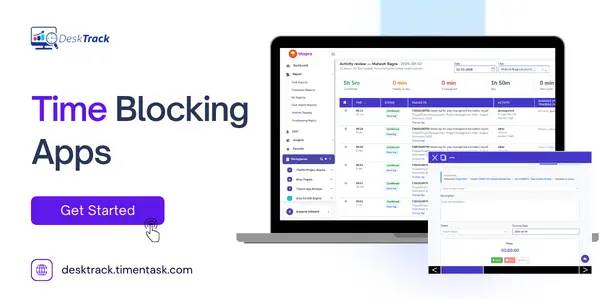
DeskTrack is an automated time tracking platform that records how time is actually spent applications used, sites visited, files worked in, and idle periods without manual logging.
For time blocking specifically, that closes a gap most calendar-only systems have:
- Planned vs. actual comparison — see whether your two-hour deep work block actually stayed a deep work block, or got fragmented by app-switching.
- Idle time tracking — flags exactly where a block lost momentum, rather than leaving you to guess at the end of the day.
- Better future estimates — since the data is automatic rather than self-reported, your next round of time blocks can be based on how long tasks actually took you.
- Team-level visibility — for managers building shared schedules, DeskTrack shows how time blocked for a project compares to time actually logged against it.
In practice: your calendar defines the intention, and DeskTrack shows you the reality which is what makes the system self-correcting instead of a one-time planning exercise.
Common Time Blocking Mistakes
- Scheduling every minute with no buffer — one overrun cascades through the rest of the day.
- Ignoring your own tracking data — if a task type is consistently underestimated, adjust future blocks instead of repeating the miss.
- Treating blocks as optional — a block only works if it’s protected as firmly as a meeting.
- Never reviewing the week — without a review step, the system can’t improve.
Conclusion
Time blocking isn’t about scheduling every minute of your life it’s about making decisions in advance instead of reacting all day. Start with your top few priorities, track what actually happens against the plan, and adjust weekly. Pairing a calendar with automated insight from a tool like DeskTrack turns time blocking from a one-time planning exercise into a system that gets more accurate the longer you use it.
Frequently Asked Questions (FAQs)
Ans. It’s scheduling specific tasks into specific chunks of time on your calendar, so every hour has a predetermined purpose instead of being decided in the moment. Ans. They’re essentially the same practice “calendar blocking” just emphasizes that the calendar itself is the planning tool, rather than a separate to-do list. Ans. A time block is a single, fixed period on a calendar with a defined start time, end time, and assigned task — treated as a firm commitment rather than a flexible suggestion. Ans. Not to start, a calendar is enough. Automated time tracking software like DeskTrack becomes useful once you want to verify your blocks against real activity data rather than guesswork. Ans. It depends on your goal: for simple planning, a calendar app works fine. For tracking whether your blocks actually held up during the day, automated tools like DeskTrack add verification a calendar alone can’t provide.time-blocking