Managing a growing team is more challenging than ever. Whether your employees work from the office, remotely, or in a hybrid environment, understanding how work hours are spent is essential for improving productivity, managing projects, and ensuring accurate payroll.
Unfortunately, many businesses still rely on spreadsheets or manual timesheets to track employee work hours. These methods are time-consuming, prone to errors, and often fail to provide managers with the visibility they need.
That’s why organizations worldwide are switching to automatic time tracking software for teams. Modern solutions automatically record work hours, track project time, generate accurate timesheets, and provide valuable productivity insights all without requiring employees to manually start and stop timers.
In this guide, you’ll learn:
- What team time tracking software is
- Why manual timesheets are becoming outdated
- How automatic time tracking works
- The essential features to look for
- The best time tracking software for teams in 2026
- How to choose the right solution for your business
Whether you’re a startup, IT company, consulting firm, marketing agency, or enterprise, this guide will help you make an informed decision.
Comparison of the Best Team Time Tracking Tools (Features & Pricing)
| Software | Automatic Time Tracking | Project Tracking | Productivity Reports | Attendance | Best For |
|---|---|---|---|---|---|
| DeskTrack | ✅ | ✅ | ✅ | ✅ | Growing businesses & enterprises |
| Toggl Track | Partial | ✅ | Limited | ❌ | Freelancers & small teams |
| Clockify | Manual/Auto | Basic Reporting | Free tier up to unlimited users (Paid from $3.99/mo) | Limited | Startups & Budget teams |
| Hubstaff | ✅ | ✅ | ✅ | ✅ | Remote teams |
| Time Doctor | ✅ | ✅ | ✅ | Limited | Workforce monitoring |
Tip: Don’t choose software based only on price. Consider automation, reporting, scalability, ease of use, and how well it fits your team’s workflow.
What is Team Time Tracking Software?
Team time tracking software is a digital solution that records how employees spend their working hours. Instead of relying on manual entries or spreadsheets, it automatically tracks time spent on projects, applications, websites, and daily tasks.
Modern employee time tracking solutions help businesses:
- Track employee work hours accurately
- Monitor project progress
- Improve team accountability
- Generate automated timesheets
- Reduce payroll errors
- Measure productivity
- Analyze workload distribution
Unlike traditional time clocks, today’s platforms provide detailed insights into how work gets done rather than simply recording when employees clock in and out.
Why Teams Need Time Tracking in 2026?
The way teams work has changed significantly over the past few years. Distributed teams, flexible schedules, and project-based work have made it difficult to manage productivity using traditional methods.
Time tracking software helps organizations answer important questions such as:
- Are projects staying on schedule?
- How many hours are spent on each task?
- Which projects consume the most resources?
- Are workloads distributed fairly?
- Are billable hours recorded accurately?
- Which activities reduce productivity?
With access to real-time data, managers can make better decisions, improve planning, and optimize team performance without relying on assumptions.
For employees, time tracking also reduces the burden of maintaining manual timesheets and ensures their work hours are recorded accurately.
Common Problems with Manual Timesheets
Despite the availability of modern time tracking solutions, many businesses still rely on spreadsheets, paper timesheets, or manual time entries to record employee work hours. While these methods may seem simple and inexpensive at first, they often become inefficient as teams grow. Manual time tracking not only increases administrative work but also affects payroll accuracy, project management, and overall productivity.
Here are some of the most common challenges businesses face with manual timesheets:
1. Human Errors and Inaccurate Time Entries
Manual timesheets depend entirely on employees remembering to record their work hours correctly. In reality, people often forget to log time, estimate hours instead of recording them accurately, or make simple typing mistakes. Even small inaccuracies can accumulate over time, leading to incorrect work-hour records, inaccurate reports, and payroll discrepancies. For businesses managing multiple teams or projects, these errors can become difficult to identify and correct.
2. Time-Consuming Administrative Process
Filling out timesheets manually takes valuable time away from productive work. Employees must remember to enter their hours daily, while managers often spend additional time reviewing, verifying, and approving those entries. HR and payroll teams may also need to consolidate data from multiple spreadsheets before processing salaries. As a result, a task that should be simple ends up consuming several hours every week.
3. Payroll Errors and Billing Issues
Accurate payroll depends on accurate work-hour records. When timesheets contain missing, duplicated, or incorrect entries, employees may be overpaid or underpaid, creating frustration and unnecessary payroll disputes. For businesses that bill clients based on hourly work, inaccurate timesheets can also lead to incorrect invoices, affecting client trust and company revenue.
4. Limited Visibility into Projects and Workloads
Manual timesheets usually show only the total number of hours worked, but they rarely explain how those hours were spent. Managers often struggle to understand which projects are consuming the most time, whether workloads are distributed fairly, or if deadlines are at risk. Without detailed insights, it becomes difficult to allocate resources effectively or improve project planning.
5. Lack of Productivity Insights
Knowing that an employee worked eight hours does not reveal how productive those hours were. Manual tracking provides very limited information about work patterns, application usage, or task distribution. As a result, businesses miss valuable insights that could help identify bottlenecks, improve workflows, and increase overall team efficiency.
6. Difficult Reporting and Decision-Making
Preparing reports from manual timesheets can be slow and error-prone. Managers often need separate reports for payroll, attendance, project time tracking, client billing, and productivity analysis, requiring data to be collected and organized manually. This not only delays reporting but also increases the chances of inconsistent or outdated information. Without real-time reports, making informed business decisions becomes much more challenging.
No Credit Card Required
Still tracking employee hours manually?
Compare the best time tracking software for teams in 2026 and discover how automatic time tracking can improve productivity, simplify payroll, and save valuable work hours..
Why Businesses are Moving Beyond Manual Timesheets
As organizations expand and teams become more distributed, manual time tracking becomes increasingly difficult to manage. Businesses need accurate, real-time visibility into employee work hours, project progress, and productivity without adding extra administrative work.
This is why many companies are replacing manual timesheets with automatic time tracking software. By recording work hours automatically, generating timesheets instantly, and providing real-time reports, these solutions help businesses improve accuracy, simplify payroll, and make better operational decisions while reducing the burden of manual data entry.
What is Automatic Time Tracking?
Automatic time tracking is a modern approach to recording employee work hours without requiring manual input.
Instead of asking employees to start timers or fill out timesheets, the software runs in the background and captures work activity automatically.
Depending on the platform, automatic time tracking may include:
- Work hour tracking
- Application usage tracking
- Website usage tracking
- Project time tracking
- Idle time detection
- Optional screenshot capture
- Attendance tracking
- Productivity reporting
- Automated timesheet generation
This reduces manual effort while providing more accurate and reliable data for both employees and managers.
Why Automatic Time Tracking is Better Than Manual Tracking?
| Manual Timesheets | Automatic Time Tracking |
|---|---|
| Manual data entry | Automatic work-hour recording |
| Higher risk of errors | Greater accuracy |
| Time-consuming | Saves administrative time |
| Limited reporting | Real-time dashboards and reports |
| Difficult payroll calculations | Simplifies payroll processing |
| No productivity insights | Detailed productivity analytics |
| Poor project visibility | Real-time project tracking |
Automatic tracking enables businesses to spend less time managing timesheets and more time improving team performance.
How Automatic Time Tracking Software Works?
Automatic time tracking simplifies the way businesses monitor employee work hours by eliminating the need for manual timers and spreadsheets. Instead of asking employees to remember when to start or stop tracking their time, modern team time tracking software records work activity automatically in the background.
As employees perform their daily tasks, the software collects work-related data and converts it into accurate timesheets, productivity reports, and project insights. This not only reduces manual effort but also provides managers with real-time visibility into how work hours are being utilized across the team.
While the exact functionality may vary depending on the software, most automatic time tracking solutions follow a similar process.
1. Employees Start Their Workday
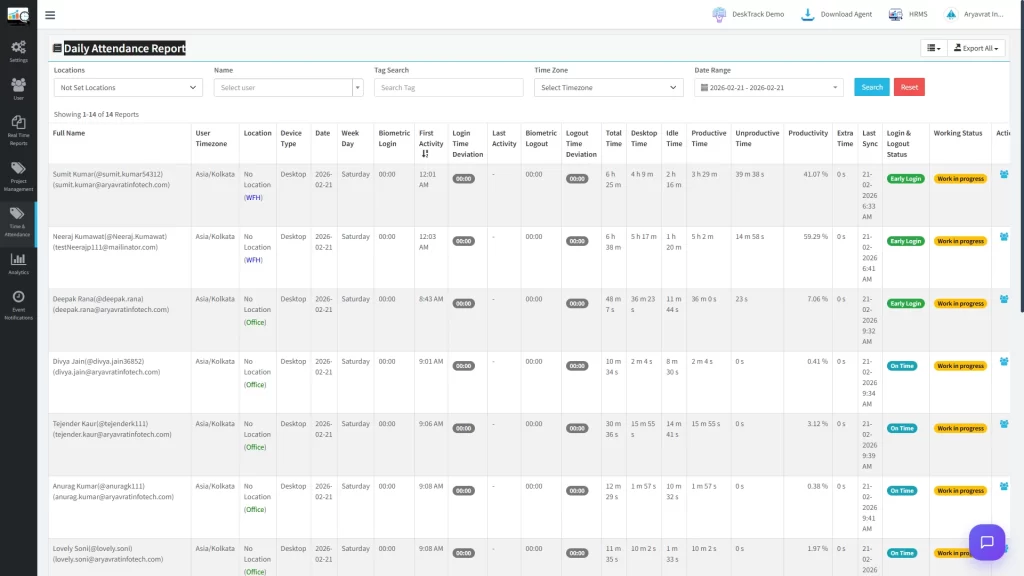
The process begins when an employee starts their workday by logging into their computer or launching the time tracking application. Once the software is active, it runs securely in the background without interrupting the employee’s workflow.
Unlike manual systems, employees don’t have to remember to start a timer every time they begin working. This helps ensure that work hours are captured consistently from the beginning of the day, reducing the chances of missing or inaccurate time entries.
2. Work Hours are Tracked Automatically
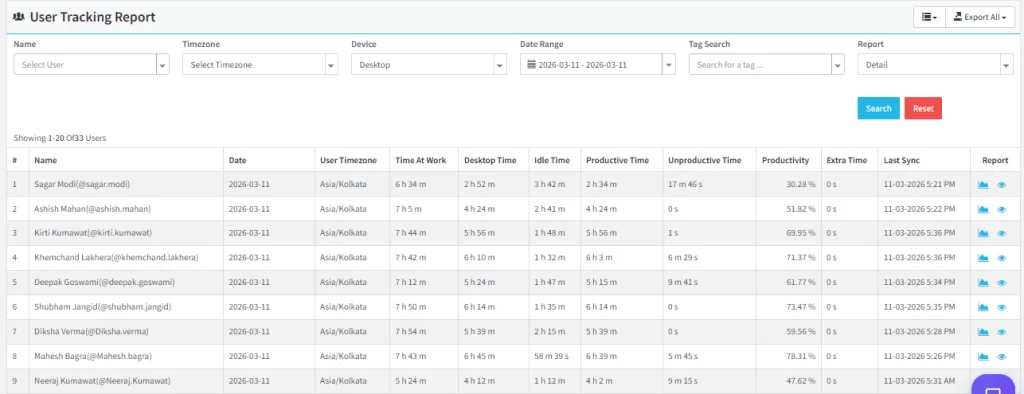
As employees continue working, the software automatically records their active work hours throughout the day. Instead of relying on manual time entries, it tracks when employees are actively using their devices and performing work-related tasks.
This automated approach minimizes human errors and provides a more accurate record of actual working time. It also eliminates the hassle of filling out daily or weekly timesheets, allowing employees to focus on their work rather than administrative tasks.
3. Applications and Websites are Monitored
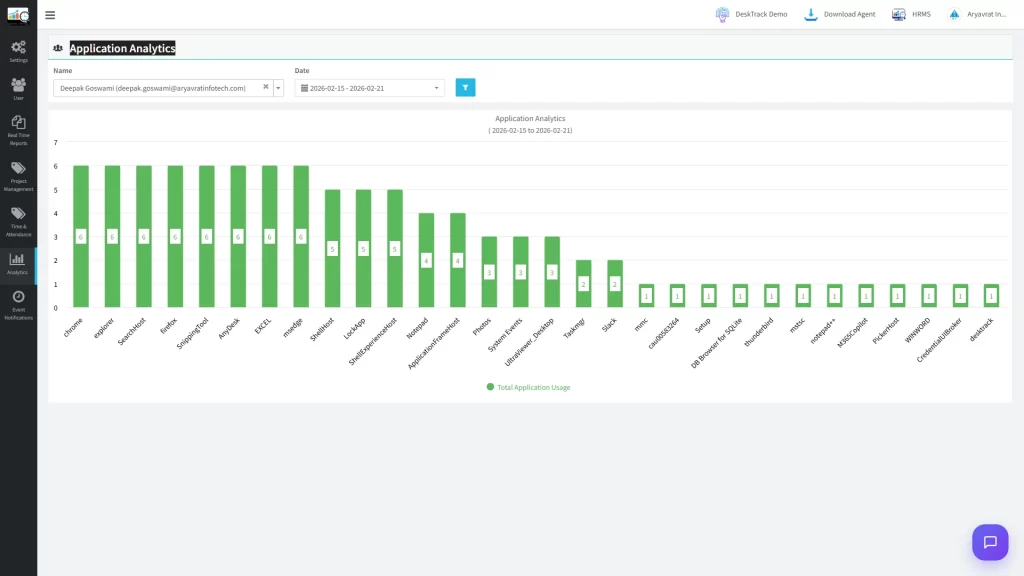
Most modern time tracking platforms also provide visibility into the applications and websites employees use during working hours. This helps organizations understand how time is distributed across different tools, projects, and work activities.
For example, managers can identify which business applications support productivity and where employees spend most of their time. These insights are valuable for improving workflows, identifying bottlenecks, and optimizing software usage across the organization.
The goal isn’t simply to monitor activity it’s to help businesses understand work patterns and make data-driven decisions that improve efficiency.
4. Time is Organized by Projects and Tasks
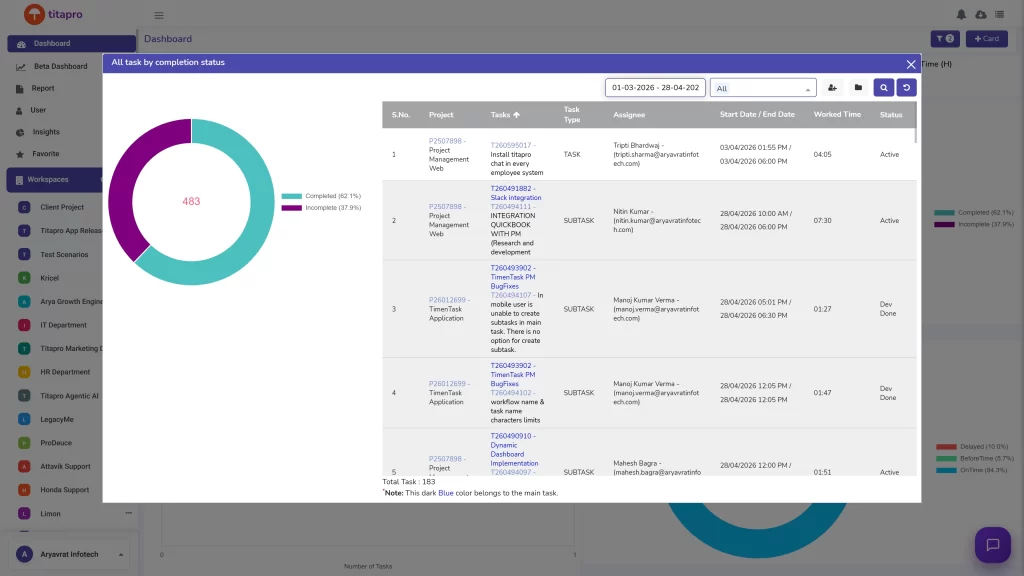
Automatic time tracking software doesn’t just record hours it also helps organize them. Employees can associate their work with specific projects, clients, departments, or tasks, making it easier to understand where time is being invested.
This project-level visibility enables managers to estimate future workloads, monitor project progress, allocate resources more effectively, and generate accurate reports for client billing. It also helps identify projects that consistently require more time than expected, allowing businesses to improve planning and budgeting.
5. Reports and Timesheets are Generated Automatically
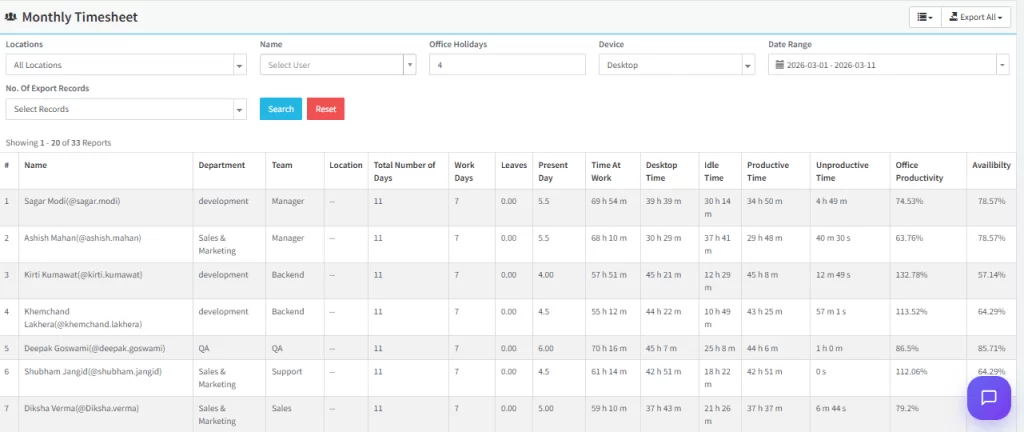
One of the biggest advantages of automatic time tracking is its ability to generate detailed reports without additional manual effort. Instead of collecting information from multiple spreadsheets, managers can access dashboards that display employee work hours, attendance records, productivity trends, project progress, and automated timesheets in one place.
These reports support better decision-making, simplify payroll processing, improve project management, and provide valuable insights into overall team performance. Since the data is updated in real time, businesses can identify issues early and take action before they impact productivity or project deadlines.
Why Automatic Time Tracking Matters?
As businesses continue adopting remote, hybrid, and flexible work models, manually tracking employee hours becomes increasingly difficult. Automatic time tracking provides a smarter, more reliable way to capture work hours, reduce administrative effort, and improve visibility across teams.
By replacing manual timesheets with automated tracking, organizations can save time, improve payroll accuracy, gain better project insights, and make more informed business decisions. That’s why automatic time tracking has become a standard feature in many of the best time tracking software for teams available today.
Features Every Team Time Tracking Software Should Have
- Automatic Time Tracking
- Project Time Tracking
- Attendance Management
- Productivity Reports
- App and Website Usage Tracking
- Automated Timesheets
- Idle Time Detection
- Team Dashboard
- Integrations with Business Tools
- Data Security and Privacy
Top 5 Best Time Tracking Software for Teams in 2026
There are many excellent time tracking solutions available today. The best choice depends on your business size, workflow, and reporting requirements.
Below are five popular options used by businesses worldwide.
1. DeskTrack
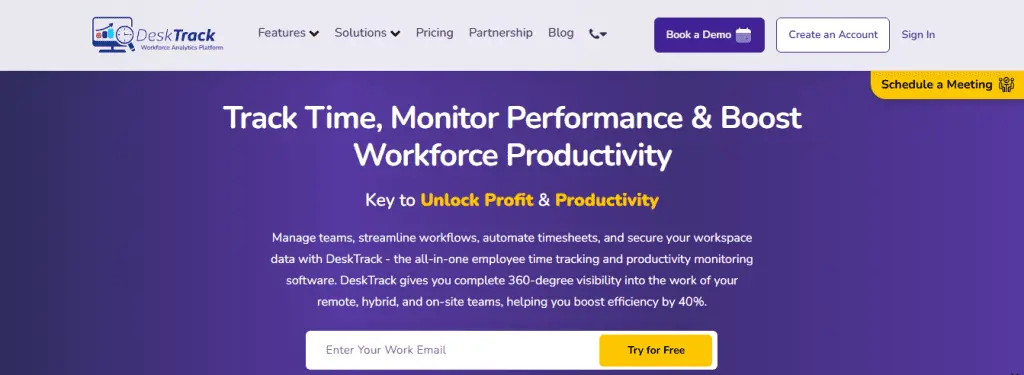
DeskTrack combines automatic employee time tracking, productivity monitoring, project tracking, attendance management, and detailed reporting within a single platform.
Unlike traditional timer-based solutions, it automatically records work activity in the background, reducing manual effort while providing managers with accurate visibility into team performance.
Best for:
- Small and medium businesses
- IT companies
- Agencies
- Remote teams
- Hybrid workplaces
- Enterprises looking for all-in-one workforce visibility
Key Features
- Automatic time tracking
- Employee work-hour tracking
- Project time tracking
- Attendance management
- Productivity dashboard
- App and website usage reports
- Optional screenshot monitoring
- Automated timesheets
- Detailed reports and analytics
-
- Pros:
-
- 100% automatic silent tracking that eliminates the need for manual start-stop buttons.
- All-in-one unified dashboard combining attendance logs, precise URL tracking, and automated timesheets.
- Comprehensive desktop activity analytics that reveal exact app and website usage timelines.
-
- Cons:
-
- Free-tier plan option is missing for small engineering teams.
- Deep desktop integration requires a brief initial software setup client installation.
-
- Pros:
2. Toggl Track
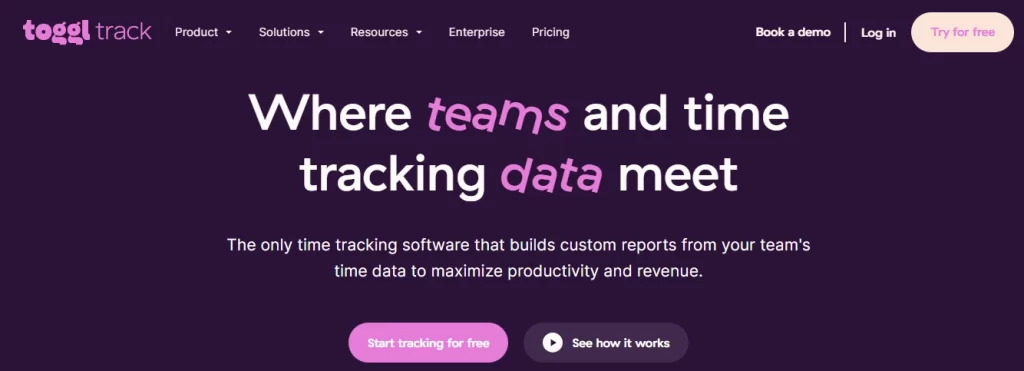
Toggl Track is known for its clean interface and ease of use. It works well for freelancers, consultants, and small teams that primarily need simple project-based time tracking.
Best for
- Freelancers
- Creative agencies
- Consultants
- Small businesses
During team testing, Toggl’s manual stopwatch system failed when employees forgot to stop timers during lunch, leading to inflated billable hours. This is where DeskTrack’s silent background tracking solves a manual flaw.
-
- Pros:
-
- Exceptionally clean user interface that requires zero learning curve for non-technical team members.
- Offers over 100+ native browser extensions and integrations with tools like Asana, Jira, and Todoist.
- Highly flexible manual stopwatch functionality that is perfect for client-based billable hour tracking.
-
- Cons:
-
- The generous free plan is strictly limited to small operations of up to 5 active users.
- Advanced project profitability reports and automated background tracking require expensive tier upgrades.
-
- Pros:
3. Clockify
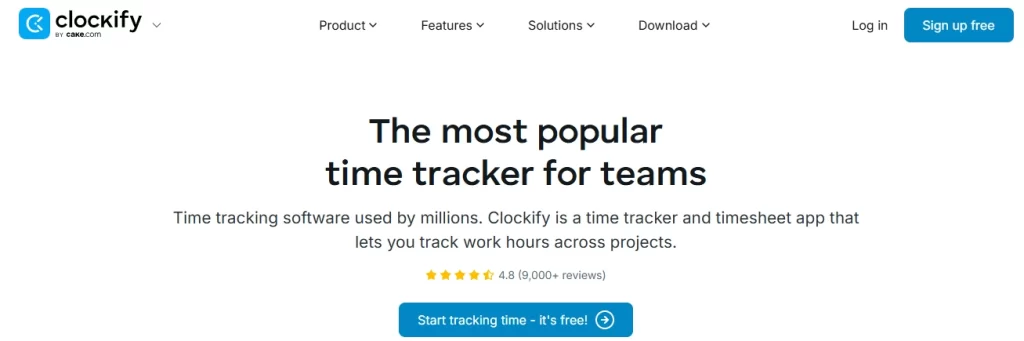
Clockify offers generous free features, making it a popular choice for startups and small businesses.
It supports project tracking, reporting, and manual time logging while also providing paid features for growing organizations.
Best for
- Startups
- Small teams
- Budget-conscious businesses
- Pros:
-
- Free-forever plan with unlimited users and tracking [clockify.me].
- Native Pomodoro timer built into the app.
- Very cheap starting premium tiers ($3.99/mo).
- Simple, user-friendly weekly timesheet grid layout.
-
- Cons:
- Automatic background tracking requires paid plan upgrades.
- Lacks deep stealth monitoring and system analytics.
4. Hubstaff
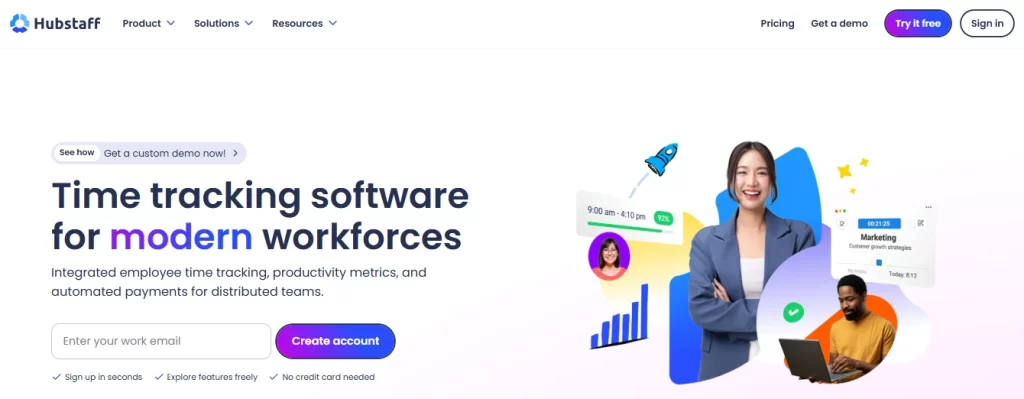
Hubstaff focuses on time tracking for remote and distributed teams.
It includes GPS tracking, productivity reports, payroll support, and employee monitoring features.
Best for
- Remote teams
- Field employees
- Distributed organizations
-
- Pros:
-
- Advanced real-time GPS fleet tracking and automated geofencing built specifically for outdoor and field employees.
- Built-in direct invoicing and automated multi-currency payroll processing support via PayPal and Wise.
- Robust activity tracking features based on peripheral mouse movements and keyboard stroke frequencies.
- Seamless cross-platform synchronization across Windows, macOS, Linux, iOS, and Android devices.
-
- Cons:
-
- Aggressive activity monitoring features can sometimes feel overly invasive to remote corporate developers.
- High-tier pricing structures scale rapidly, making it expensive for budget-strapped bootstrap startups.
-
- Pros:
5. Time Doctor
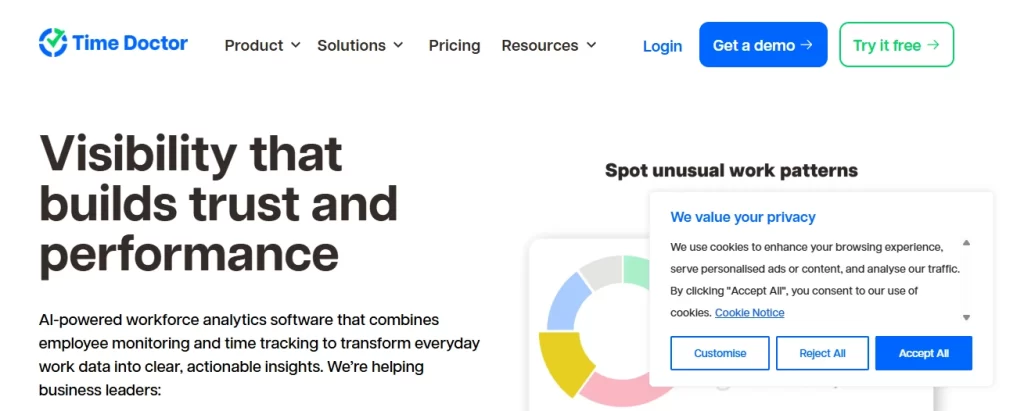
Time Doctor combines employee monitoring with time tracking and productivity reporting.
It is often used by companies managing remote employees who require detailed activity reports.
Best for
- Remote businesses
- BPOs
- Customer support teams
-
- Pros:
-
- Highly effective distraction alerts and pop-up warnings that gently nudge users back to work when browsing off-task sites.
- Clean, customizable automated screenshot captures that provide transparent visual proof of ongoing client work.
- Specialized white-label client access portals that allow agencies to safely share real-time productivity proof.
-
- Cons:
-
- The user interface layout can occasionally feel cluttered and heavy for teams needing simple tracking.
- Lacks advanced, deep offline background tracking capabilities when local internet connections drop out.
-
- Pros:
How to Choose the Right Time Tracking Software for Your Team?
Before making a decision, ask yourself the following questions:
- How large is your team today?
- Will your business continue to grow?
- Do you need automatic or manual time tracking?
- Is project tracking important?
- Do you need productivity reports?
- Will the software integrate with your existing tools?
- Does it support payroll and attendance management?
- Is the reporting detailed enough for managers?
- Can remote and hybrid employees use it easily?
Choosing software based on your actual workflow not just feature lists will help ensure long-term success.
Why Many Businesses Choose DeskTrack
Every organization has different requirements, and there isn’t a single solution that’s perfect for everyone. However, businesses looking for an all-in-one platform often prioritize automation, visibility, and detailed reporting.
DeskTrack addresses these needs by combining:
- Automatic employee time tracking
- Attendance management
- Project tracking
- Productivity monitoring
- Application and website usage tracking
- Automated timesheets
- Detailed analytics and reporting
Instead of relying on multiple tools for attendance, reporting, and work-hour tracking, businesses can manage these activities from a single platform. This makes it especially valuable for organizations that want better visibility into team productivity while reducing manual administrative work.
Conclusion
Choosing the best time tracking software for teams isn’t just about tracking hours it’s about improving productivity, simplifying project management, and making better business decisions.
As businesses continue adopting remote, hybrid, and flexible work models, automatic time tracking has become an essential part of modern workforce management. The right solution helps eliminate manual timesheets, improves payroll accuracy, provides real-time visibility into projects, and supports more informed decision-making.
If your organization is looking for a platform that combines employee time tracking, attendance management, project tracking, productivity insights, and automated reporting in one place, DeskTrack is one of the solutions worth evaluating alongside other leading tools.
Ready to find the right fit? Compare your team’s requirements, explore the available options, and choose a solution that supports your business goals today and as your team grows.
Frequently Asked Questions
Ans. DeskTrack is the best all-in-one automatic tracking software for teams needing automated timesheets, while Toggl Track suits freelancers needing simple manual timers. Ans. Yes, Automatic time tracking reduces manual errors, saves time, improves reporting accuracy, and simplifies payroll compared to manual timesheets. Ans. Yes, By providing visibility into work hours, project progress, and productivity trends, time tracking software helps managers identify bottlenecks and improve resource planning. Ans. IT companies, software development firms, marketing agencies, consulting businesses, BPOs, healthcare organizations, legal firms, and remote-first companies all benefit from accurate team time tracking. Ans. Look for automatic work-hour tracking, project tracking, attendance management, productivity reports, automated timesheets, integrations, idle time detection, and strong data security.team-time-tracking