










Automatic Time Tracking for Billable Teams
Every billable hour, captured, AI-tagged and ready to bill.
DeskTrack captures the workday automatically. AI in TitaPro tags that time to the right client, project and task. Your team signs off, and the hours become billing-ready timesheets and invoices.
- Automatic capture in DeskTrack, or a manual timer in TitaPro
- AI tags tracked time to the right client, project and task
- Daily sign-off, billable vs non-billable split, invoice-ready
 G2
G2
 Capterra
 Trustpilot

More Than 8K+ Companies Worldwide Trust DeskTrack







How much billable time is your firm losing?
Free time-leak audit. Takes 30 seconds.
Based on 95 billable people × 30 untracked minutes/day × $150/hour × 260 working days.
No credit card. No sales call required. Illustrative estimate from the numbers you entered — untracked time is an opportunity, not guaranteed revenue.
What is DeskTrack?
DeskTrack is automatic time tracking software with AI time tagging for billable teams. DeskTrack captures work time across apps, calls and field visits; Desky, its AI Workforce Agent, answers questions about that time; and TitaPro tags tracked time to clients, projects and tasks, records daily sign-off, and turns billable hours into timesheets and invoices.
Where billable time leaks in your firm
The work happens. The hours never reach an invoice. Four gaps cause most of it.
Forgotten timers
The work started, the timer didn't. By Friday, people rebuild the week from memory and small tasks disappear.
Work outside the desk
Client calls, site visits and field work rarely get logged, even though clients expect to pay for them.
Untagged time
The hours are recorded, but nobody knows which client or task they belong to, so they are never billed.
Billable work you can't substantiate
When a client questions an hour, a typed-in number is hard to back up. Proof from tracked activity is not.
Three layers, one flow from work to invoice
Start with DeskTrack to see where time goes. Add TitaPro when you want to bill from it. Tracked time syncs across, so nobody enters it twice.
DeskTrack
- Apps, websites and window titles, automatically
- Breaks and idle time, kept separate
- Call time, plus location and field time from the iOS and Android apps
- Windows, macOS and Linux
Desky, the AI Workforce Agent
- Ask about your team’s time in plain English
- Summarises tracked activity into projects
- Puts a cost on time not assigned to projects
- Scheduled reports by email or WhatsApp
TitaPro
- Clients, projects and tasks, plus a manual timer
- AI tags tracked time to the right task
- Daily timesheets with billable and non-billable split
- Employee sign-off and an audit trail for every edit
How AI time tracking works: capture, tag, understand, bill
AI time tracking records work automatically, then matches it to a client, project and task. A person stays in the loop: AI tags the time, each employee signs off their day, and only signed-off billable time reaches an invoice.
Capture
Time is recorded automatically from apps, window titles and file names — or by manual timer.
Tag
AI reads window titles, file names and workspace names to tag time to the client, project and task. People check it and sign off.
Understand
Ask Desky how much productive time never reached a project, and what it cost.
Bill
Signed-off billable time becomes timesheets and invoice lines, each traceable back to the captured work.
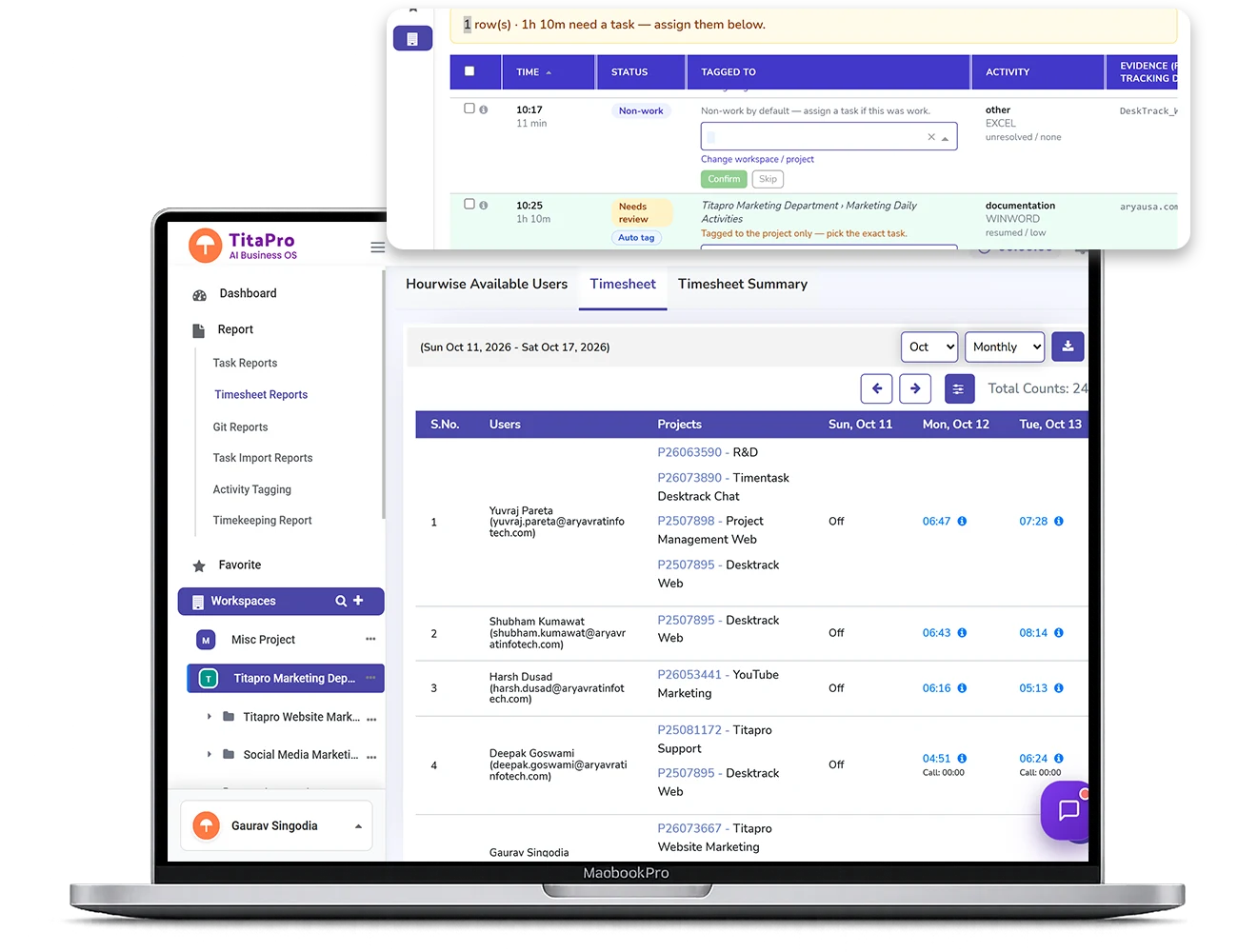
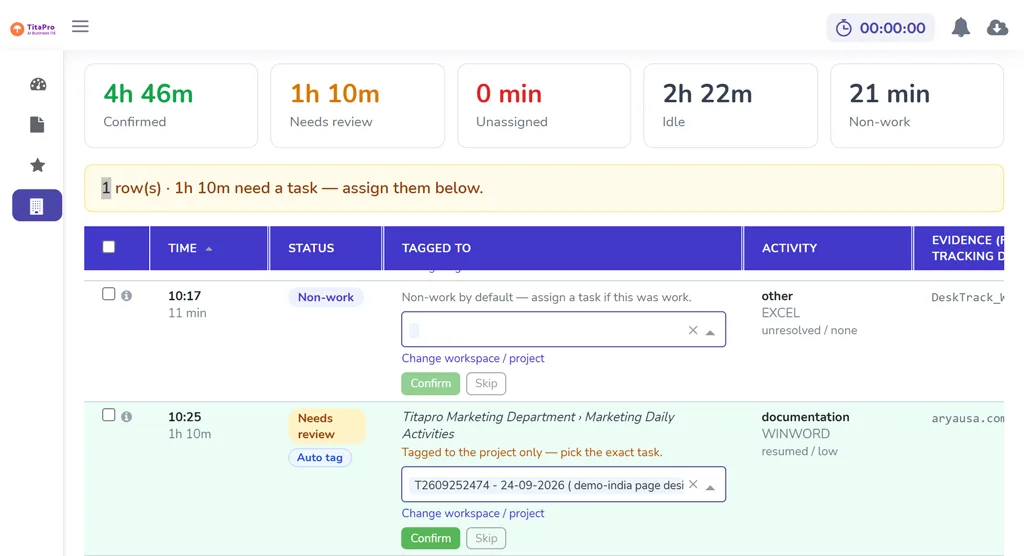
What an AI time tag looks like
Each block of captured work arrives tagged. Nothing is billed until the employee signs off the day.
Before and after
Where hours get lost, and where they don't.
- Work happens
- People try to remember
- Friday reconstruction
- Missed or mis-tagged time
- Under-billing (hours never reach an invoice)
- Work happens
- Captured automatically
- AI suggests client and task
- Checked and signed off
- Invoiced in TitaPro (100% billable time captured)
Manual, automatic or AI-tagged time tracking: which fits your team?
DeskTrack supports all three, so each person can work the way they prefer.
| Manual timer | Automatic capture | Automatic + AI tagging | |
|---|---|---|---|
| How time is recorded | Person starts and stops a timer | Recorded in the background | Recorded in the background |
| Forgotten time | Common | Rare | Rare |
| Client and task assignment | Typed by hand | Assigned later by hand | Tagged by AI, confirmed by people |
| Human review before billing | Yes | Yes | Yes — daily sign-off |
| Effort per day | Highest | Medium | Lowest |
| Ready to invoice | After cleanup | After tagging | After daily sign-off |
| Best for | Single-task work | Teams needing proof of hours | Firms that bill by the hour |
Time tracking metrics, defined
The four numbers DeskTrack and Desky use to show where billable time goes.
Project time ratio
Productive project hours ÷ actual working hours × 100. The share of time at work that went to project or client work.
Opportunity hours
Actual working hours minus productive project hours. Time that could have gone to billable work — review it before calling it a loss.
Unallocated productive time
Productive work that could not be confidently matched to a project. The clearest sign of untagged, unbilled time.
Work deviation
Actual working hours minus total productive hours. Attendance time that was not classed as productive activity.
Time tracking for accounting, law and consulting firms
Same workflow, tagged the way your firm bills.
AI time tracking for accounting and CPA firms
The problem: Accountants won’t run timers, so engagement hours are estimated and realization drops.
With DeskTrack + TitaPro: Work is captured as it happens and matched to the client, engagement and task. Staff sign off daily and partners invoice from the same data.
Automatic legal time tracking for law firms
The problem: Attorneys reconstruct their day from email and memory, and short tasks never reach the bill.
With DeskTrack + TitaPro: Every call, draft and research session is captured and suggested against the right client and matter for review.
Billable time tracking for consultants and agencies
The problem: Scope creep and quick client requests go unbilled, and clients question invoices.
With DeskTrack + TitaPro: Time is tagged to the engagement, out-of-scope work is visible, and each invoice line traces back to the work.
Time tracking for IT services and T&M teams
The problem: Developers switch between tickets all day, and time-and-materials invoices are built from guesses.
With DeskTrack + TitaPro: Time is captured per app and file and tagged to client, sprint and task, ready for T&M billing.
Time tracking for offshore and outsourced teams
The problem: Work is done across time zones, and matching it to clients and tasks afterwards is guesswork, so some of it never gets billed.
With DeskTrack + TitaPro: See what was worked on, for which client and task, across time zones, with untagged time flagged for review.
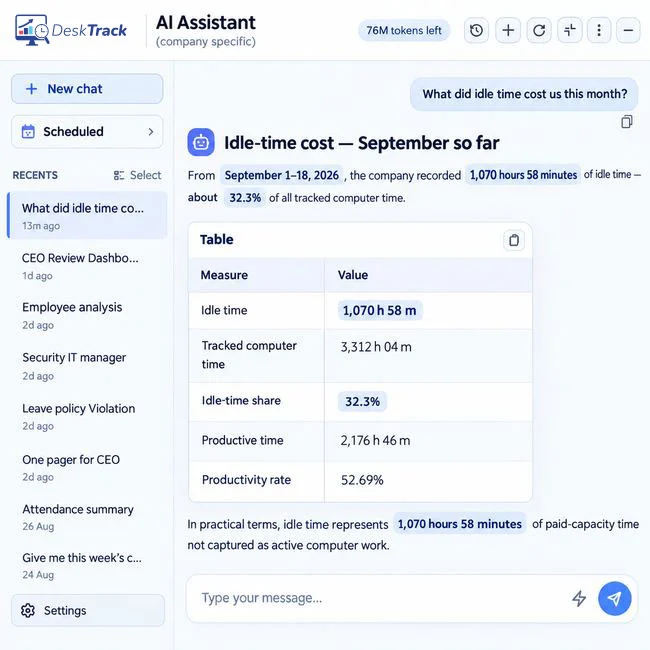
Ask Desky where your billable time went
Desky reads your DeskTrack activity, attendance and project data and answers in plain English. Ask how much productive time never reached a project, what it cost at your hourly rate, and why.
Puts a dollar value on unassigned time
Give it your hourly cost or billing rate and it calculates the monthly opportunity.
Explains the cause
Project-mapping gaps, unclassified internal work, meetings, or activity under generic app titles.
Shows its working
Compares results with cited industry benchmarks, flags data-quality issues and reports a conservative figure.
Tells you when it isn’t sure
Labels inferred projects as signals, separates opportunity cost from confirmed loss, and won’t swap in a different metric when data is missing.
Keeps going
Suggests the next question, exports the analysis as a PDF, and sends scheduled reports daily, weekly or monthly by email or WhatsApp.
Timesheets backed by a clear work record
Every billable entry in TitaPro is supported by DeskTrack's activity record. Three checks run on every person, every day.
Same-day sign-off
Each person records and certifies their time daily, so late, rebuilt timesheets stand out.
Every edit has a reason
Changing a time entry keeps the original, the new value and the reason. Nothing is silently overwritten.
Unaccounted time is visible
The gap between time at work and time on tasks is shown per person, per day, split into billable and non-billable.
Time tracking your team will accept
DeskTrack records where time goes, not what people write. Everything it captures is listed here, so you can explain it to your team in one meeting.
| What DeskTrack captures | App and website names, window titles, file names, active and idle time |
| What it doesn't capture | File contents, email bodies, passwords |
| Screenshots | Optional, set by admin |
| Employee view | People can see their own timeline |
| Certification | ISO 27001 |
Industries
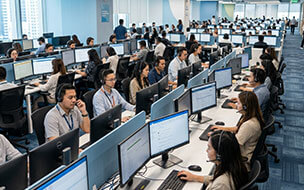
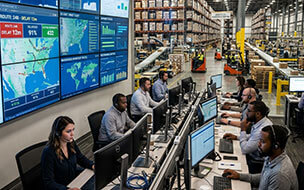
Time tracking for how your industry works
Each industry defines computer activity differently. DeskTrack lets you set the rules per role.




Start where you need to
AI time tracking without enterprise pricing. Per user per month, billed monthly or yearly. 15-day free trial, no credit card.
 DeskTrack
Automatic activity tracking, breaks and idle time, calls, location and field time, and Desky, the AI Workforce Agent.
DeskTrack
+
 TitaPro
Everything in DeskTrack, plus clients, projects and tasks, a manual timer, AI time tagging, daily timesheets with sign-off, and invoicing.
Meet Our Expert

Rashmi Singh is the founder of the company, CEO, and lead Product Manager at DeskTrack as well as TitaPro. With a long-running career that spans nearly 30 years, Rashmi is now a pioneering software developer during the "pre-Google" period at an internationally leading company in time monitoring, employee tracking, and operational efficiency.
A single goal outlines her path: helping businesses and individuals achieve a better work life balance by freeing themselves from the responsibilities of a constantly connected world.
Read Founder StoryWhat Clients Say About Our Time Tracking Software for Employees
Don't just take our word for it. Hear from our satisfied clients why DeskTrack's time tracking software is trusted by 8K+ organizations worldwide.
Frequently Asked Questions About AI Time Tracking Software
Find answers to common questions about time tracking software.
See how many billable hours your firm loses each month
Get a free time-leak audit in 30 seconds, or start tracking today.