










 G2
G2
 Capterra
 Trustpilot
 SSuggest
The Most Trusted Project Time Management Software
Get the time-tracking and project management software trusted by businesses across industries worldwide. Maximize your productivity with DeskTrack today.
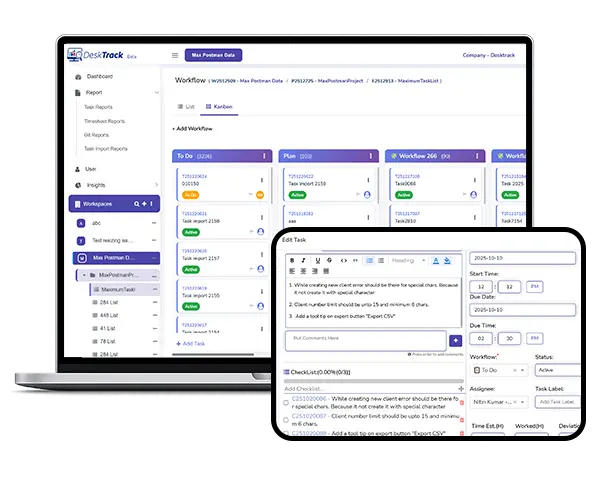
Our project time tracking software handles project progress monitoring and time tracking from a single platform, giving you the competitive edge you need. Assign users, track projects, and streamline workflows from the most intuitive platform.
Trusted by 8K+ Businesses Worldwide for Secure Workforce & Data Protection







DeskTrack's project time tracking software works 100% of the time for all use cases. Here are the key features that make it exceptionally well-known.
Track project hours in real-time with web timers and automated time tracking.
DeskTrack’s project tracking tool helps you easily manage which users are working on which tasks and when.
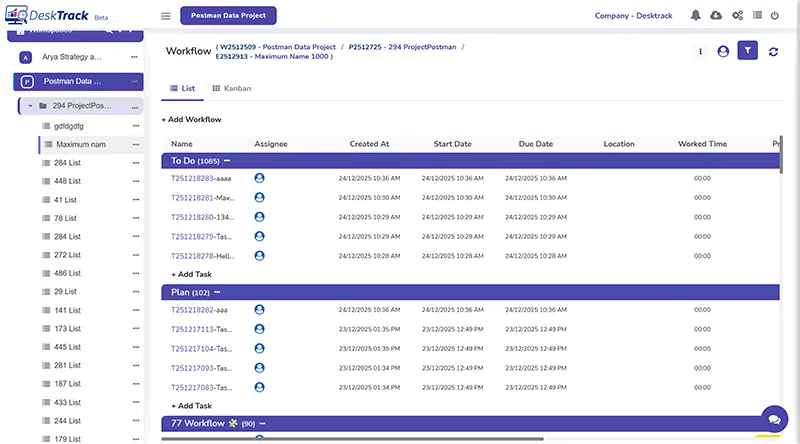
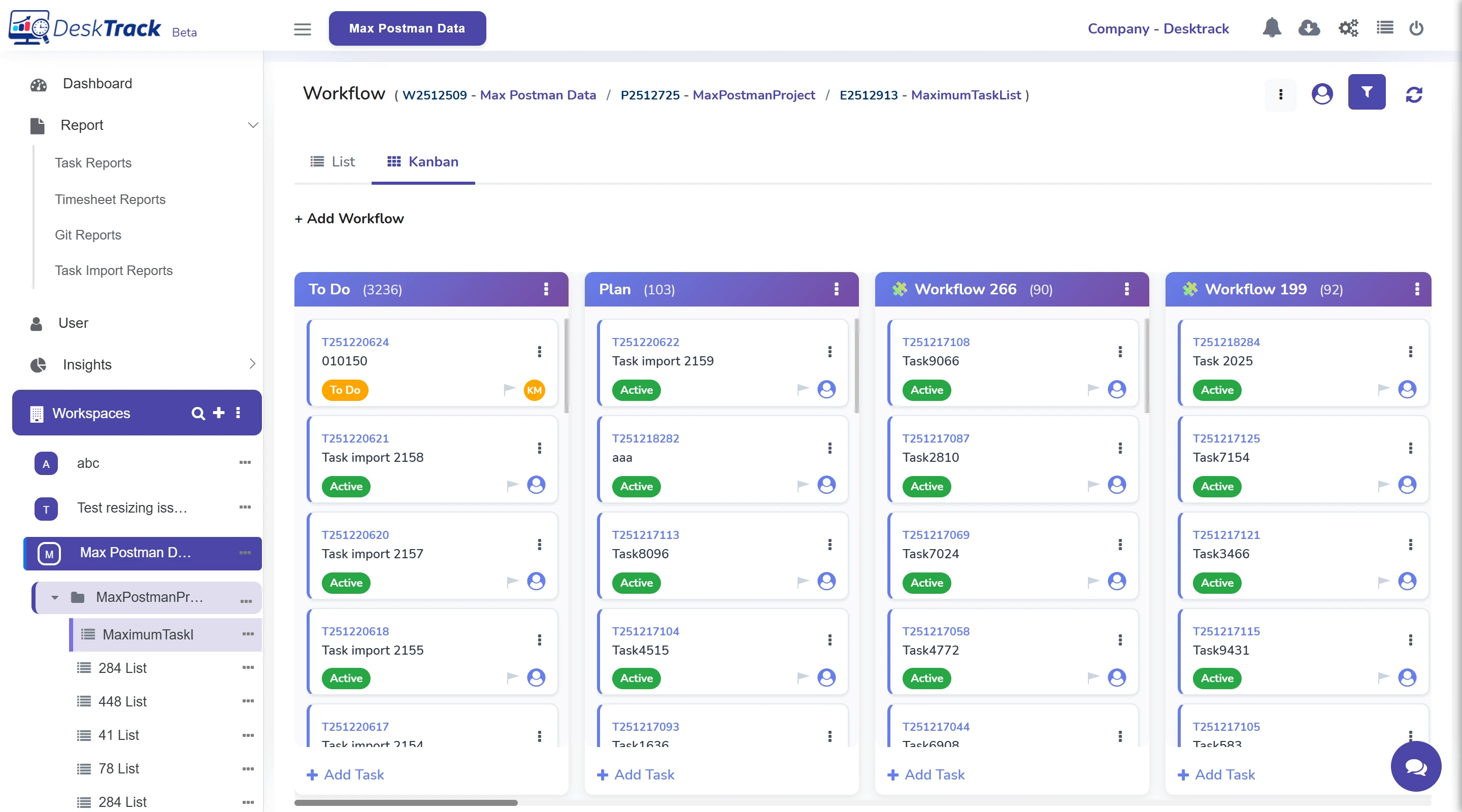
Know how streamlined the workflow is at a given point with the user-friendly dashboard, Kanban, and List view.
Identify the actual reason behind project delays with the advanced project tracking software.
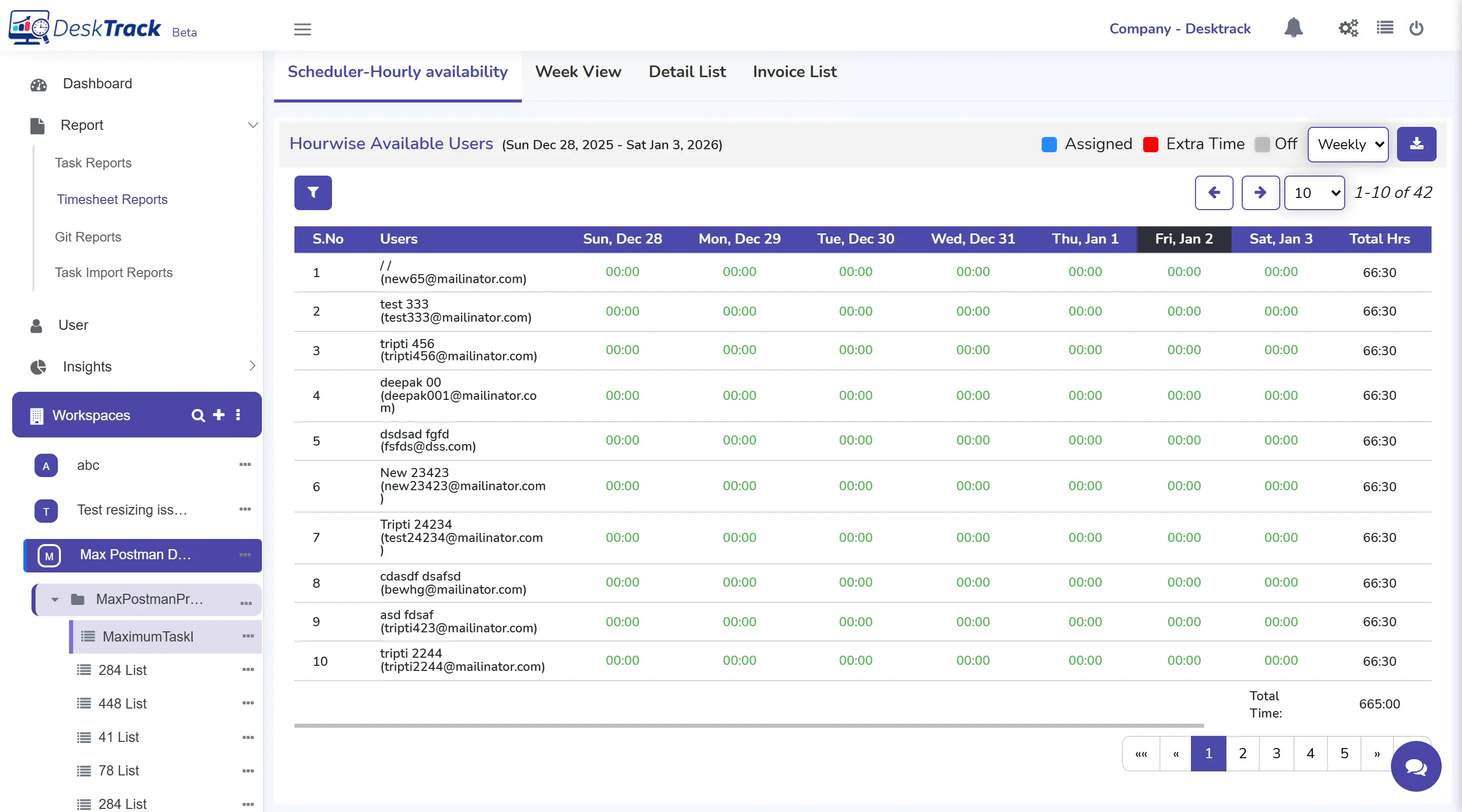
Tracking projects and tasks with our project time tracking software is very easy.
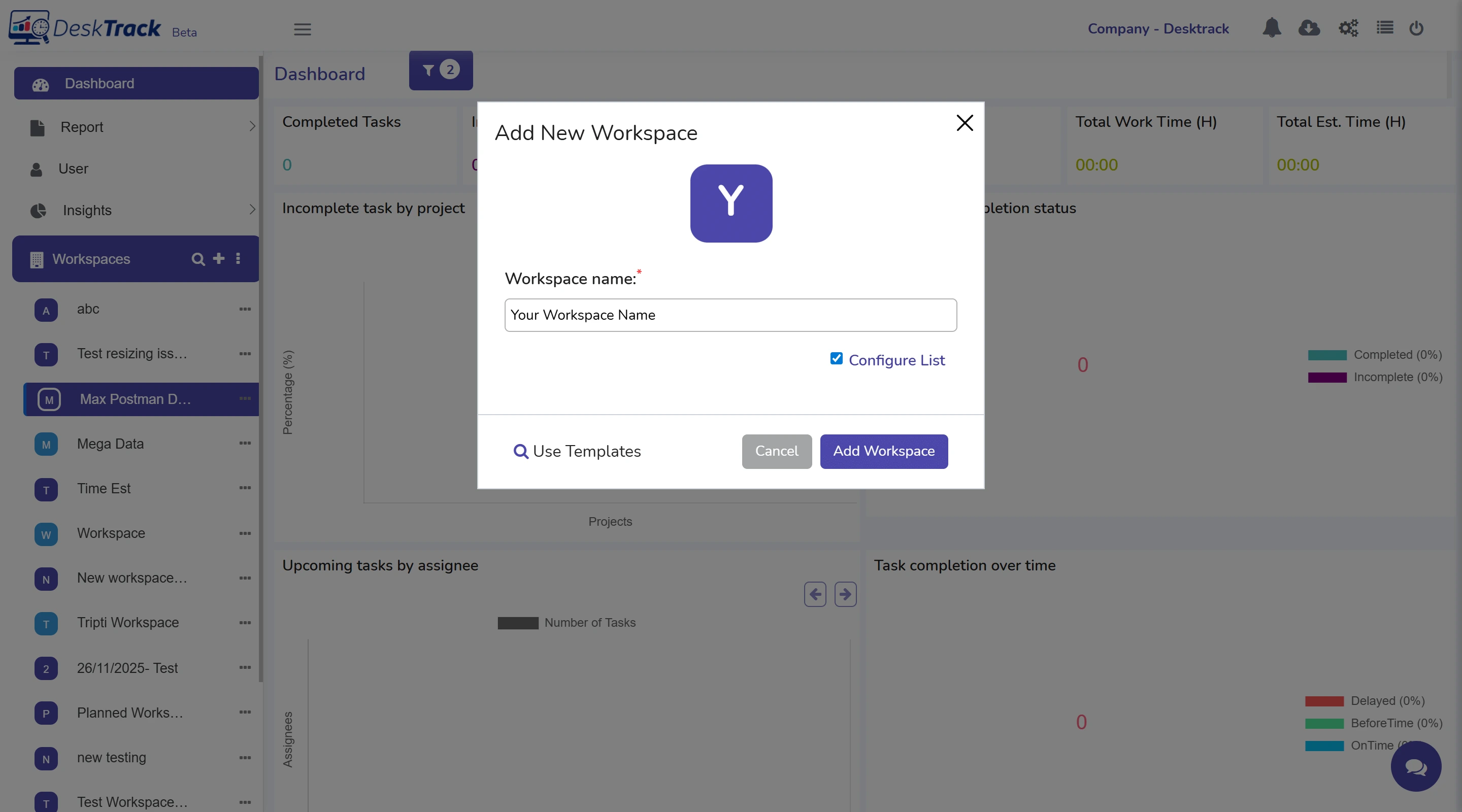
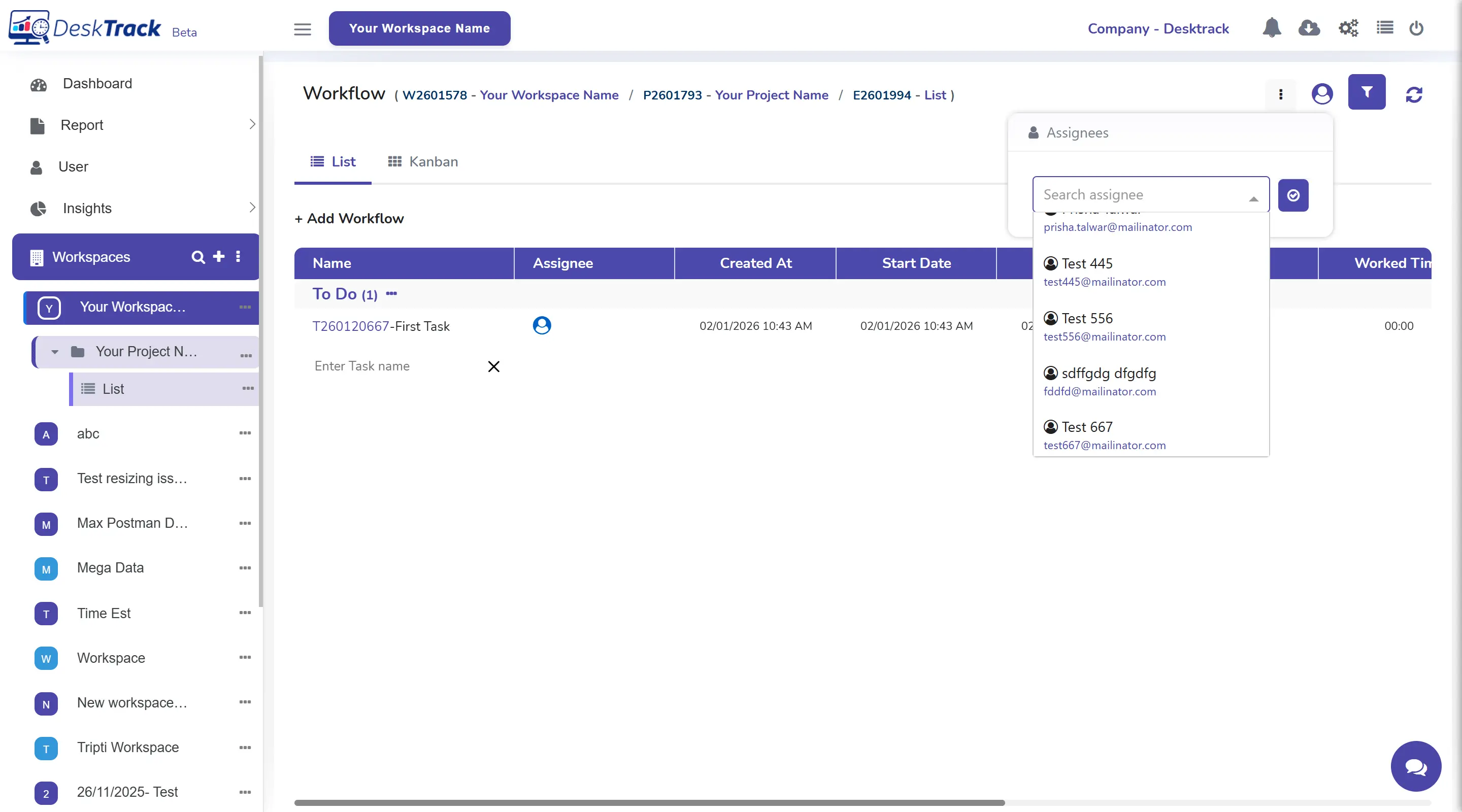
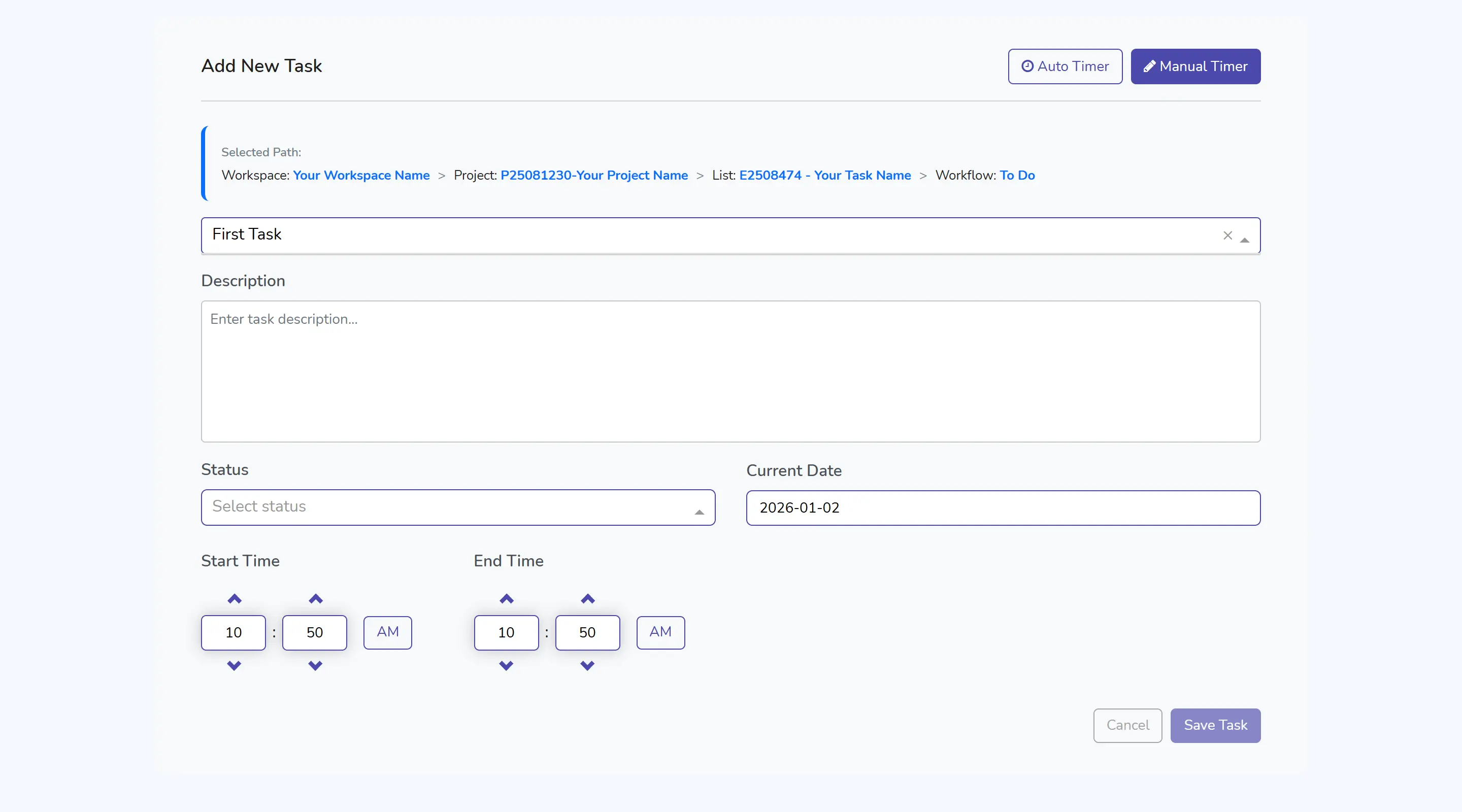
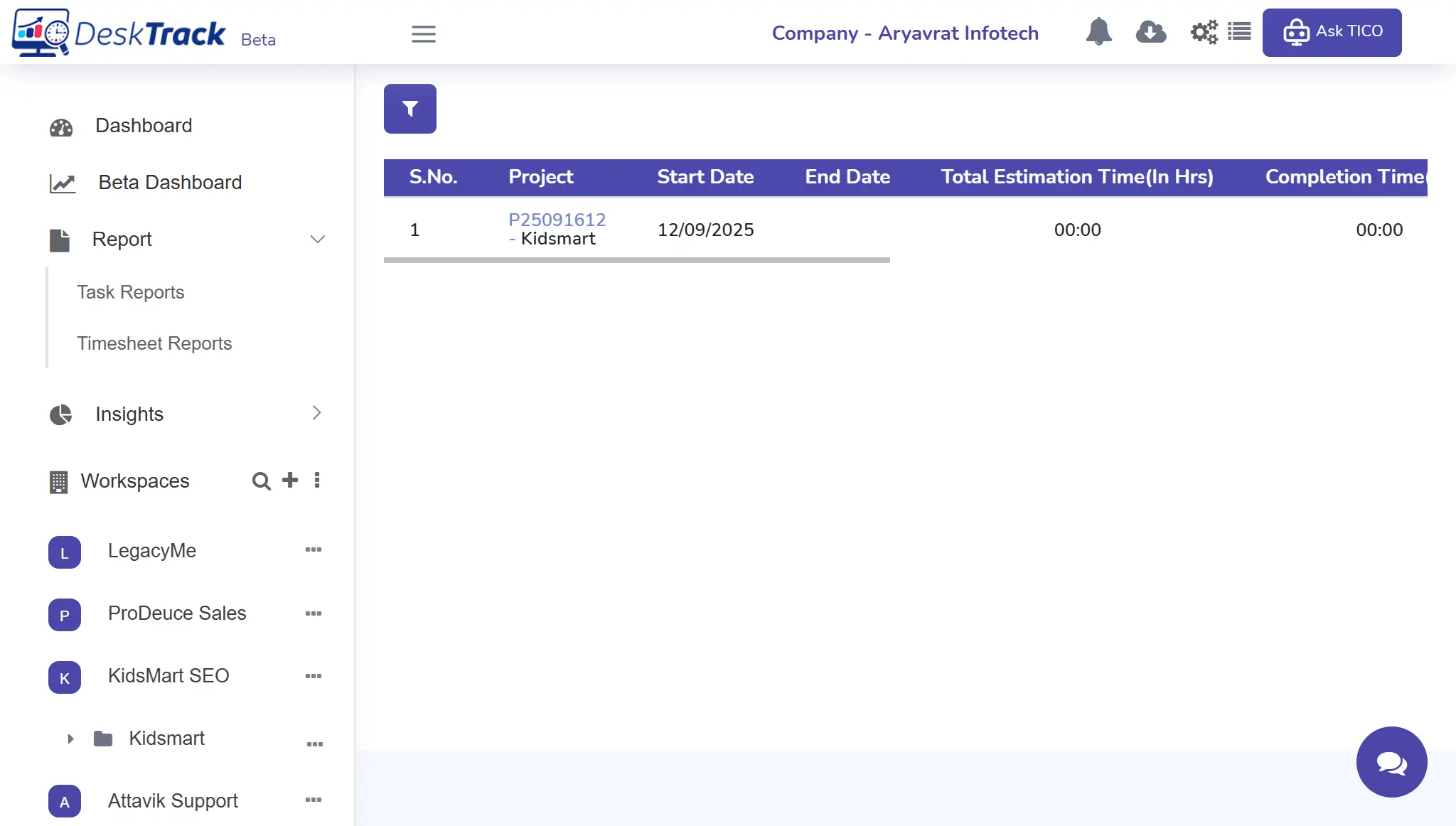
Our project time tracking software offers a user-friendly interface that provides access to all insights, enables you to track progress, and streamlines workflows.
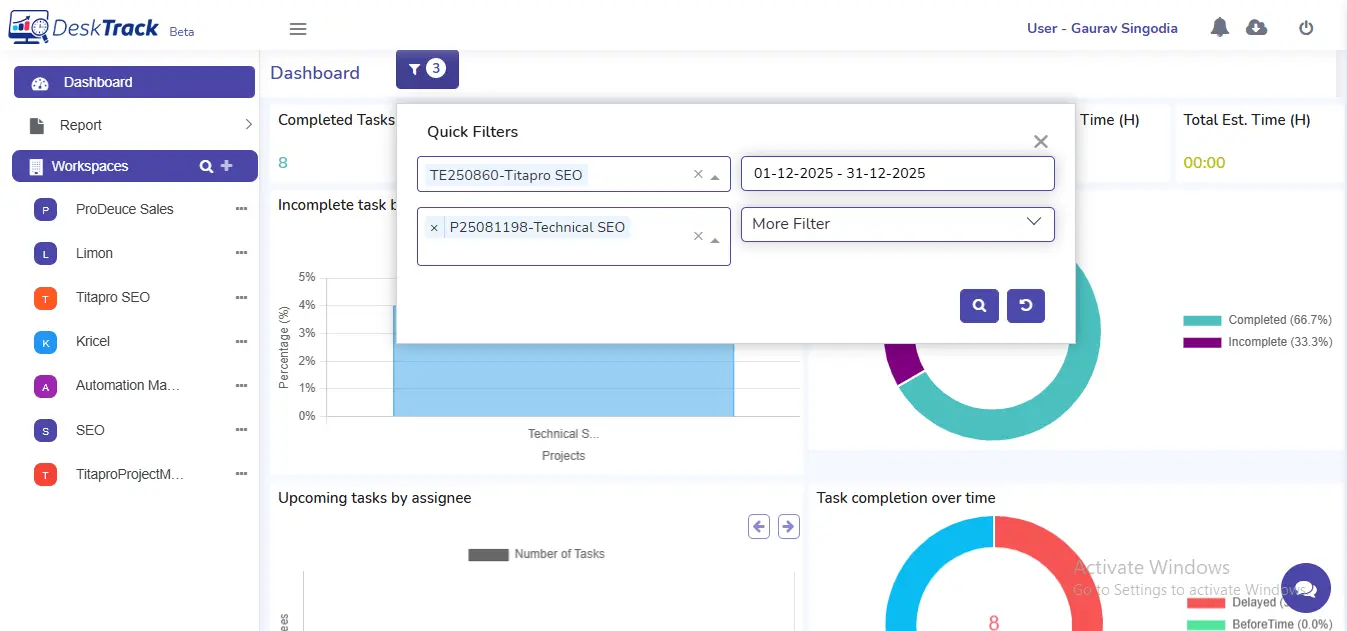
It’s like your digital command center for all your projects. You can easily create and track workspaces from this interface with a click of a button. It also displays incomplete, complete, overdue, and total tasks, along with total and estimated hours.
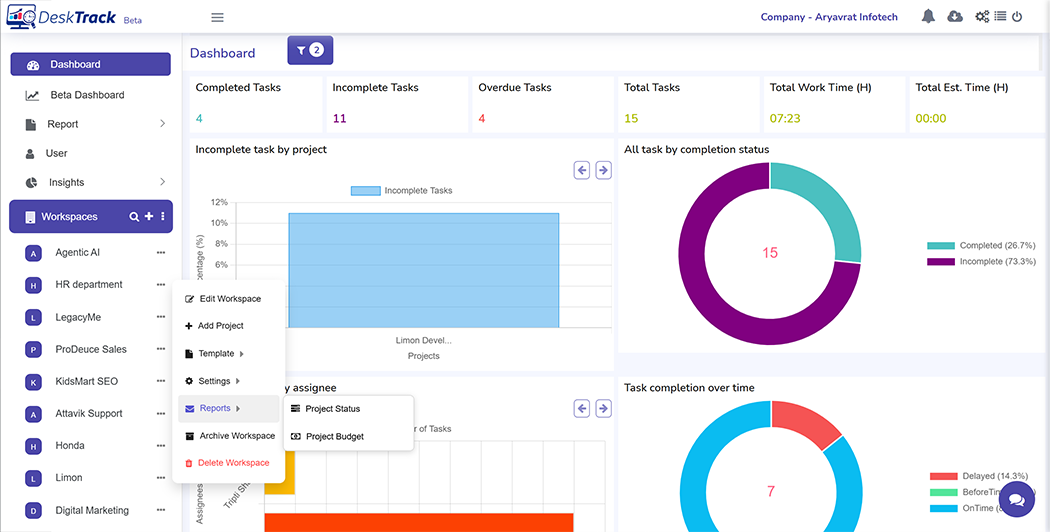
A workspace is a folder for storing all information related to your project. Create and manage projects, lists, workflows, and tasks here. Assign users to tasks and track progress with Kanban and List view for simplified project management.
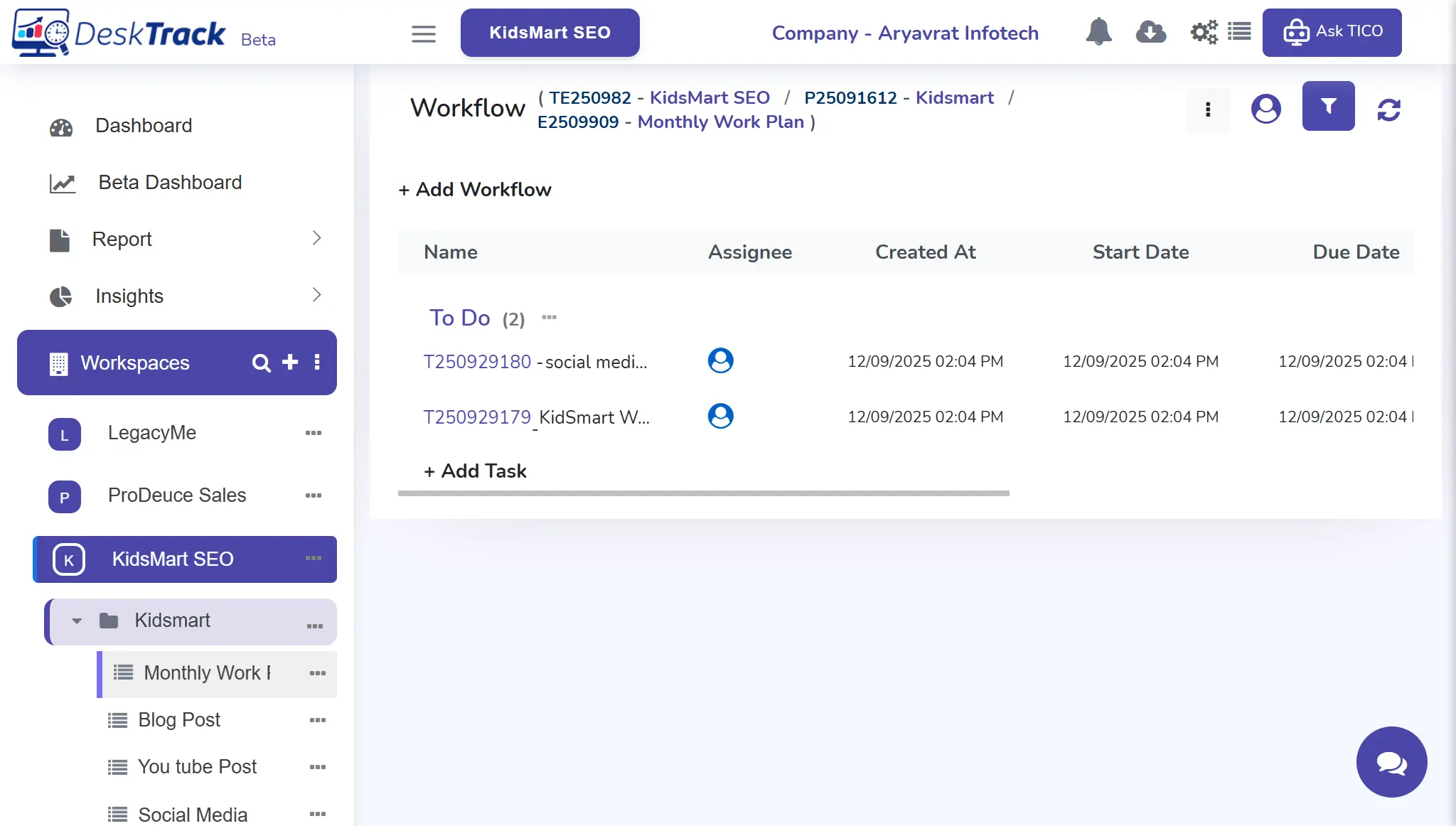
Real-time timesheet reports keep you on track with everything. You get detailed insights on day-wise work hours along with login/logout time deviations. Click the view button or “i” icon to see more details, graphs, and charts. Task import reports show you details of all imported tasks.

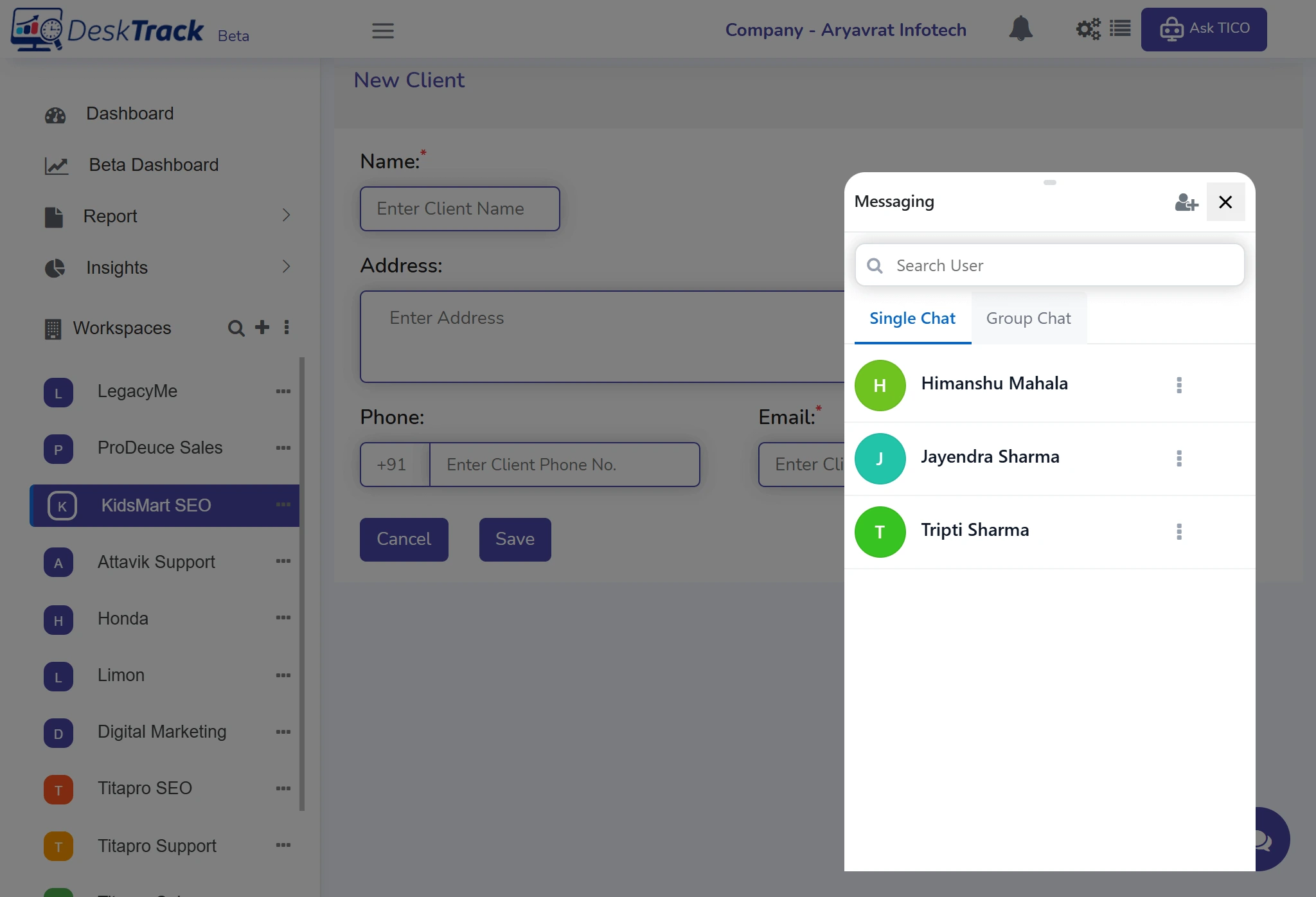
Share all project updates in real-time with the easy-to-access and use chat widget. Open and close with a click. Easily mention user (s) to start a new chat. You can juggle between single and group communication with a simple tab switch according to your requirements.

Downloading our project time management solution is simple and takes only a few minutes to install and configure. Here's how you can get started boosting your project management efficiency.

DeskTrack's project tracking tool flexibly adapts to any workflow with just a few configurations and customizations. Here's how our project time tracking software benefits remote teams, freelancers, software, IT, agencies, media, and entertainment sectors.
Remote teams share updates via the chat feature.
Freelancers use the timesheet reports to identify daily work hours.
Software and IT teams use DeskTrack’s project tracking software to break down complex projects.
Agencies use DeskTrack’s project time tracking tool to track various projects and clients from a single dashboard.
Here’s what you are missing out on when you choose
other software
for
tracking projects.
Using DeskTrack’s project time tracking software takes the efficiency and productivity of your teams to a new level.
Track projects and time deviations in real-time and reduce project delays. You can easily reassign tasks with a few clicks to speed up the work if needed or improve quality.
Track the hours your employees spend working in real-time. Know what they are working on, when, and using which apps with the integrated employee monitoring tool.
Even your non-tech-savvy employees can easily get started using DeskTrack’s software for tracking projects.
Our project time management software aids you and your employees meet all HR and key performance indicators. Using DeskTrack is the most convenient way to complete your objectives.
Our project time management tool automatically tracks the work hours on each project task-wise, team-wise, and department-wise to generate the most accurate reports. Easily identify your teams’ efficiency with the no of projects completed within a specific time.

Grow your sales to the desired level with our project time management tool. Get the most accurate work-time utilization reports in real-time. Our solution aids you in easily making the required adjustments, ensuring exponential growth and success.

Identify and boost the revenue each human resource is bringing in with real-time employee monitoring. Our project time management solution provides you with all the tools and features you need to help maximize profits.

Using our project time recording software ensures a higher rate at which your recruits are converting to the desired output. Easily maximize employee performance and achieve immense success with the best project management solution.

Increase the efficiency of your payroll with the latest project time management solution package. DeskTrack automatically calculates the overtime of your employees, letting you fairly compensate them for their hard work.

The turnover rate is the percentage at which employees leave your organization and the time within which they are replaced. With our project time management tool, you can keep this rate at the bare minimum.

Reduce workforce expenses and increase your ROI with DeskTrack. Using our project time recording software eliminates rework, saving crucial time and extra costs on your human resources.




Rashmi Singh is the founder of the company, CEO, and lead Product Manager at DeskTrack as well as TitaPro. With a long-running career that spans nearly 30 years, Rashmi is now a pioneering software developer during the "pre-Google" period at an internationally leading company in time monitoring, employee tracking, and operational efficiency.
Her path is outlined by a single goal: helping businesses and individuals achieve a better work life balance by freeing themselves from the responsibilities of a constantly connected world.
Read Founder StorySee why organizations across IT, finance, healthcare, BPO, and remote teams rely on DeskTrack's Data Leak Protection software to secure sensitive business data.
Everything you need to know before deploying DeskTrack to your team. Transparent answers, no sales spin.
Project tracking software simplifies work management by tracking tasks and the time spent working on them. It helps you track progress, streamline workflows, and share updates in real-time with user-friendly features and views, such as:
Freelancers and small businesses can get started with project time tracking for free using free web and online tools. However, they will only get basic and limited project management features.
Here's how to get started with DeskTrack's project tracking software
DeskTrack is the best project tracking tool with a 15-day free trial. Not only does it help simplify task tracking with user-friendly project time tracking, project and task management, real-time progress tracking, and analytics and Reports, but you also get integrated employee monitoring to boost efficiency and productivity.
Get the best project time-tracking software today and redefine how you manage projects. Get the most advanced features with our project monitoring solution.
