DeskTrack Blog
Get the Latest Business Productivity Trends & Time Tracking Insights
Trusted by 8000+ Organizations | Rated #1 Workforce Management Software | 24/7 Online Tech Support
Latest Articles

Browse by what you need

Do delivery delays, missed reviews, and duplicate work sound familiar to you? These are not problems with your business’s or employees’ productivity. These are issues with the processes. So, once you get to the bottom of that, you will easily find the source of the problem and get rid of it or do something to … Continue reading All You Need to Know About Process Mapping for Your Projects
16 Sep

We can explain the sunk cost fallacy as the common mob mentality of us tending to continue investing time, money, and effort into something that’s not giving us any results. That’s because we had already boarded the sunken ship. Simply put, it’s all about how our brains function. However, more on the psychology behind the … Continue reading All You Need to Know About the Sunk Cost Fallacy
11 Sep
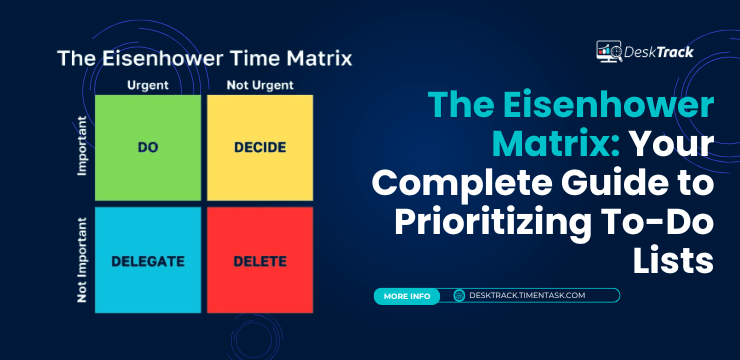
To get things done, you require creating a to-do list first. However, getting the right thing done by the right HR at the right time is a challenge. Knowing what to address yourself, what to delay, what to delegate, and what to ignore is the key to success. Moreover, as simple as this sounds, nailing … Continue reading The Eisenhower Matrix: Your Complete Guide to Prioritizing To-Do Lists
11 Sep

Want to know what type of leader you are? Struggling to lead effectively? Read this blog to find out your leadership type and improve your leadership style.
06 Sep

Managing modern projects is a complicated thing to do. According to experts, modern projects need modern management approaches. Simply put, the Agile methodology is one of them. Furthermore, it is not the only option. However, given today’s work world scenario, it is one of the best options for managing projects. Techniques such as waterfall and … Continue reading What is Agile methodology: A Beginner’s Guide
05 Sep
The most convincing element of project management is that it offers a way to plan, manage, and bring all of your team’s work to execution. Having this information available at a glance is frequently useful. However, for stakeholders and clients, a summary of this information is a much better option. This section of the report … Continue reading How to Write an Executive Summary?
04 Sep

As an employer, you continuously search for innovative ways or strategies to attract and keep the best-skilled HR. Selecting the best payroll schedule can lead to cost savings and enhanced employee satisfaction. However, during the payroll bracket, it becomes a challenge to keep track and also manage work hours and attendance of employees. One of … Continue reading What is Semi Monthly Pay for Employees?
02 Sep

Simply put, operational planning connects high-level strategies with daily tasks, making it crucial for achieving all objectives. However, you didn’t understand any of it with this one line. Did you? That’s where we come in with the complete package. In today’s blog post, we will operate on everything involved in creating that one-directional plan. We … Continue reading Operational Planning in 2025: Key Elements and its Benefits
01 Sep

Simply put, milestone trend analysis, or MTA in short, is one of the standard methods for tracking progress in project planning. The charts you create in this technique help your project managers assess whether the project is going downhill or uphill. Plus, you also get valuable insights into scheduling or scope for future ventures. However, … Continue reading What is Milestone Trend Analysis?
29 Aug

If you are also a project manager like me, you are already familiar with the horrors of scope creep. For starters, it stretches the deadline, impacts scope, increases expenses, de-aligns the teams, and can even mess up the entire workflow if not handled with care. However, it’s not that simple either. On the bright side, … Continue reading What is Scope Creep in Project Management?
28 Aug
If your business runs non-stop, then you need the DuPont shift schedule. This alternative to the regular 5-day work week changes work hours to 12 hours, and the structure changes week after week in a 4-week cycle for each month. However, there is a lot more than you need to know about this strange yet … Continue reading All You Need to Know About the DuPont Shift Schedule
27 Aug