Remote work has changed how businesses operate. From startups to enterprises, distributed teams are now the norm rather than the exception. But while remote collaboration tools have evolved rapidly, manual time tracking fails for remote teams and yet remains one of the biggest problems.
Manual time tracking fails for remote teams because it depends on human memory, lacks real-time visibility, increases payroll errors, and reduces accountability. Automated time tracking software eliminates these issues by providing accurate, real-time activity monitoring and productivity insights.
Using outdated methods means losing productivity, visibility, and revenue. Therefore, this comprehensive guide will explore:
In this comprehensive guide, we’ll explore:
- The challenges of remote time tracking
- Timezone complications in distributed teams
- The trust vs visibility balance
- Ethical monitoring approaches
- Why automated time tracking software for distributed teams outperforms manual methods
This ensures a balance between accountability and privacy.
Track remote work automatically ➡
The Rise of Remote Work & Why Time Tracking Matters
Remote work is common. A 2023 Gartner report shows 40% of knowledge workers are remote or hybrid, and Owl Labs notes remote employees work more hours. Thus, remote time tracking is a key business task, not just a productivity tool.
Companies face:
- payroll errors due to manual time tracking
- manual timesheet compliance risks
- Project-based billing errors
- Project deadline delays
- Reduced responsibility
- Burnout risks
And unfortunately, manual systems simply cannot handle this complexity.
Download this accurate and reliable Remote Team Productivity Audit Checklist to identify the specific bottlenecks holding your performance back today!Remote Team Productivity Audit Checklist
Challenges of Remote Time Tracking
Manual systems were built for physical offices — not distributed teams. Firstly, consider:
1. Human Error in Manual Entries
When employees log hours manually:
- They forget the start/end times
- They estimate them, instead of tracking
- They round numbers inaccurately
- They backfill timesheets at week’s end
This results in inconsistent remote time tracking data.
According to research by Harvard Business Review, employees misestimate task duration by up to 30–50% when self-reporting work hours.
For remote teams, this margin of error worsens quickly.
2. No Real-Time Visibility
Tracking remote workers through spreadsheets or emails means:
- Managers cannot see live progress
- Bottlenecks go unnoticed
- Unused capacity remains hidden
- Overtime is detected too late
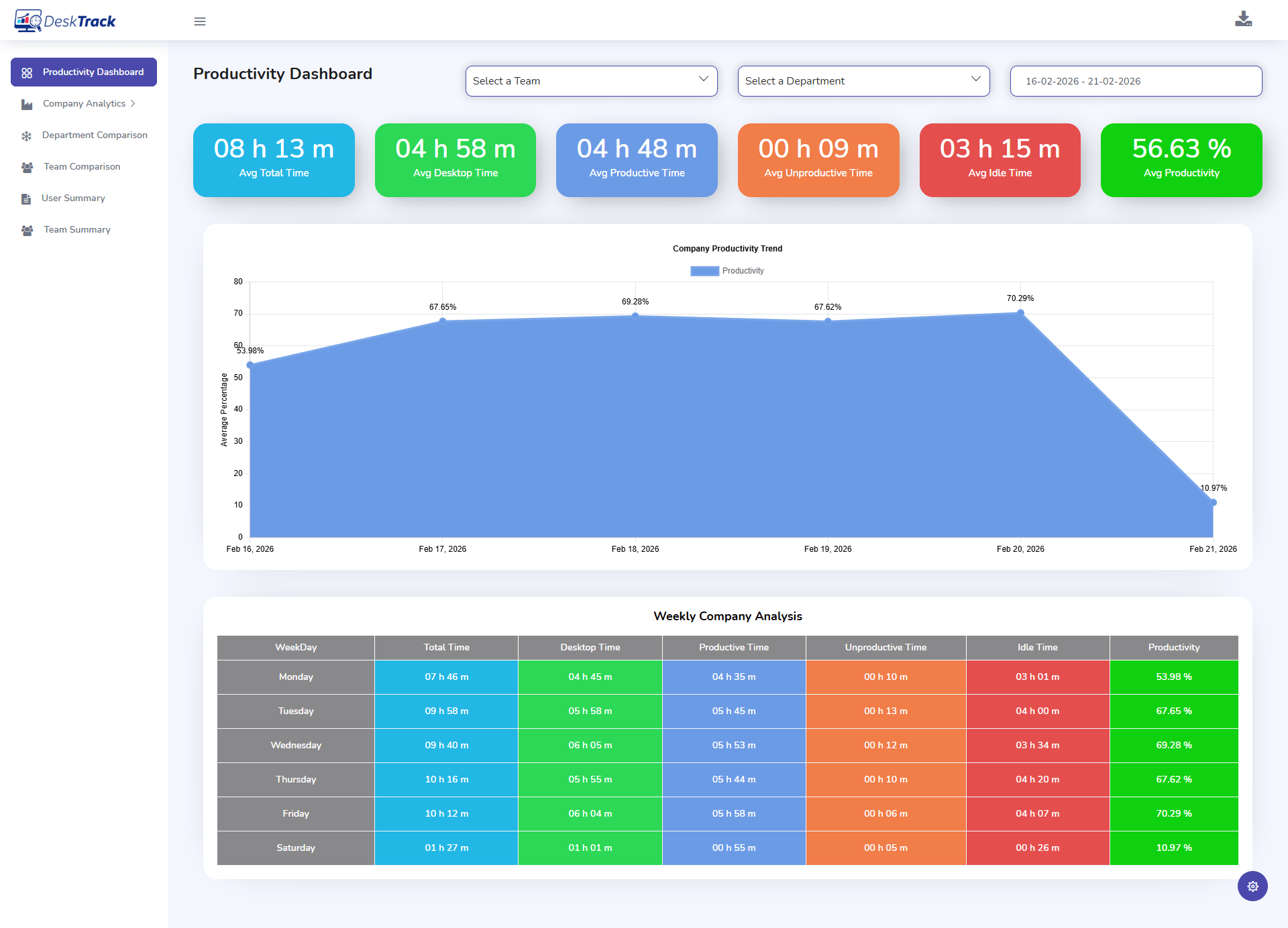
A modern time tracker for remote workers provides real-time dashboards — something manual systems cannot match.
3. Lack of Project-Level Insights
Remote teams often work across multiple projects. Without project time tracking software, companies cannot:
- Measure project profitability
- Compare estimated vs actual hours
- Identify scope creep
- Improve resource allocation
Manual logs do not provide structured, analyzable data.
Struggling to See What’s Really Happening During Remote Work Hours?
Spreadsheets can’t show real-time activity, task focus, or hidden productivity gaps. DeskTrack does.
Timezone Complications in Remote Teams
Handling global teams is a major failing of manual tracking. Specifically:
1. Timezone Logging Conflicts
In distributed environments:
- One employee starts at 9 AM IST
- Another begins at 9 AM EST
- Another logs flexible hours
Without automated timestamp standardization, remote worker time tracker systems become messy.
Manual spreadsheets rarely account for:
- Timezone offsets
- Daylight saving changes
- Overlapping work windows
2. Delayed Communication Loops
When time tracking is manual:
- Updates come hours late
- Approvals get delayed
- Project dependencies stall
Automated time tracking for remote employees ensures coordinated timestamps and real-time updates.
3. Inconsistent Work Hour Comparisons
Comparing performance across regions is impossible without structured data. Advanced remote time tracking software solves remote workforce productivity tracking issues with:
- Regional performance analysis
- Capacity planning
- Utilization tracking
- Global workforce forecasting
Manual tracking simply cannot support these distributed workforce analytics.
Trust vs Visibility Balance
A key concern in remote employee time tracking is whether monitoring destroys trust. Manual tracking often creates false trust. For instance:
1. Manual Tracking Creates Assumed Productivity
When employees self-report:
- Managers assume accuracy
- No validation exists
- Over-reporting or under-reporting goes undetected
This creates false remote team attendance visibility. Manual logs showed around 30% over-reporting compared to automated logs. Modern Employee Time Tracking Software provides:
- Activity-based logging
- App usage insights
- Task-level tracking
- Transparent performance data
2. Visibility Without Micromanagement
Tools like Employee Monitoring Software and Desktop Activity Time Tracking systems allow:
- Productivity pattern analysis
- unobtrusive activity logs
- Work-hour distribution insights
Unlike invasive methods, ethical tools focus on:
- Work hours
- Task completion
- Active vs idle time
Not personal surveillance.
3. The Role of Screenshot Monitoring
Some companies use Screenshot Monitoring Software for:
- Client billing verification
- Compliance documentation
- Productivity validation
However, ethical implementation requires:
- Employee consent
- Transparent policies
- Screenshot frequency control
- Blurred sensitive data
Ethical Monitoring Approaches for Remote Teams
The goal of remote team time tracking should be clarity, not control. To achieve this:
1. Transparency First
Best practices include:
- Clear monitoring policies
- Written consent
- Defined tracking scope
- Access control for data
According to the Society for Human Resource Management, transparent communication significantly increases employee acceptance of monitoring systems.
2. Focus on Outcomes, Not Surveillance
Ethical remote worker time tracker implementation highlights:
- Deliverables
- Billable hours
- Project timelines
- Work efficiency trends
Not personal browsing behavior.
3. Automated Over Manual
Automated time tracking software removes favoritism and guesswork by:
- Capturing work activity in real time
- Eliminating manual entry errors
- Generating accurate reports
- Providing productivity dashboards
Automation builds trust because data is objective.
Comparision of Manual vs. Automated Time Tracking in Remote Teams
To illustrate these points,let’s compare Manual vs. Automated Time Tracking for remote employees:
| Manual Time Tracking | Automated Time Tracking |
|---|---|
| Depends on memory | Tracks activity automatically |
| High payroll errors | Accurate timesheets |
| No real-time visibility | Live productivity data |
| Easy manipulation | Transparent monitoring |
| Time-consuming reports | Instant analytics |
Manual systems fail because:
- They rely on memory
- They lack data validation
- They offer no behavioral insights
- They don’t scale
- They create operational blind spots
For growing companies managing teamwork time tracking across locations, automation is no longer optional.
Benefits of Using Remote Time Tracking Software
Furthermore, switching to structured time tracking software for remote employees offers:
1. Improved Productivity
- Identify peak work hours
- Reduce idle time
- Improve focus
2. Increased Revenue Accuracy
- Track billable hours precisely
- Avoid revenue leakage
- Automate client invoicing
3. Better Project Forecasting
- Historical time analytics
- Accurate project estimations
- Capacity planning
4. Compliance & Documentation
- Maintain audit-ready logs
- Protect against payroll disputes
- Ensure labor law adherence
How DeskTrack Solves Remote Team Time Tracking Challenges
For organizations looking to replace manual processes, DeskTrack is the best time tracking software for remote teams. It provides a combined method to remote employee time tracking.
DeskTrack combines:
- Employee Time Tracking Software for automatic work-hour capture
- Desktop Activity Time Tracking for productivity insights
- Project Time Tracking Software for task-level analytics
- Optional Screenshot Monitoring Software for compliance-based confirmation
- Centralized dashboards for remote team time tracking
- Timezone synchronization for global teams
Instead of using manual entries, DeskTrack’s automated time tracking software for distributed teams delivers real-time visibility while supporting ethical monitoring practices.
Based on 2,300+ teams using DeskTrack, companies switching from manual to automated tracking reduced payroll disputes by 40% within 30 days. The result is:
- Accurate payroll processing
- Reliable billable-hour documentation
- Clear productivity trends
- Balanced trust and transparency
Conclusion: Automation Is the Future of Remote Work Time Tracking
Ultimately, manual tracking seems simple but fails under modern remote operations.Only automated systems can provide:
- Timesheet Issues Accuracy Solving
- Visibility
- Ethical monitoring
- Real-time insights
- Scalable reporting
Using spreadsheets risks wastefulness and earnings; a 50-person team losing 12 minutes daily to manual logs wastes 50 hours/month. The future of remote work demands intelligent, transparent, and ethical automated time tracking.
This ensures a balance between accountability and privacy.
See How DeskTrack Works for Remote Teams ➡
Frequently Asked Questions (FAQ)
Ans. Manual tracking depends on memory and honesty, leading to inaccuracies, delayed reporting, and a lack of visibility across time zones. Ans. Using remote time tracking software with automation, activity tracking, and project-level analytics ensures accurate and scalable monitoring. Ans. Yes — when implemented with transparency, consent, and clear policies. Ethical monitoring focuses on productivity, not personal behavior. Ans. It eliminates manual errors, provides real-time dashboards, identifies inefficiencies, and supports data-driven decision-making. Ans. Look for:manual-time-tracking