Remote work comes with a trade-off most teams don’t fully anticipate. The flexibility is real — but so is the quiet friction that builds up when your team is spread across time zones, each person working in their own bubble. Missed updates, duplicated effort, unclear ownership: it’s not a people problem. It’s a tooling problem.
The right collaboration tools for remote teams close that gap. They give everyone a shared space to communicate, track work, and stay aligned — without scheduling another meeting just to find out where things stand. But with dozens of options out there, picking the wrong ones wastes money and adds complexity instead of removing it.That’s exactly what this guide is for. We’ve reviewed and compared the top tools available in 2026 — across pricing, features, and real-world usability — so you can make a confident decision for your team. Whether you’re a startup of five or a distributed company of five hundred, there’s a setup here that fits.
Why Remote Teams Struggle — And How the Right Tools Fix It
Let’s be real. Managing a remote team sounds great until your developer in Bangalore is blocked waiting on a reply from your designer in Berlin, and your project manager in Texas has no idea either of them is stuck. Sound familiar?
Remote work has exploded in recent years. According to Wikipedia’s research on remote work, the share of people working remotely at least part-time has more than tripled since 2019. The flexibility is real — but so is the coordination problem.
The fix? The right collaboration tools for remote teams. Not a dozen of them — the right ones. This guide cuts through the noise and shows you exactly which tools are worth your time, what to look for, and which one does the heavy lifting across the board.
What Are Collaboration Tools for Remote Teams?
Collaboration tools for remote teams are software platforms that help geographically distributed employees communicate, manage tasks, share files, track time, and stay aligned — all from different locations. They replace the spontaneous, in-person interactions that remote work otherwise eliminates.
Think of them as the digital equivalent of walking over to a colleague’s desk — except your colleague might be in a different country, and your “desk” is a Slack channel, a Trello board, or a DeskTrack dashboard.
The best tools don’t just let you chat. They give managers real visibility into what’s happening, help employees stay focused, and give the entire team a single source of truth for projects and deadlines. HubSpot’s research on collaboration software consistently shows that teams with structured collaboration tools close projects faster and report higher job satisfaction.
Quick Comparison: Top 10 Tools at a Glance
Short on time? Here’s the TL;DR — all 10 tools compared by price, rating, and best use case.
| Tool | Best For | Starting Price | Rating |
|---|---|---|---|
| DeskTrack Best Overall | All-in-one productivity + project management | $5.99/user/mo | ⭐ 5.0 |
| Slack | Team messaging & channels | $3.94/user/mo | ⭐ 4.7 |
| Zoom | Video conferencing | $1.25/space/mo | ⭐ 4.5 |
| Monday.com | Flexible workflow management | $9/user/mo | ⭐ 4.6 |
| Google Workspace | Integrated docs + communication | $1.78/user/mo | ⭐ 4.7 |
| Trello | Visual task management | $5/user/mo | ⭐ 4.5 |
| Miro | Brainstorming & visual collaboration | $8/user/mo | ⭐ 4.7 |
| Jira | Complex dev project tracking | $75/mo (flat) | ⭐ 4.4 |
| Dropbox | Secure file sharing | $9.99/mo | ⭐ 4.5 |
| Loom | Async video messaging | On request | ⭐ 4.7 |
The 10 Best Collaboration Tools for Remote Teams (In-Depth)
We evaluated over 40 tools — testing ease of use, features, value, and how well they hold up for genuinely distributed teams. These 10 made the cut.
1. DeskTrack – Best Overall Remote Collaboration Platform
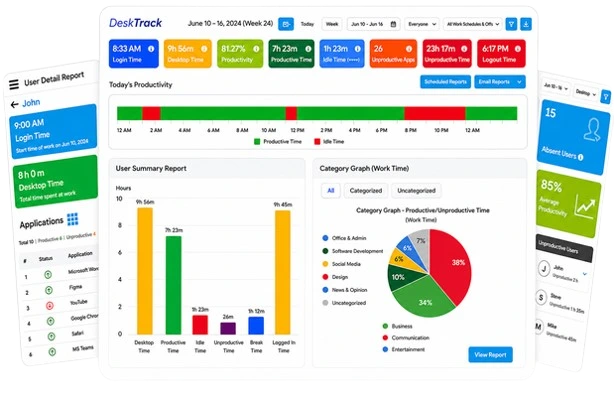
Most tools solve one problem. DeskTrack solves eight. It’s the only platform on this list that combines real-time project collaboration, employee monitoring software, automated timesheets, productivity analytics, and screenshot monitoring in a single dashboard.
For managers, it means you finally know what your remote team is actually doing — without having to ask. For employees, it means less friction: everything from task updates to time logs happens automatically in the background.
- Project management with Kanban boards, task mapping, and real-time progress tracking
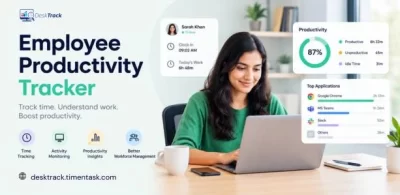
- Automated time tracking software with idle detection and app/URL logging
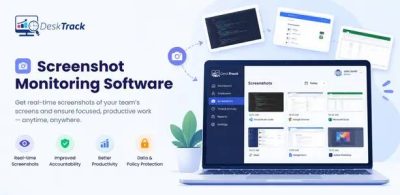
- Screenshot monitoring for accountability without micromanagement
- Productivity tracking software with individual and team-level reports
- GPS and geofencing for field employees
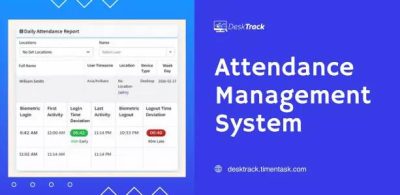
- Attendance management, payroll integration, and timesheet approvals
- Works silently in the background — no disruption to workflow
| Price | Trial Period | Credit Card Required |
|---|---|---|
| $5.99/user/month | 15-day free trial | no |
2. Slack – Best for Day-to-Day Team Communication
If email is w2here good ideas go to die, Slack is where they come alive. It organizes team conversations into channels — so your engineering team isn’t drowning in marketing updates, and vice versa. The search is fast, integrations are rich, and getting started takes minutes.
- Organized channels for projects, teams, and topics
- Direct messages, huddles, and voice/video clips
- 2,400+ integrations including Google Drive, Zoom, and Trello
- Powerful search across messages and files
| Price | Billing Frequency |
|---|---|
| $3.94 | user/month |
3. Zoom – Best for Video Meetings
When text just doesn’t cut it, Zoom does. It’s become the default video conferencing tool for good reason — fast buffering, stable connections, and features like breakout rooms make it ideal for everything from one-on-ones to all-hands meetings of 500 people.
- HD video and audio, even on slower connections
- Breakout rooms for workshops and group discussions
- Screen sharing with annotation tools
- Meeting recordings with automatic transcription
| Price per Space | Currency | Duration |
|---|---|---|
| 1.25 | $ | month |
4. Monday.com – Best for Flexible Workflow Management
Monday.com gives teams a visual, highly customizable space to plan, track, and run their work. Whether you’re managing a content calendar, a software sprint, or a client onboarding process, Monday’s boards adapt to fit. It’s one of the more flexible project management tools available today.
- Dynamic boards with timeline, Kanban, and calendar views
- No-code automation for repetitive task workflows
- CRM, dev, and service management add-ons
- Mobile app with full functionality
| Price per User | Pricing Plan |
|---|---|
| $9 | user/month |
5. Google Workspace – Best for Integrated Productivity
If your team already lives in Gmail, Google Docs, and Sheets, Google Workspace formalizes that into a proper collaboration environment. Real-time document co-editing, shared calendars, Meet for video calls, and Drive for storage — it’s one of the most cost-effective stacks for small teams. Google’s Workspace blog regularly highlights new AI features being added to the suite.
- Real-time co-editing in Docs, Sheets, and Slides
- Shared Google Drive with granular permissions
- Google Meet for video, Chat for messaging
- Advanced encryption and compliance certifications
| Cost per User | Billing Cycle |
|---|---|
| $1.78 | month |
6. Trello – Best for Visual Task Boards
Trello’s drag-and-drop boards are about as intuitive as software gets. You create cards, move them across columns (To Do → In Progress → Done), and everyone instantly knows what’s happening. It works best for straightforward projects — though power-ups can extend it significantly.
- Drag-and-drop Kanban interface
- Customizable cards with checklists, due dates, and attachments
- Butler automation for repetitive actions
- Calendar and timeline views
| Price per User | Billing Frequency |
|---|---|
| $5 | month |
7. Miro – Best for Visual Collaboration & Brainstorming
When your team needs to think together — not just talk together — Miro’s infinite whiteboard is the answer. Mind maps, wireframes, sticky notes, flowcharts: all in real-time, all in one canvas. The AI tools are genuinely useful for speeding up ideation sessions.
- Intelligent, infinite canvas with 2,500+ templates
- Real-time multiplayer editing
- AI-powered summarization and diagram generation
- Integrates with Slack, Jira, Notion, and more
| Price Per User | Currency | Billing Frequency |
|---|---|---|
| 8 | $ | month |
8. Jira – Best for Software Development Teams
Jira is the gold standard for software teams running Agile sprints. Its depth is unmatched — custom workflows, sprint tracking, burndown charts, and deep integrations with the Atlassian ecosystem. The downside? It can feel overkill if you’re not in a dev context.
- Agile sprint planning with backlog management
- Customizable workflows and issue types
- Advanced analytics and velocity reporting
- Native Confluence and Bitbucket integration
| Pricing Plan |
|---|
| $75/month (flat rate) |
9. Dropbox – Best for Secure File Sharing
When your team regularly shares sensitive documents — contracts, design files, financial reports — Dropbox gives you peace of mind. File encryption, two-factor authentication, and granular sharing controls make it one of the most trusted file-sharing platforms in business.
- AES-256 file encryption and two-factor authentication
- Real-time file synchronization across devices
- Version history and file recovery
- Integration with 300,000+ apps via Dropbox Extensions
| Price |
|---|
| $9.99/month |
10. Loom – Best for Asynchronous Video Messaging
Not everything needs a meeting. Sometimes a 90-second video beats a 500-word email — and Loom makes recording and sharing those videos effortless. Hit record, show your screen, talk through the issue, share the link. Done. It’s become a staple in async-first remote teams.
- One-click screen, face, and voice recording
- Auto-generated transcripts and captions
- Viewer engagement analytics (watch time, reactions)
- Embeds anywhere — Notion, Slack, email, Jira
| Pricing Information |
|---|
| Available on request |
Want one platform that covers monitoring, time tracking, and project management? DeskTrack does all of it.
Boost Your Team Collaboration Like Never Before!
Simplify communication, manage tasks, and track progress — all in one place with DeskTrack. No confusion. No delays. Just seamless teamwork.
Key Features to Look For in Remote Collaboration Software
Not all collaboration tools are built the same. Before you commit to a platform, here’s what actually matters for distributed teams:
Real-Time Communication
Channels, DMs, and video — your team should be able to communicate instantly without switching apps.
File Sharing & Storage
Centralized, version-controlled file sharing ensures everyone’s working from the same document.
Time Tracking
Integrated time tracking software logs hours automatically — no manual entry required.
Task & Project Management
Break complex work into trackable tasks with deadlines, priorities, and assignees.
Productivity Analytics
Reports and dashboards show who’s on track — and who needs support — before deadlines slip.
Integrations
The best tools connect with your existing stack — Slack, Google, Jira, Zapier, and more.
Automation
Auto-assign tasks, send reminders, and trigger workflows without manual effort.
Security & Permissions
Role-based access controls ensure people only see what they’re supposed to.
Pro tip: The fewer tools your team needs to juggle, the higher your adoption rate. Platforms like DeskTrack bundle time tracking, employee monitoring software, and project management into one — reducing app-switching fatigue significantly.
Why Collaboration Tools Actually Work for Remote Teams
It’s easy to be skeptical — another SaaS tool, another monthly invoice. But the outcomes are measurable. Forbes research on remote work productivity shows that teams using purpose-built collaboration software outperform those relying on email and ad-hoc calls in nearly every metric.
1. Clearer Communication
Channels and threads keep conversations organized. Nobody misses a critical update buried in an email chain.
2. Real Accountability
When tasks are assigned with due dates and visible to the team, follow-through improves naturally — no micromanagement needed.
3. Better Project Delivery
Visibility into project status means blockers get caught early, not the day before a deadline.
4. Higher Employee Engagement
Remote employees who feel connected and seen report higher satisfaction — and lower attrition rates.
5. Measurable Productivity
Remote work monitoring software like DeskTrack gives you data — not guesses — about how time is actually spent.
6. Creative Collaboration
Digital whiteboards and brainstorming tools remove the creative barriers that distance creates.
DeskTrack vs. The Competition: Side-by-Side
If you’re trying to figure out whether DeskTrack can replace the tools you’re already using — or complement them — this table makes the decision easier.
| Tool | Key Features | Best For | Starting Price | Time Tracking | Employee Monitoring | Project Mgmt |
|---|---|---|---|---|---|---|
| DeskTrack | Monitoring, time tracking, projects, screenshots, GPS, payroll | All-in-one remote team management | $5.99/user | ✓ | ✓ | ✓ |
| Slack | Channels, DMs, voice, integrations | Communication only | $3.94/user | ✗ | ✗ | ✗ |
| Monday.com | Boards, automation, CRM | Workflow management | $9/user | Limited | ✗ | ✓ |
| Trello | Kanban boards, cards, power-ups | Simple task tracking | $5/user | ✗ | ✗ | Partial |
| Jira | Sprint planning, issue tracking | Dev teams only | $75/mo flat | ✗ | ✗ | ✓ |
| Google Workspace | Docs, Drive, Meet, Gmail | Communication + docs | $1.78/user | ✗ | ✗ | ✗ |
| Zoom | HD video, breakout rooms | Video meetings only | $1.25/space | ✗ | ✗ | ✗ |
Bottom line: Every other tool on this list excels at one thing. DeskTrack is the only platform that covers time tracking, employee monitoring, and project management together — at a price that beats most single-purpose tools.
How DeskTrack Enables Collaboration for Remote Teams
Most people discover DeskTrack through its monitoring features. What surprises them is how naturally it becomes the coordination layer for the whole team. Here’s what that actually looks like in practice.
Task Assignment & Shared Visibility
Managers create projects, break them into tasks, and assign them directly to team members — each with a due date, priority level, and tracked time budget. Everyone on the team sees the same board. There’s no “I didn’t know that was assigned to me” — the dashboard makes ownership unambiguous.
Time Tracking as a Collaboration Signal
When a developer logs six hours on a task that was scoped for two, DeskTrack surfaces that automatically. The manager doesn’t have to chase for a status update — the data is already there. That single signal often triggers the right conversation before a deadline gets missed.
Accountability Without Micromanagement
Daily and weekly productivity reports give the team a shared understanding of where time is going. This isn’t about surveillance — it’s about making blockers visible. When a team member is consistently idle during their scheduled hours, it’s usually a workload or clarity problem, not a discipline one.
A Real-World Workflow Example
That’s collaboration with context. It doesn’t replace your communication tools — it gives every conversation a shared data foundation so decisions happen faster and with less friction.
This ensures a balance between accountability and privacy.
Final Thoughts: Choose Tools That Grow With Your Team
Remote work isn’t going away. And the teams that thrive aren’t necessarily the ones with the most tools — they’re the ones with the right tools, set up thoughtfully.
If you’re just getting started, Slack and Trello are low-friction entry points. If you need video-heavy communication, Zoom is the obvious choice. If your team is scaling and you’re losing visibility into what’s actually getting done, that’s where DeskTrack becomes indispensable.
DeskTrack isn’t just another collaboration tool. It’s the operating system for your remote workforce — combining project management tools, time tracking software, employee monitoring software, and productivity tracking software into one cohesive platform. No more switching between five apps. No more wondering what your team is working on.
Try it for 15 days. You’ll see the difference before you even check the report.
Frequently Asked Questions
Ans. Prioritize real-time communication, task and project management, time tracking, file sharing, productivity analytics, and security features. The fewer apps your team needs to switch between, the better your adoption rate will be. Ans. They centralize communication, make task ownership clear, and give managers real-time visibility into progress. Teams that use structured collaboration platforms close projects faster and report significantly higher engagement — McKinsey estimates productivity gains of 20–25% for connected teams. Ans. Absolutely. DeskTrack works well for teams of 5 to 500+. Its $5.99/user/month pricing is accessible for small businesses, and the 15-day free trial lets you test every feature before committing. There’s no credit card required to get started.team-collaboration-tools