Selling out-of-stock products and investing in products that do anything but sell is commonplace in many small businesses. On the other hand, the businesses that have implemented inventory management software don’t face such issues. That’s because the application does the tracking in real-time for them. Sounds awesome. Right? That’s because it is. However, which one is the ideal software for inventory management for your Fortune 500? Let’s find out.
Top 5 Small Business Inventory Management Software in 2026: Summarized
In a hurry? No issues, as we have summarized the top 5 inventory management software in the market for you below.
| Software Name | Best For | Most Affordable Paid Plan | User Rating |
| DeskTrack | Everyone | $5.99/user/month | 5/5 |
| EasyReplenish | Small e-commerce brands, retailers, and D2C businesses that want simple automation | Quote on contact | 4.5/5 |
| Zoho Inventory | Small businesses and startups where core inventory features are a must-have | $11.15/organization/month | 4.5/5 |
| inFlow Inventory | product shops, warehouses, and distributors that need a straightforward solution | $129/month | 4.6/5 |
| Square for Retail | Small retailers and shops that need simple, low-cost inventory tracking with integrated POS | $49/location/month | 4.7/5 |
What is Inventory Management Software?
As we mentioned before, inventory management software solutions or applications keep track of your stock, just like your workers or employees would. Similar to how you instruct them once, you have to configure the stock management tool once, for it to automate the management, monitoring, and tracking of your inventory. Moreover, let’s talk about some of its useful features.
- Automated stock tracking
- User-friendly dashboards to easily view the inventory reports.
- Customizable interface
- Daily, weekly, monthly, and yearly data
- Stock and inventory history
- Automated forecasting to help with restocking
- Categories to properly sort and organize inventory
- Payroll and invoicing integrations
- Multi-channel synchronization
Read Also: Top 8 GPS Employee Tracking Apps for Work in 2026
How to Choose the Top Inventory Management Software for Your Small Business?
Small businesses must keep these things in mind while picking an inventory management software solution to accrue stock-handling.
- Budget: If you have a small business, you are budget-conscious. Whether it’s about hiring people or stocking up on essentials, you always worry about expenses. That’s why you must select an affordable tool to manage inventory that has all the necessary features. In short, cost-effectiveness matters.
- Integrations: Look for a stock tool with seamless integrations, such as connections with POS, payroll, and invoicing tools. This streamlines the workflow and saves time.
- Ease of Use: Of course, not all your employees are tech-savvy. Thus, you need a straightforward inventory management software that simplifies stock tracking.
- Industry-Specific Requirements: Specific industries, such as healthcare and medicine, will have specific requirements. These include stringent compliance with HIPAA, drug regulations, and management of a special type of stock. Fortunately, industry-specific inventory management system tools are available out there.
Top 5 Small Business Inventory Management System Software in 2026
To give you a head start, we have shortlisted our pick of the top 5 small business inventory management software.
- DeskTrack
- EasyReplenish
- Zoho Inventory
- inFlow Inventory
- Square for Retail
1. DeskTrack
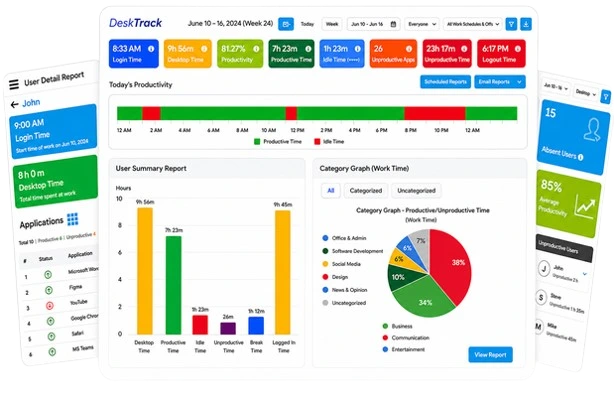
DeskTrack’s all-in-one geofencing and GPS tracking software with project management is a great tool to efficiently track, manage, and ensure stock safety. With its plethora of features for fieldwork, in-office, and remote teams, you will streamline and automate all processes.
Key Features:
- Geofencing for asset safety
- GPS tracking
- User-friendly interface
- Custom dashboards for every user
- Customizable drag-and-drop workflows
- Create tasks, sub-tasks, and checklists to easily track stock.
- Seamless integrations, for example, with your biometric system to keep track of when stock moved out from and into your premises.
- Scalable
- Enterprise-level configurations with hierarchy management
| Best For | Most Affordable Paid Plan | User Rating |
| Everyone | $5.99/user/month | 5/5 |
2. EasyReplenish
Are you looking for enterprise-level smart inventory tracking without enterprise-level complexities? We recommend going for EasyReplenish. This one is the most useful for SMEs and D2C businesses.
Key Features:
- AI-powered demand forecasting
- Automated replenishment with dynamic reorder points
- Centralized dashboard for online and offline inventory
- Multi-channel synchronization
- Lot and batch tracking
| Best For | Most Affordable Paid Plan | User Rating |
| Small e-commerce brands, retailers, and D2C businesses that want simple automation | Quote on contact | 4.5/5 |
3. Zoho Inventory
Zoho Inventory is a well-known stock management software for small businesses. The tool is available on mobile as well as desktop, ensuring on-the-go stock tracking for managers who have to handle multiple branches.
Key Features:
-
- Inventory tracking with batch numbers
- Multi-channel selling
- Automated reorder notifications
- Built-in shipping management
- Free plan available
| Best For | Most Affordable Paid Plan | User Rating |
| Small businesses and startups where core inventory features are a must-have | $11.15/organization/month | 4.5/5 |
4. inFlow Inventory
inFlow Inventory is known for being straightforward and fast. This tool is great for tracking stock, creating invoices, and managing orders without learning much.
Key Features:
- Barcode scanning via its mobile application
- Location-wise inventory tracking
- Invoice and order management
- Built-in insights and reporting
- B2B showroom for online wholesale ordering
| Best For | Most Affordable Paid Plan | User Rating |
| Product shops, warehouses, and distributors that need a straightforward solution | $129/month | 4.6/5 |
5. Square for Retail
Square for Retail is quite an affordable inventory management software for small businesses on a fixed budget. However, you don’t get much for the amount you pay. Overall, the tool provides basic stock management features with POS.
Key Features:
- Inventory tracking with barcode scanning
- Simple reordering and low-stock alerts
- Integrated POS system with payment
- Inventory and sales reporting
- Free plan with essential features
| Best For | Most Affordable Paid Plan | User Rating |
| Small retailers and shops that need simple, low-cost inventory tracking with integrated POS | $49/location/month | 4.7/5 |
Read Also: How to Calculate Holiday Pay: All You Need to Know About
Benefits of Inventory Management Software for Small Businesses
Here are the benefits we are enjoying over our competitors by implementing the top inventory management software. So will you.
- Accurate Channel-Wide Stock Visibility: With the right inventory management software, you will not only know how much stock you have, but also where. That’s right, with the multi-channel synchronization feature, you can view inventory across multiple online and offline sites from a single dashboard.
- Time Savings Via Automation: Small businesses will never sell out of stock products after implementing software for inventory management. Since the tool will automate inventory tracking and management, it will save time and money for you.
- No Costly Mistakes & Losses: Manually stocking and monitoring inventory can lead to data mismatches, which is an expensive error. For example, if your customer adds a product to their cart, pays, and then later finds out that it was out of stock, then they will switch to another brand faster than you can say purchase. It’s not about refunds, it’s about trust. Well, that said, it won’t happen to you after implementing inventory management software.
- Better Cash Flow: Due to automated forecasting, you will restock at the right moment, which ensures reduced expenses. Obviously, the cash flow in your business also improves.
- Better Competition with Bigger Brands: Implementing the right inventory management system software lets you compete with the top brands. Overall, that’s because of fewer mistakes, accurate stock, and fast fulfillment.
How to Improve Inventory Management?
Want to improve inventory management to the next level? Here are a few expert (we)-recommended inventory management tips that are guaranteed to work 100% of the time.
- Don’t wait till a product is about to go out of stock. Early restocking can help you prevent disasters. For example, the market is unpredictable, and product demands can go through the roof when you least expect them to.
- Don’t rely completely on the inventory management software. It’s also a good idea to track what your employees are doing all the time with the right software for employee monitoring.
- Learn how to use the inventory management software for small businesses and teach your staff to use it as well, ensuring that they are easily able to keep track of the inventory.
- Have a daily, weekly, monthly, or yearly backup of the latest stock data in case anything unexpected happens.
- It’s also a good idea to double-check your backup data with what’s in your inventory manager tool to ensure that you can make all the required changes in time.
- Keep track of the stock that goes in and out of your premises in real-time
- Even after implementing inventory management software, don’t forget to install and update CCTVs and security teams for additional safety.
- Take your time whenever you are managing inventory, as it’s crucial to have the right amount available to the consumers. Plus, having accurate data ensures compliance and seamless auditing.
- Additionally, properly managing taxes and other finances is also essential to avoid any lawsuits or legal issues.
Use DeskTrack for Smarter Inventory Management
DeskTrack not only takes care of your stock, but also your employees. That is, you can ensure that your employees do their job properly and use the available resources effectively with the tool’s real-time work hours tracking, employee monitoring, project management, and productivity monitoring features. Try now and realize why it’s the only tool you will ever need for profitable business and workforce management.
Frequently Asked Questions (FAQ)
Q. What are the 4 Categories of Inventory Management?
Ans. These are the 4 ways to manage inventory or stock.
- Just-in-time management (JIT)
- Materials requirement planning (MRP)
- Economic order quantity (EOQ)
- Days sales of inventory (DSI)
Q. How Do You manage Inventory?
Ans. You can manage inventory on pen and paper or using a spreadsheet tool. However, that’s too time-consuming and complex. The best way is to use inventory management software, which streamlines stock monitoring and management via automation and even shows you channel-wide stock amounts in real-time.
Q. What are the 5 Steps of Inventory Management?
Ans. Here are the 5 steps of inventory management that inventory management software automates and streamlines.
- Inventory planning and forecasting
- Purchasing and ordering process
- Receiving, storing, and packing
- Inventory tracking and control
- Order fulfillment and shipping or delivery