DeskTrack Blog
Get the Latest Business Productivity Trends & Time Tracking Insights
Trusted by 8000+ Organizations | Rated #1 Workforce Management Software | 24/7 Online Tech Support
Latest Articles
Browse by what you need
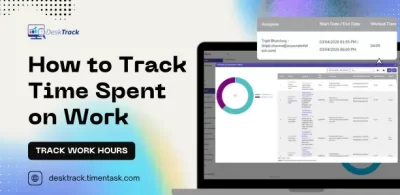
To track time spent on work, define project and task categories, use automated time tracking software to log hours in real time, monitor application and website usage, classify productive versus unproductive activity, and generate reports. Tools like DeskTrack automate this process for teams of any size.
30 May
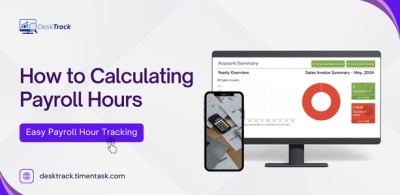
Know all about calculating payroll hours and the methods that go behind it. This blog, we will give useful insights and the best software for calculations.
29 May
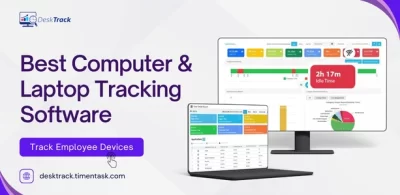
Computer & laptop tracking software helps businesses monitor employee activities, track productivity, manage work hours, and improve workflow efficiency through features like time tracking, app monitoring, and screenshot capture.
28 May
A GPS employee tracking app is a location monitoring tool that lets managers track where employees are in real time. It combines GPS, geofencing, and employee time tracking to record location history, automate attendance, and improve workforce accountability — all from a single mobile or desktop app.
27 May
As a business owner or top-level manager, keeping track of business goals and the overall process is a top priority. However, among all the other things you have to manage, staying on top of your goals is not simple. You need best apps for goal setting.
22 May
Discover everything about the best 10 remote employee management software solutions in 2026. We will provide you with many other useful insights, such as software overviews.
21 May
Explore all about 15 of the best time tracking apps for businesses in 2026. In today’s blog, I will provide useful insights including the tool’s need and much more.
20 May
Learn more about legal and effective employee screen activity tracking methods, top software tools, compliance rules, and productivity tips for 2026.
14 May

The best way to monitor remote employee productivity is using automated tracking software that measures output, app usage, and work hours in real time.
08 May

Improve productivity by setting clear KPIs, using a productivity tracking system, monitoring work data, and consistently optimizing team workflows.
06 May
Time tracking software for IT companies helps teams log work hours, manage projects accurately, reduce billing errors, and boost overall productivity.
02 May