You’ve noticed it. Deadlines slip. Someone’s online status says “Active” but their work says otherwise. You’re a manager trying to understand what your team is actually doing — and suddenly someone whispers the word you dread micromanager Here’s the truth: employee monitoring vs micromanagement is one of the most misunderstood conversations in modern workplaces. Leaders who adopt monitoring tools often fear being labeled controlling. Meanwhile, employees who haven’t had transparency into expectations feel lost — and unproductive.But these two things are not the same. Not even close. Employee monitoring, when done right, is a data-driven approach to understanding workforce performance. Micromanagement is a behavioral pattern driven by distrust. One is a tool. The other is a management style — and a damaging one.This guide pulls them apart clearly, so you can lead with confidence, not control.
What Is Employee Monitoring?
Employee monitoring refers to the use of technology and data to track work-related activities during business hours. It’s a systematic, often automated approach — not a person hovering over your shoulder.
According to Harvard Business Review, monitoring tools have exploded in adoption since remote work became mainstream. These tools include:
- Best employee monitoring software that tracks active hours and idle time
- Screenshot monitoring software that captures periodic screens
- URL tracking software that logs website visits during work hours
- Project time tracking software for billing and workload analysis
Example: A remote software company uses a time-tracking tool to log hours spent per project. Managers get weekly reports — not live feeds. Employees know about it. Nobody is stressed
Read More: What Is Employee Monitoring Software? A Complete Guide for 2026
What Is Micromanagement?
Micromanagement is a management behavior where a leader excessively controls, monitors, or supervises employees beyond what is needed. It’s personal, persistent, and process-obsessed — often rooted in the manager’s anxiety, not the employee’s performance.
Forbes identifies it as one of the leading causes of voluntary employee turnover.
Example: A manager demands to review every email before it’s sent, insists on hourly check-in calls, and rewrites completed work because it “doesn’t look like they would do it.” Deadlines get met, but the team is burning out.
A Gallup study found that only 21% of employees strongly agree their performance is managed in a way that motivates them. Micromanagement is a key reason.
This ensures a balance between accountability and privacy.
Key Differences: Employee Monitoring vs Micromanagement
Here’s a direct side-by-side look. The employee monitoring vs micromanagement difference becomes instantly clear when you line them up:
| Parameter | ✅ Employee Monitoring | 🚫 Micromanagement |
|---|---|---|
| Purpose | Improve productivity & accountability | Control every step of an employee’s work |
| Approach | Data-driven, automated, systemic | Personal, manual, behavior-driven |
| Transparency | Employees are informed and aware | Often secretive or unexplained |
| Employee Trust | Maintained or improved with clarity | Eroded over time, breeds resentment |
| Focus | Outcomes, results, and patterns | Process, steps, and personal preference |
| Productivity Impact | Positive — highlights inefficiencies | Negative — creates bottlenecks and stress |
| Scalability | Works across large, distributed teams | Breaks down beyond a few direct reports |
| Manager’s Role | Coach using data insights | Controller enforcing personal standards |
The pattern is obvious. Monitoring employees vs micromanaging teams leads to completely different organizational outcomes.
Ready to Monitor the Right Way?
See how leading teams use ethical monitoring to boost productivity — without micromanaging anyone.
Is Employee Monitoring Micromanagement?
The question “is employee monitoring micromanagement?” is understandable, but it conflates a tool with a behavior. A hammer isn’t violent just because it can be used to break things. The intent and implementation matter enormously.
Monitoring becomes micromanagement only when it’s used to nitpick behavior rather than improve performance.
Ethical Monitoring (Not Micromanagement)
A digital marketing agency of 60 remote employees uses employee monitoring software to track logged hours per client project. Every quarter, the data helps the ops team reallocate resources and catch burnout before it becomes a crisis. Employees were briefed during onboarding. No one is watching their screens in real time.
Result: Higher billing accuracy, balanced workloads, and employees who feel protected — not surveilled.
Monitoring That Crosses Into Micromanagement
A manager receives hourly screenshots of their team’s screens and sends corrections in Slack whenever an employee takes a 12-minute break or opens a non-work tab. Employees start self-censoring. Innovation drops. Three people quit within a month.
Result: The tool wasn’t the problem. The management behavior was.
Benefits of Employee Monitoring
When done right, employee monitoring to improve productivity is one of the smartest investments a modern organization can make. Here’s why:
Productivity Improvement
Teams perform better when they know time is being tracked. It eliminates guesswork and keeps everyone accountable to shared goals.
Accurate Time Tracking
Project billing becomes airtight. No more estimates. Clients get accurate invoices, and leadership gets real capacity data.
Operational Transparency
Everyone from HR to executives can see workflow patterns, identify bottlenecks, and course-correct before problems escalate.
Remote Team Management
With distributed teams across time zones, monitoring ensures alignment without the need for constant meetings or check-ins.
Compliance & Security
URL tracking and activity logs protect companies from data breaches and ensure regulatory compliance in sensitive industries.
Better Feedback Conversations
Managers move from vague impressions to data-backed conversations. Reviews become fairer and more actionable.
According to Gartner, over 60% of large organizations now use some form of digital employee monitoring — and adoption is accelerating.
Read More: Top Benefits of Employee Monitoring Software for Businesses in 2026
Risks of Micromanagement
Micromanagement doesn’t just annoy employees. It systematically dismantles the things that make great teams great. Here’s what the research says:
Reduced Morale
Constant oversight signals distrust. Employees feel disrespected and undervalued, leading to disengagement.
Burnout
The pressure of constant scrutiny is exhausting. Employees expend emotional energy managing the manager instead of doing their work.
Lack of Creativity
When every decision is second-guessed, employees stop trying new approaches. Innovation dies in micromanaged teams.
High Employee Turnover
Top performers leave first — they have options. McKinsey research consistently links bad management to attrition spikes.
A team led by a micromanager loses up to 35% of its potential productivity — not from poor skills, but from decision paralysis, waiting for approvals, and fear of making mistakes.
Best Practices to Monitor Without Micromanaging
The goal of workplace monitoring vs micromanagement thinking is to find the middle path — visibility without suffocation. These four principles will get you there:
Set Clear Expectations Upfront
Before deploying any monitoring tool, communicate exactly what will be tracked, why it’s being tracked, and how the data will be used. Informed employees are empowered employees.
Focus on Outcomes, Not Activity
Did the project ship on time? Did the client renew? These outcomes matter far more than whether someone spent 6.5 vs 8 hours at their desk. Use project time tracking software to measure deliverables, not presence.
Use Data to Coach, Not Punish
When monitoring reveals an issue — say, one person consistently logging shorter hours — start with curiosity, not discipline. Is there a workload problem? A personal challenge? Great managers investigate before they react.
Communicate Openly and Regularly
Hold team-level reviews where monitoring insights are shared collectively. Normalize the data. When numbers aren’t secrets, they stop feeling threatening.
Real-World Use Cases
Employee tracking vs micromanagement plays out differently depending on your work setup. Here’s how monitoring works across three common scenarios:
Remote Teams
With no physical office, remote managers can’t walk the floor. Monitoring tools provide the visibility that used to come from co-location — tracking hours, project progress, and app usage — all without requiring back-to-back Zoom calls.
Hybrid Workplaces
In hybrid environments, fairness is a concern. Are in-office employees being seen more than remote ones? Monitoring creates an objective record that ensures hybrid team members are evaluated on output, not visibility.
Field Employees
For sales reps, technicians, and delivery teams, location tracking and task completion software replaces manual check-ins. Managers get real-time route data and job status — without calling every 30 minutes.
How DeskTrack Helps in Employee Monitoring Without Micromanagement?
So far, we’ve established what separates ethical employee monitoring vs micromanagement. Now the real question is: what does a tool that actually gets this balance right look like in practice?
That’s where DeskTrack comes in.
DeskTrack is an employee monitoring and productivity analytics platform built around a simple principle: give managers the visibility they need, without turning them into micromanagers. It tracks what matters — time, output, and work patterns — and keeps the focus where it belongs: on results, not on controlling every move an employee makes.
How DeskTrack Supports Ethical Monitoring
One of the biggest reasons monitoring crosses into micromanagement is a lack of transparency. DeskTrack addresses this head-on. Employees know what’s being tracked. The system is disclosed, documented, and built to comply with standard workplace privacy norms. Nothing is hidden. And that single fact changes how employees relate to the tool — it stops feeling like surveillance and starts feeling like structure.
Rather than feeding managers a live stream of everything an employee does, DeskTrack surfaces productivity patterns and trends over time. The goal is always to help managers ask better questions — not to give them ammunition to nitpick.
Key Features That Keep Monitoring in Its Lane
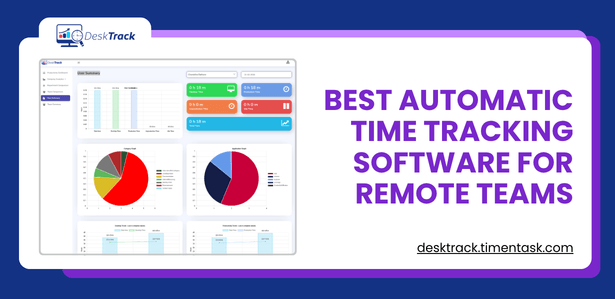
Automatic Time Tracking
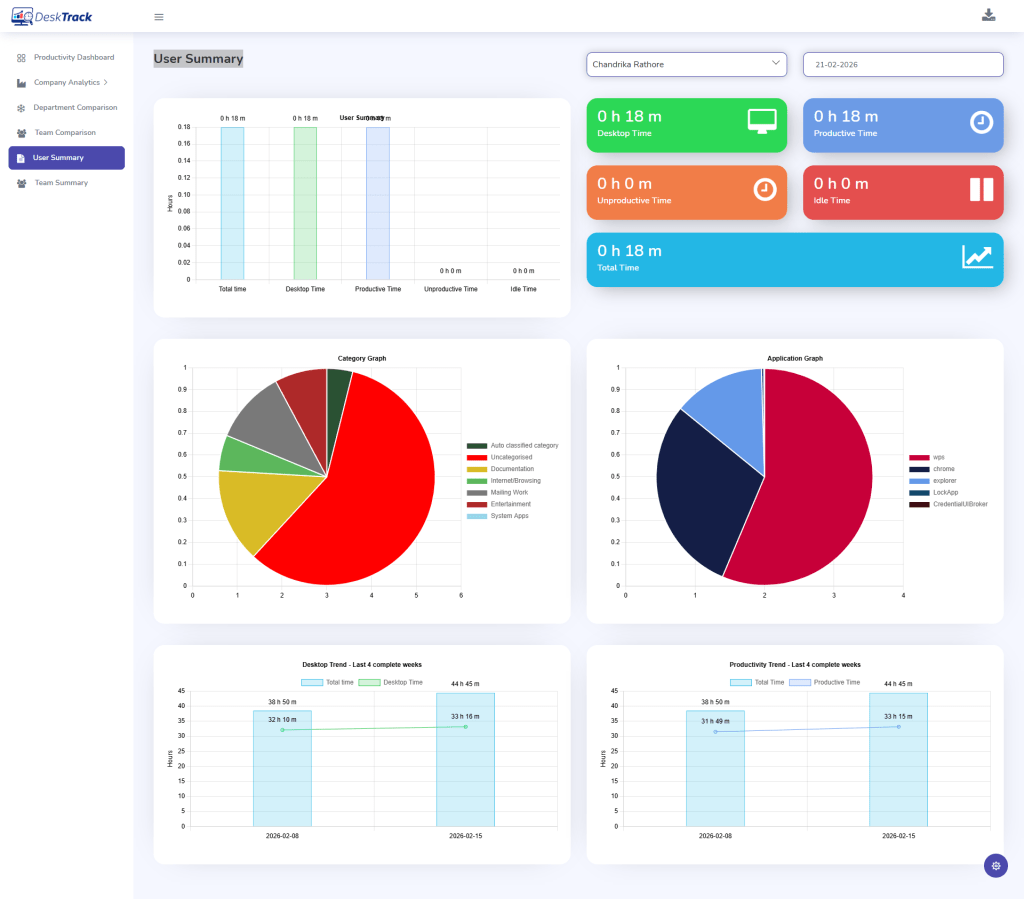
DeskTrack logs work hours automatically without requiring employees to manually punch in or out. It removes the friction of time reporting while giving managers an honest picture of how hours are being spent — down to the project level.
Screenshot Monitoring (With Transparency)
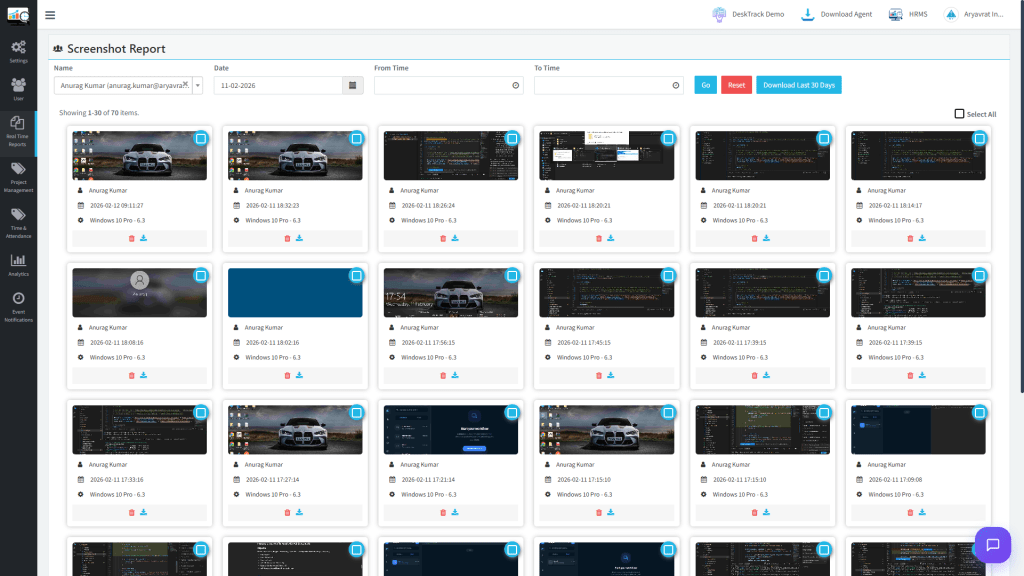
Screenshots are captured at intervals — not continuously — and employees are always informed that this feature is active. It’s designed as a periodic check-in on work activity, not a frame-by-frame surveillance feed. Managers get context; employees keep their privacy.
URL & Application Tracking
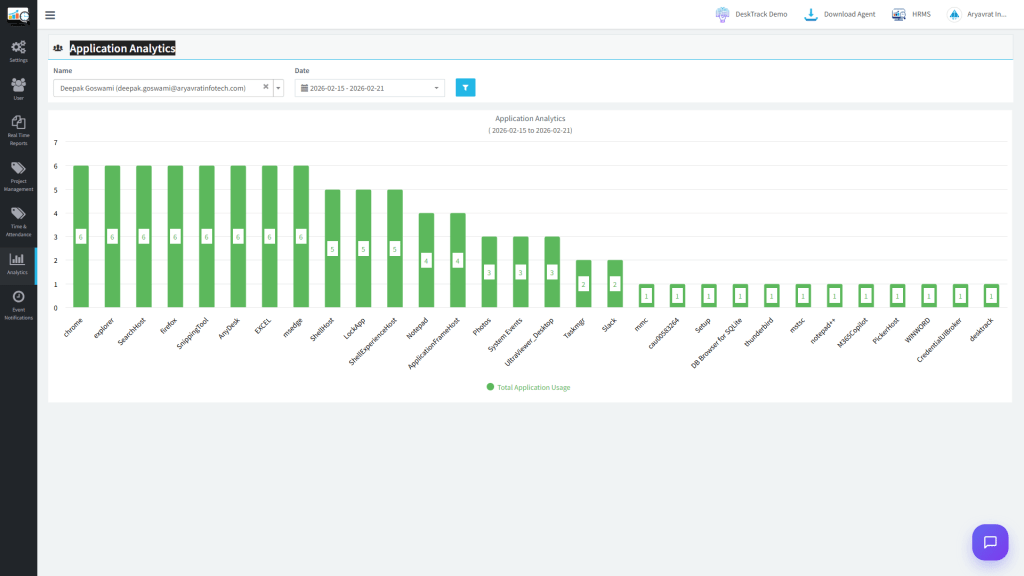
DeskTrack monitors which websites and applications employees use during work hours, separating productive and non-productive time. This gives leadership real data to spot workflow inefficiencies — not to shame employees for a five-minute news break.
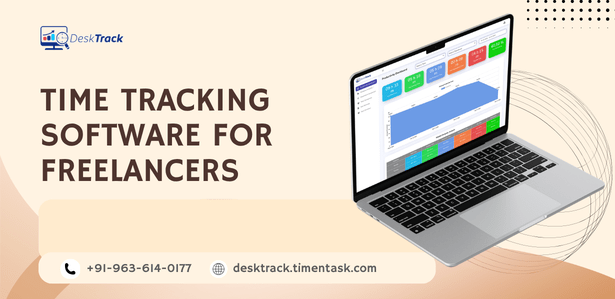
Productivity Reports
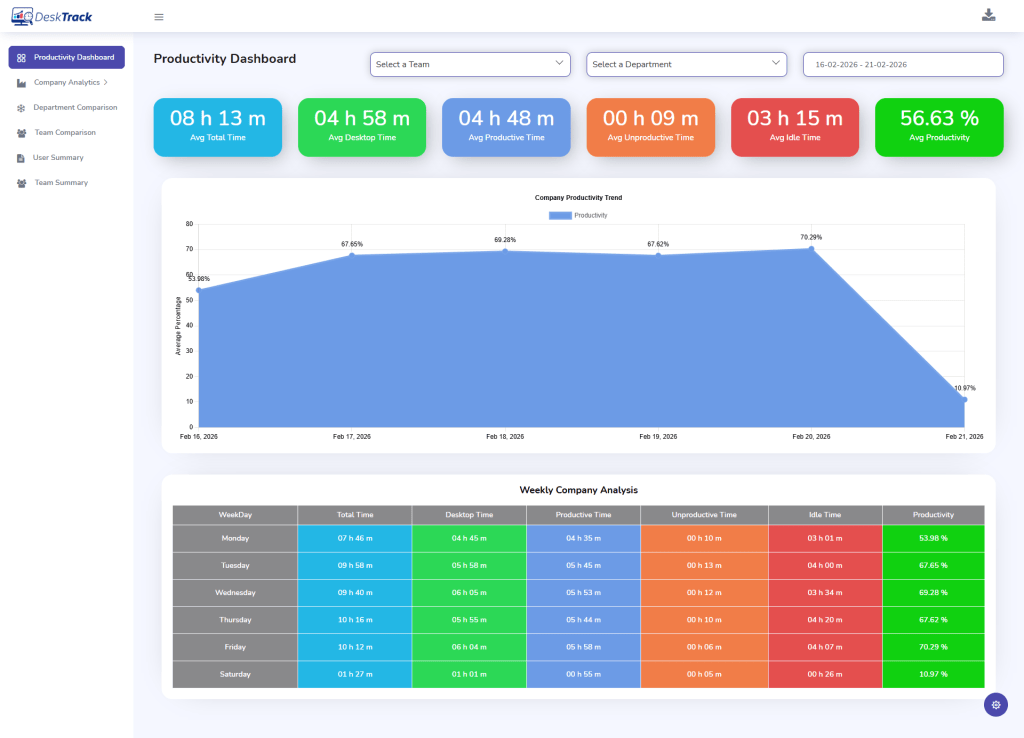
Instead of raw activity dumps, DeskTrack generates clean, actionable productivity reports. These weekly and monthly summaries show trends over time — making it easy to have data-backed conversations that are supportive rather than disciplinary.
Built for Every Modern Work Setup
Whether your team is fully remote, hybrid, or in-office, DeskTrack adapts without changing the experience for employees. Here’s how it fits across work models:
Remote Teams
DeskTrack gives remote managers the same visibility they’d have in a shared office — without requiring constant status updates or check-in calls. Teams stay accountable to their goals, and managers stay out of the weeds.
Hybrid Workplaces
In a hybrid setup, DeskTrack ensures that both in-office and remote employees are measured by the same objective standard: their actual productivity. No one gets penalized for not being “seen” — the data speaks for everyone equally.
Office Teams
Even for teams under one roof, DeskTrack removes guesswork from performance reviews. Managers can walk into appraisals with months of productivity data rather than relying on memory or gut feeling.
The Result: Better Productivity, Stronger Trust
The ultimate test of any monitoring tool is simple: does it help you improve employee productivity without making people feel watched? DeskTrack is designed to pass that test.
By focusing on insights over surveillance, it gives managers the information they need to lead well — and gives employees the clarity they need to work well. That’s the right side of the employee monitoring vs micromanagement line. And it’s where DeskTrack sits by design.
This ensures a balance between accountability and privacy.
Conclusion
Employee monitoring and micromanagement are not two points on the same spectrum. They are fundamentally different things — one is a strategy, the other is a symptom.
When applied thoughtfully, employee monitoring builds the kind of transparency that great teams thrive on. It removes guesswork, improves accountability, and gives leaders objective data to coach — not control — their people.
Micromanagement, by contrast, is what happens when a leader can’t trust their team or themselves. No tool causes it. No tool fixes it. It requires a mindset shift — from process-obsession to outcome-orientation.
The organizations winning in today’s distributed work environment aren’t the ones watching their people the most. They’re the ones creating the clearest systems, the healthiest cultures, and the most empowering workflows.
Monitor with purpose. Lead with trust. That’s the only formula that scales.
Frequently Asked Questions
Ans. Yes, in most countries — with conditions. Employers must notify employees about monitoring policies, especially in regions governed by GDPR (Europe), PDPA (India), or state-level laws in the US. Covert surveillance of personal devices is generally illegal. Always consult legal counsel before rolling out any monitoring system. Ans. Not inherently. Research shows that transparent monitoring — where employees understand what’s tracked and why — can actually increase trust because it eliminates ambiguity. It’s hidden or punitive monitoring that erodes trust. The rollout matters as much as the tool itself. Ans. Focus on three things: be transparent about what you track, use the data for coaching rather than punishment, and prioritize outcomes over activity metrics. Check the data weekly — not hourly. Let the software surface insights; don’t become the surveillance yourself. Ans. It depends on your needs. For comprehensive activity tracking, look at best employee monitoring software comparisons. For billing-focused businesses, project time tracking software is more appropriate. If data security is a priority, URL tracking software helps monitor risky web behavior. Always evaluate tools on transparency features, not just tracking depth. Ans. Tracking is a tool — passive, data-driven, and scalable. Micromanaging is a behavior — active, personal, and exhausting for everyone involved. You can track a team of 200. You cannot micromanage one. And critically: the same tracking tool used by two managers can produce two completely different team experiences, depending on how they respond to the data.employee-monitoring-vs-micromanagement