When businesses choose to go digital with time tracking, they strongly select free timesheet app. There is no point in arguing that there is a promise of organization without any expenses. However, it’s a classic case of if you pay peanuts, you get monkeys.
While a free timesheet app is an upgrade from paper-based systems, it’s critical to understand what you are letting go of. You will only find the features that deliver maximum RoI and impact in paid solutions.
So, let us give you a rundown of the differences to help you pick the ideal timesheet application for your business.

Paid vs Free Timesheet Apps: The Primary Difference
The big difference between free and paid solutions lies in how they record hours.
|
It mostly works on manual time entry. What employees do is start and stop timers, remember their work, and map the task to a time entry at the end of the workday or workweek |
|
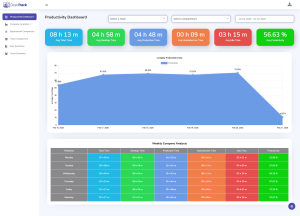
Automatically track activities. Such tools silently run in the background, logging the apps, URLs, and files the employee uses, and automatically allocate that time to the project they were working on |
Read More: Timesheet Program RoI: How to Calculate & Maximize Your Return
The Importance of this Difference
|
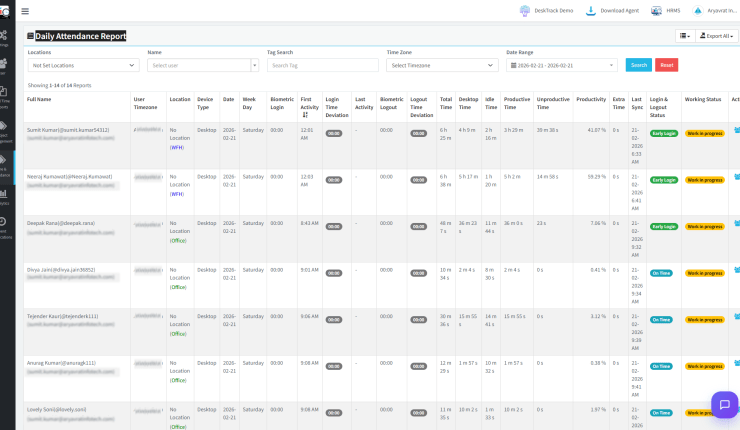
Manual timesheets are infamously inaccurate. According to studies, they can be around 15-20% off. That’s because of forgotten tasks, guesstimates, and rounding. On the other hand, automated time tracking is accurate, down to the last second. |
|
Manually tracking time is another errand at the workplace. It gets in the way of the workflow. Plus, it adds another task to your daily to-do list, while automatically tracking time takes no effort. |
|
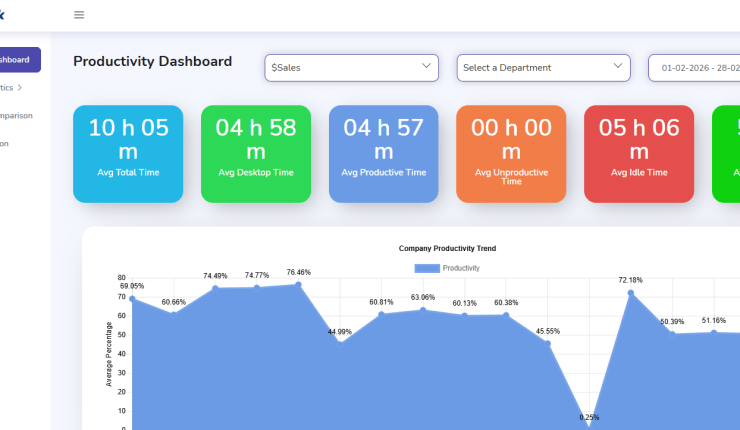
You can’t record the micro-level data you need for real-time insights. The 5 minutes of idle time and the 30 seconds wasted switching between apps remain invisible. It’s the data that reveals workflow inefficiencies. |
Want to know the difference a premium timesheet application creates?
Compare our plans at DeskTrack and pick the best option for your business.
| The Bottom Line |
| Free timesheet software shows you what you think your employees did. On the other hand, paid timesheet apps tell you what they did for real. This marks your foundation of precise data for all your business decisions. |
Feature Comparison: Where is the Actual Value for Money?
Let’s take a look at the RoI-driving key features, where free tools actually fall behind.
| Feature | Free Timesheet App | Paid Timesheet Application (DeskTrack) |
| Time Capture | Manual start/stop timers | Automated and real-time activity tracking |
| Idle Time Detection | No | Yes, with customizable thresholds |
| Productivity Analytics | Basic total work-hour reports | Deep analytics (app/URL usage, productivity trends) |
| Project Costing | Limited (manual allocation) | Automatic project and task-based costing |
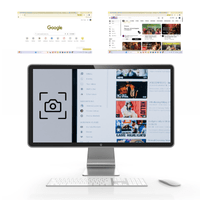
| Screenshots | Rarely | Optional with privacy controls |
| Integrations | Zero or few | Seamless integrations with payroll, PM, and accounting tools |
| Remote Team Features | Basic | Real-time dashboards, offline tracking, and GPS (optional) |
| Compliance & Security | Limited | Enterprise-grade security, audit trails, and user roles |
| Support | Community forums or email | Dedicated phone, chat, and email support |
Know Your RoI: Why are Free Timesheet Apps More Expensive?
Looking back at the RoI calculation in our previous post, a 31-employee organization was losing over 60000 dollars per year to invisible inefficiencies. A paid employee timesheet software, such as DeskTrack, costing around ~$1662, can reclaim around ~$9336 of that loss, which is an astounding 462% RoI.
A free timesheet software can never function like this for you. That’s because it offers no automatic tracking, deep analytics, and it cannot track the 39% of idle time, signalling a huge financial drain. Overall, you might experience organization, but there will be no business intelligence you require to streamline your operations.
So, are you willing to save ~$1662 to leave ~$9336 reclaim behind? Speaking of this context, free timesheet apps are the most expensive business affairs.
Who Can Still Use a Free Timesheet App?
Free tools can still be a feasible choice for a limited audience.
|
A free timesheet app is enough for a solo freelancer who just requires tracking billable time for a few clients. |
|
If you have micro teams working under the same roof, there is a lower requirement for advanced analytics. |
However, as soon as you upgrade to multiple projects, increase employees, and encounter a requirement to understand profitability and efficiency, the limitations of free timesheet software become apparent.

Invest In Intelligence, Not Just a Timer
Selecting a timesheet application goes beyond replacing paper systems with time tracking digitization. The bottom line is to invest in a solution that provides actionable data insights.
A free timesheet app is a time ticker. However, a paid tool like DeskTrack drives smart operations.
So, don’t be blinded by the attractive free price, as you will be leaving behind a huge loss on the table. It’s wise to invest in a tool that delivers actual data, insights, and a quantifiable RoI
Frequently Asked Questions (FAQ)
Ans. Primarily, you will need this tool to precisely track work hours. Other benefits include: Ans. Basically, a timesheet app keeps track of the hours you and your employees spend working on multiple tasks and projects. It records time, manages schedules, and generates reports. Ans. Start by looking for these features. Ans. Although free timesheet apps come with limited features, they are still useful for Ans. DeskTrack is the best premium employee timesheet software available in the business software market. It’s because of these features.timesheet-apps